POS systems have changed significantly over the last few years. Businesses no longer choose a POS only for billing or payment collection. Today, POS platforms manage inventory, customer data, online orders, analytics, staff performance, and multi-location operations.
This shift has made the debate around cloud POS vs traditional POS systems more important for retailers, restaurants, startups, and growing businesses. A small café may need mobile ordering and delivery integrations, while a grocery store may focus on stable offline billing. Likewise, multi-store retailers often need centralized reporting and inventory tracking across locations.
The right POS system is not always the newest one. It is the one that supports how your business operates daily. This guide compares both options practically, helping business owners understand workflows, costs, scalability, and operational impact before making a decision.
Key Takeaways:
- Cloud POS offers better scalability for growing businesses.
- Traditional POS still works well for stable single-location stores.
- Retail and restaurant operations often benefit from cloud integrations.
- Cost depends on long-term business goals, not only setup price.
- Offline capability remains important even in cloud systems.
Understanding the Difference in Cloud POS vs Traditional POS Systems
Traditional POS systems and cloud systems may perform similar tasks, but they operate differently.
Traditional systems usually store information locally. Data stays inside in-store hardware or local servers. Software updates are often manual, and access remains limited to the physical location.
Cloud systems work through the internet infrastructure. Data stays on cloud servers and synchronizes automatically across devices and locations.
Here is a practical comparison:
Feature | Traditional POS | Cloud POS |
Data Storage | Local server | Cloud |
Remote Access | Limited | Available |
Updates | Manual | Automatic |
Multi-Store Control | Difficult | Easier |
Scalability | Moderate | Strong |
Internet Dependency | Lower | Higher |
This traditional POS system comparison becomes important when businesses plan expansion.
Cloud systems provide more flexibility, while traditional setups often suit fixed operations.
Why Businesses Are Moving Toward Cloud POS in 2026
Modern businesses need more than billing. Retailers now manage online orders and physical stores together. Restaurants handle dine-in customers, takeaway orders, and delivery platforms simultaneously.
This is why modern POS systems in 2026 focus heavily on connectivity.
Businesses increasingly require:
- Real-time inventory updates
- Mobile ordering support
- Delivery integration
- Customer loyalty tracking
- Remote performance reports
POS systems have become operational hubs rather than simple payment software.
For example, a fashion retailer with multiple outlets can monitor stock movement across locations instantly using centralized dashboards.
Older systems often struggle with these workflows.
This is where cloud POS advantages become more visible.
Operational Benefits Driving Cloud POS Adoption
1. Real-Time Inventory Visibility
- Inventory synchronization is one of the biggest cloud POS system benefits.
- Imagine a retailer operating three stores.
- If one branch sells a product, stock updates immediately across all locations.
- This reduces overselling and improves replenishment planning.
- Traditional systems usually require manual synchronization or local updates.
2. Remote Business Monitoring
- Business owners no longer need to stay inside the store to monitor operations.
- Cloud dashboards provide access to:
- Sales reports, inventory levels, employee activity, and daily performance.
- A business owner traveling between branches can review everything remotely.
- This flexibility has made cloud-based POS for small businesses increasingly popular.
- Startups especially benefit because management remains simple even during expansion.
3. Faster Multi-Store Expansion
- Adding new locations becomes easier with cloud infrastructure.
- A new branch can often connect to the existing system without building separate servers.
- Retail chains benefit heavily from this approach.
- Traditional systems usually require additional setup work for every expansion.
4. Automatic Updates and Improvements
- Cloud systems update automatically.
- Security improvements, feature additions, and bug fixes happen without major IT involvement.
- Traditional environments often rely on manual installations.
- For smaller teams with limited technical resources, automation saves time.
Why Traditional POS Systems Still Have Value
Cloud growth does not mean traditional POS systems have disappeared. Many businesses continue using them because they fit stable operations and familiar workflows.
For example, a grocery store operating from a single location with predictable sales may not need cloud synchronization or remote inventory access. In such cases, a traditional setup can work efficiently.
One of the biggest advantages is local control. Traditional systems usually operate without heavy dependence on internet connectivity, making them useful for environments where network stability is inconsistent.
Some business owners also prefer avoiding recurring subscription fees. Although the initial setup cost may be higher, monthly expenses often remain lower over time.
Older businesses often stay with traditional systems because employees are already familiar with the workflow. This reduces training time and operational changes.
However, traditional systems also have limitations. Manual software updates increase maintenance efforts, while remote access remains restricted. Multi-location reporting becomes more difficult, and backup management usually requires additional attention.
These factors become more important as businesses grow and plan future expansion.
Detailed POS Software Comparison for Business Operations
A practical POS software comparison goes beyond billing features.
Businesses should evaluate reporting, integration capability, maintenance, and expansion potential.
Software Factor | Traditional POS | Cloud POS |
Reporting Access | Local | Remote |
Updates | Manual | Automatic |
Integration Support | Limited | Extensive |
Data Backup | Manual | Automated |
Scalability | Moderate | Strong |
Cloud systems usually connect easily with accounting tools, delivery platforms, and e-commerce stores. Traditional systems may require additional configuration. This difference becomes significant for growing businesses.
Retail Operations and POS Selection
Choosing the Best POS for Retail Growth
Selecting the best POS system for retail depends heavily on inventory needs. Retail businesses often manage:
- Product tracking, stock transfers, customer loyalty programs, and seasonal inventory.
- A clothing retailer with multiple branches benefits from centralized dashboards. Managers can monitor sales performance and inventory movement across all stores.
- Cloud systems simplify this process.
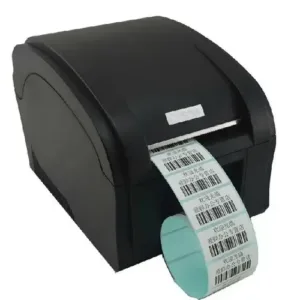
- Many retailers also combine their POS setup with a POS machine, barcode scanner for POS, and receipt printer to improve checkout efficiency.
- This forms an important part of any practical retail POS buying guide.
- Single-location stores with stable inventory may still work efficiently using traditional systems.
Restaurant Workflow and POS Requirements
Restaurants have different operational requirements compared to retail stores. Billing is only one part of the workflow. Restaurants also manage kitchen tickets, table orders, delivery platforms, dine-in customers, and frequent menu updates.
This makes restaurant POS system comparison important when selecting the right solution. A restaurant chain handling both dine-in and online delivery often benefits from centralized synchronization because orders, inventory, and reporting remain connected.
Menu changes can be updated quickly across branches, while orders move directly to kitchen systems. This improves speed and reduces manual work during busy hours.
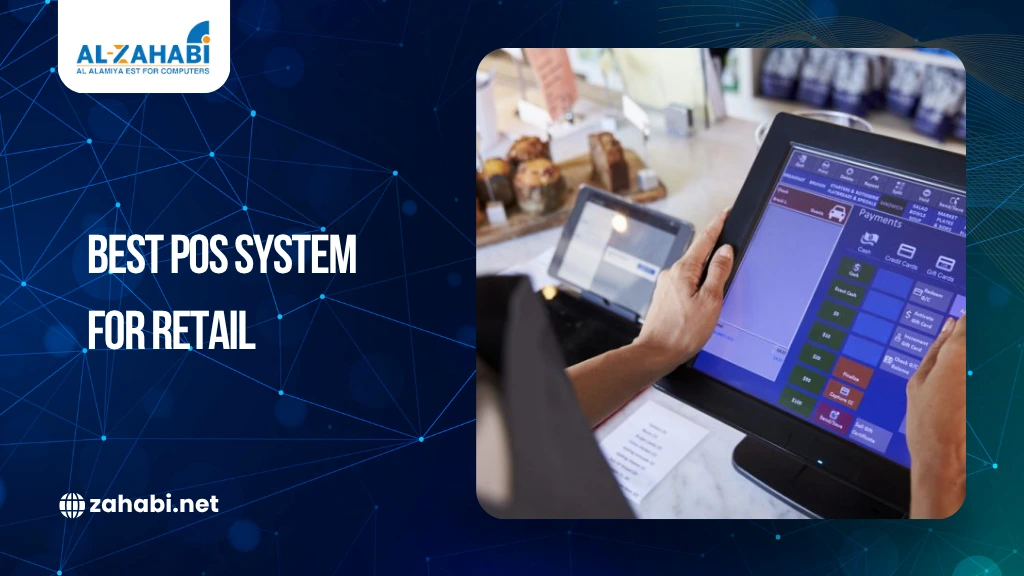
Cloud infrastructure usually supports these workflows more efficiently. Many restaurants also use POS touchscreen system setups with a customer display to improve order accuracy and checkout experience.
Traditional systems can still work well for smaller cafés or single-location restaurants. However, businesses planning expansion often move toward cloud solutions for better scalability and management.
Cost Comparison and Long-Term Value
Cost discussions should focus on operational value rather than only price. Traditional systems usually require:
- Higher hardware investment, local servers, and manual maintenance.
- Cloud systems often start with lower setup costs.
- However, subscription pricing creates recurring expenses.
Here is a practical comparison:
Cost Factor | Traditional POS | Cloud POS |
Initial Setup | Higher | Lower |
Maintenance | Higher | Lower |
Subscription | Lower | Ongoing |
Expansion Cost | Higher | Easier Scaling |
A small bakery running one outlet may prefer traditional infrastructure.
A growing retailer opening multiple branches may recover cloud costs through efficiency gains. Scalability often becomes the deciding factor.
Internet Dependency and Offline Operations
Internet reliability is one of the biggest concerns businesses have while choosing a cloud POS system. Many assume that cloud platforms stop working completely during internet outages, but modern systems are designed differently.
Several providers now offer offline transaction modes that allow businesses to continue billing even when the internet connection is temporarily unavailable. Sales are stored locally and automatically synchronized once the connection is restored.
This reduces operational disruptions and keeps daily activities running smoothly. For example, a café facing a short internet outage can continue processing customer bills and sync transaction data later without losing information.
Offline capability has become an important feature among modern POS systems in 2026 because businesses increasingly rely on uninterrupted operations. However, companies should still verify offline functionality before purchasing a cloud POS solution.
Technology Trends Reshaping POS Systems in 2026
POS technology continues to evolve as businesses demand more than basic billing functions. Modern systems now help retailers and restaurants manage inventory, customer insights, sales reporting, and multi-channel operations from a single platform. AI-powered reporting is also becoming more common, helping businesses identify purchasing trends and customer behavior patterns faster.
Contactless payments and mobile POS terminals are gaining popularity because they improve checkout speed and flexibility. Retailers are increasingly combining online and offline sales channels, while restaurants integrate delivery apps directly into their POS systems for smoother operations.
These changes show why modern POS systems in 2026 focus on business management and decision-making instead of only processing transactions. POS platforms are now becoming central operational tools for growing businesses.
Real Business Scenarios
The right POS system often depends on how a business operates daily. For example, a neighborhood grocery store running from a single location may not need advanced integrations or centralized reporting. Inventory movement remains predictable, operations are stable, and a traditional POS system can handle billing and stock management efficiently.
Now consider a fashion retailer expanding into multiple cities. Inventory moves across branches regularly, and real-time stock visibility becomes important. In this situation, cloud systems offer better support through centralized dashboards and automatic synchronization.
The same applies to restaurant chains managing dine-in customers, takeaway orders, and delivery platforms. Cloud infrastructure helps keep operations connected across locations. As businesses grow, operational complexity usually becomes the deciding factor when choosing the right POS system.
Choosing the Right POS for Your Business
Choosing between cloud POS and traditional POS systems should start with understanding how your business operates every day. The right system depends on factors such as store locations, inventory management needs, reporting requirements, and future expansion plans.
Businesses should evaluate whether they need remote access, real-time inventory synchronization, online integrations, or multi-store management. For example, a single-location grocery store with stable operations may work efficiently with a traditional POS setup.
However, growing retailers, restaurants, and multi-branch businesses often benefit more from cloud scalability and centralized reporting. The best POS system is not necessarily the newest option. It is the one that supports current workflows while remaining flexible enough to handle future growth and operational changes.
Conclusion
The choice between cloud POS vs traditional POS systems depends on how your business operates today and where it plans to go tomorrow. Traditional systems remain practical for stable single-location businesses, while cloud solutions support growth, integrations, and multi-store management. As modern POS systems in 2026 continue evolving, businesses should focus less on trends and more on operational efficiency, scalability, and long-term value.
FAQs
1. Do cloud POS systems require the internet all the time?
Not always. Many cloud POS platforms include offline modes for temporary internet outages. Sales continue during downtime, and data syncs automatically once the connection returns.
2. Which POS setup works better for multi-location retail?
Cloud POS systems usually work better for multi-store operations. They help businesses track inventory, sales, and reports from a centralized dashboard across locations.
3. Is traditional POS still useful for small businesses?
Yes. Traditional POS systems still work well for single-location stores with stable operations. They also suit businesses that do not need advanced integrations.
4. Are cloud systems expensive for startups?
Not necessarily. Many cloud solutions have lower setup costs compared to traditional systems. Startups also benefit from easier scaling as the business grows.
5. Can restaurants use traditional POS systems?
Yes, small restaurants and cafés can use traditional POS setups effectively. However, cloud systems work better for delivery integrations and multi-branch operations.


 by
by