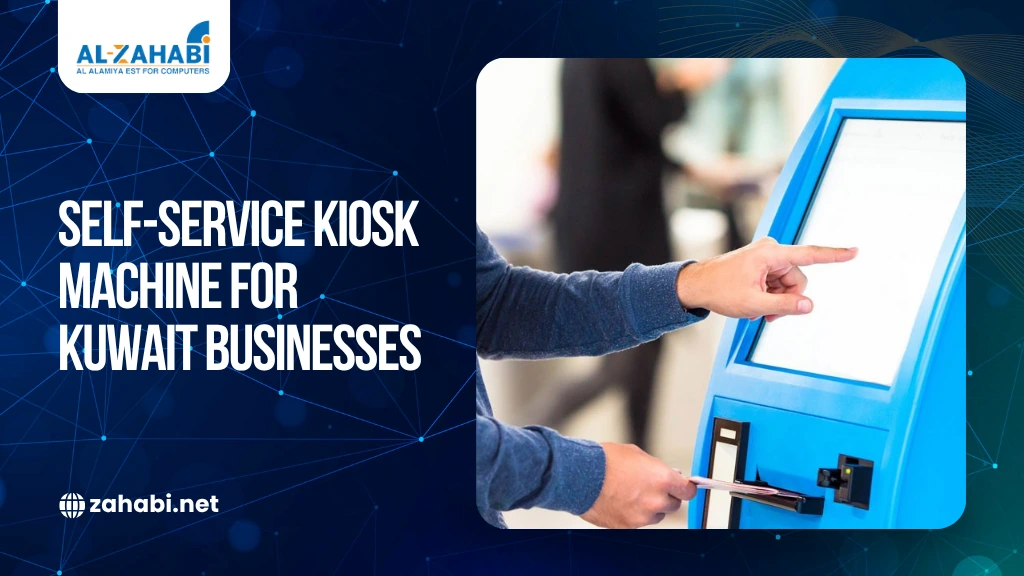
Walk into a modern retail store, quick-service restaurant, or service center in Kuwait, and the shift is clear. Customers are no longer dependent on staff for every interaction. They browse menus, check product details, place orders, and complete payments on their own at a self-service kiosk machines.
This change is not only about convenience. It reflects a broader transition toward automation, faster service delivery, and more efficient use of resources. Businesses are under pressure to handle higher volumes without increasing operational complexity, and kiosks offer a practical way to achieve that balance.
For many organizations, a kiosk is no longer an add-on. It is becoming part of the core system that supports transactions, customer engagement, and data collection. Understanding how these systems work and where they fit is essential before investing.
What Is a Self-Service Kiosk Machine?
A self-service kiosk machine is an interactive terminal that allows customers to complete tasks independently without requiring direct staff assistance. These tasks can range from placing orders and making payments to checking information or registering for services.
Unlike traditional counters, kiosks are designed specifically for customer interaction. The interface is structured to guide users step by step, reducing confusion and ensuring that even first-time users can complete tasks with minimal effort.
From a technical standpoint, a kiosk is a combination of hardware and software working together. It typically includes a touchscreen interface, a processing unit, and integrated components for payments, printing, or scanning. In many setups, it functions as an extension of a POS machine, allowing businesses to decentralize transactions and reduce pressure on billing counters.
How a Kiosk Machine Works in Real Business Environments?
A kiosk machine for business operates through a structured workflow that connects the customer interface with backend systems. While the front-end experience appears simple, the system behind it is designed to handle multiple processes simultaneously.
When a customer interacts with a kiosk, the system performs several actions in sequence. The user selects a product or service through the interface, and the request is processed through integrated software that connects to inventory and pricing databases. Once the selection is confirmed, the kiosk processes payment through a secure gateway and generates a confirmation, either digitally or through a printed receipt.
This process is supported by real-time integration with systems such as inventory management, order processing, and reporting tools. As a result, every transaction completed through the kiosk is immediately reflected across the business system, ensuring accuracy and consistency.
Core Components of a Self-Service Kiosk Machine
A kiosk is not a single device but a system made up of multiple components, each playing a specific role in the overall functionality.
Touchscreen Interface and Display
The interface is built around a POS touchscreen system, which serves as the primary interaction point. It must be responsive, durable, and capable of handling continuous use throughout the day. The design of the interface is equally important, as it determines how easily customers can navigate the system.
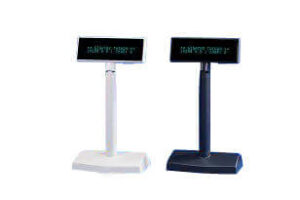
A customer display works alongside the touchscreen to guide users through each step of the process. Clear instructions, visual cues, and logical navigation reduce errors and improve the overall user experience.
Payment and POS Integration
Most kiosks operate as a POS kiosk machine, allowing customers to complete transactions without assistance. This integration ensures that the kiosk functions as part of the larger transaction system rather than as a standalone device.
By connecting to a central POS machine, the kiosk ensures that all transactions are recorded accurately. This includes sales data, inventory updates, and payment records, which are synchronized in real time.
Peripheral Devices
Depending on the application, kiosks may include additional hardware components that expand their functionality.
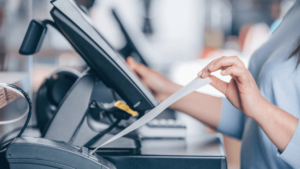
A receipt printer is commonly used to generate transaction records, especially in retail and restaurant environments. A barcode scanner for a kiosk allows customers or staff to scan products, tickets, or QR codes, enabling faster processing and reducing manual input.
These components allow a single kiosk to handle multiple functions, making it a versatile tool for different business needs.
Software and Backend Systems
The software layer connects the kiosk to business operations. It manages product catalogs, pricing updates, order processing, and reporting.
This integration ensures that the kiosk is not an isolated system. Instead, it becomes part of a broader operational framework, supporting real-time data flow and decision-making.
Types of Self-Service Kiosk Machines
Different industries require different kiosk configurations. Understanding these types helps businesses select systems that align with their operational needs.
Retail Kiosk System
A retail kiosk system is designed to assist customers with browsing, checking product information, and completing purchases. It is commonly used in supermarkets, electronics stores, and fashion retail.
Customers can use the kiosk to scan items, view pricing, and complete transactions without waiting in line. This reduces congestion at billing counters and improves overall store efficiency.
Restaurant Kiosk Ordering System
A restaurant kiosk ordering system allows customers to place orders directly through a digital interface. This is particularly useful in quick-service and fast-casual dining environments.
Customers can browse menus, customize their orders, and complete payments without interacting with staff. This reduces errors, speeds up service, and allows restaurants to handle higher volumes during peak hours.
POS Kiosk Machine
A POS kiosk machine functions as a self-checkout system, enabling customers to complete transactions independently. It is widely used in retail stores, ticketing systems, and service environments.
By decentralizing billing, businesses can reduce queues and improve transaction speed, especially during busy periods.
Digital Self-Service Kiosk
A digital self-service kiosk focuses on providing information or service access rather than transactions. It is commonly used for check-ins, registrations, and information display.
Hospitals, service centers, and corporate offices use these kiosks to manage appointments, reduce waiting times, and streamline processes.
Hybrid Kiosk Systems
Many businesses use hybrid systems that combine multiple functions into a single kiosk. These systems can handle ordering, payments, information access, and ticketing within one interface.
Hybrid kiosks are particularly useful in large retail environments and service centers where multiple interactions need to be managed efficiently.
Where Are Kiosk Machines Used in Kuwait Today?
If you look around closely, you will notice that kiosks are no longer limited to one industry. They are quietly becoming part of everyday operations across retail, hospitality, and service sectors in Kuwait.
So where do they actually make the biggest impact, and why are businesses adopting them now?
Retail Stores
Retail environments in Kuwait often deal with fluctuating footfall, especially during weekends, sales periods, and festive seasons. Traditional checkout counters can quickly become bottlenecks when customer volume increases.
A retail kiosk system helps solve this by distributing the workload. Instead of relying on a few billing counters, customers can scan products, check prices, and complete transactions independently.
What does this look like in practice?
Imagine a supermarket during peak evening hours. Instead of standing in long queues, customers with fewer items move to a kiosk, scan their products using a barcode scanner for the kiosk, and complete payment within minutes. This reduces pressure on staff and improves overall store flow.
Operational impact
Area | Without Kiosk | With Kiosk |
Checkout time | Longer queues | Faster processing |
Staff workload | High | Balanced |
Customer experience | Frustrating during peak hours | More control and flexibility |
So, retailers are not replacing staff with kiosks. They are redistributing tasks to create a smoother experience.
Why Are Restaurants in Kuwait Moving to Kiosk Ordering?
Restaurants, especially quick-service formats, face a different challenge. The problem is not just volume, but also accuracy and speed.
A restaurant kiosk ordering system allows customers to browse menus, customize orders, and pay without interacting with staff. This reduces communication errors and speeds up the entire ordering process.
What changes with kiosks?
Instead of waiting in line to place an order, customers walk up to a kiosk, select their meal, and complete payment. The order is sent directly to the kitchen, often through a connected system that may include a receipt printer or kitchen display.
During lunch hours in a busy food court, kiosks allow restaurants to handle more orders without expanding staff. Customers move through the process quickly, and kitchens receive clear, structured orders.
Key benefits in restaurants
- Fewer order errors
- Faster service during peak hours
- Better upselling through digital menus
How Do Shopping Malls and Service Centers Use Kiosks?
In large spaces such as malls and service centers, customers often need quick access to information. Asking for help or searching manually can slow down the experience.
A digital self-service kiosk acts as an information hub. It allows users to:
- Navigate directories
- Book tickets or services
- Access store or service details
Why does this matter?
When customers can find what they need quickly, it improves their overall experience and reduces dependency on support staff.
Example – A visitor in a mall uses a kiosk to locate a store, check offers, and plan their visit without needing assistance. This small interaction improves convenience and saves time.
What Role Do Kiosks Play in Warehouses and Logistics?
Kiosks are not only customer-facing tools. They also play an important role in internal operations.
In warehouses, kiosks are used for:
- Inventory lookups
- Data entry points
- Employee self-service functions
Example – A warehouse worker uses a kiosk to check stock levels or update data instead of relying on manual systems. This improves accuracy and reduces delays.
Operational impact
Function | Manual Process | With Kiosk |
Data entry | Time-consuming | Faster input |
Inventory checks | Error-prone | More accurate |
Workflow | Fragmented | Streamlined |
Kiosks help bring structure and consistency to operations that would otherwise depend on manual processes.
What Are the Real Benefits of Self-Service Kiosk Machines?
Understanding where kiosks are used is one part of the picture. The bigger question is, what do businesses actually gain from them?
Improves Service Speed
One of the most immediate benefits is faster service. Kiosks allow multiple customers to interact with the system at the same time, which reduces waiting time.
In a traditional setup, service speed is limited by the number of staff available. With kiosks, capacity increases without adding more counters.
Example – In a retail store, even adding two kiosks can significantly reduce queue length during peak hours. Customers with simple transactions can complete them quickly, freeing up staff for more complex tasks.
Reduce Errors
Manual processes often lead to mistakes, especially in busy environments. Orders may be misheard, items may be entered incorrectly, or billing errors may occur.
A POS kiosk machine removes much of this risk by allowing customers to input their own selections. The system processes the data directly, reducing the chances of miscommunication.
Example – In a quick-service restaurant, customers often customize orders such as removing ingredients or adding extras. When done verbally, these details can be missed. With a kiosk, the customer selects each option on-screen, ensuring the order reaches the kitchen exactly as intended.
Improves Customer Experience
Customers today prefer control and convenience. A digital self-service kiosk allows them to interact with the system at their own pace.
They can browse options, review details, and complete transactions without feeling rushed. This creates a more comfortable and predictable experience.
Example – In a retail electronics store, a customer can use a kiosk to compare product specifications and pricing before making a purchase. Instead of waiting for staff assistance, they explore options independently and make a more informed decision.
Better Resource Utilization
Kiosks improve how businesses use their existing workforce by shifting routine tasks away from staff. Instead of spending time on repetitive activities like billing, order entry, or answering basic queries, employees can focus on tasks that require attention and judgment.
This redistribution of work allows businesses to operate more efficiently without increasing headcount. Staff can spend more time assisting customers, resolving issues, and maintaining service quality, which has a direct impact on overall performance.
Example – In a supermarket, self-checkout kiosks handle routine billing, allowing staff to move onto the floor to assist customers, manage shelves, and handle exceptions. This improves both operational flow and customer support without adding more employees.
Data Collection and Insights
Every interaction with a kiosk generates data. This includes:
- Customer preferences
- Order patterns
- Peak usage times
Businesses can use this information to optimize operations, improve product offerings, and make better decisions.
Example – A restaurant notices through kiosk data that certain menu items are frequently ordered together during specific hours. Based on this pattern, they introduce bundled offers during those time slots, increasing both sales and customer satisfaction.
What Should Businesses Be Careful About Before Installing Kiosks?
While kiosks offer clear benefits, they are not a plug-and-play solution. Proper planning is essential to avoid common pitfalls.
Initial Investment
Kiosk systems require investment in hardware, software, and integration. This can seem significant at first.
However, the return is seen over time through:
- Reduced operational costs
- Faster transactions
- Improved efficiency
The key is to evaluate long-term value rather than short-term expense.
Maintenance and Reliability
Kiosks must be reliable. Downtime can disrupt operations and affect customer experience.
Regular maintenance and support are essential to ensure consistent performance. Businesses should plan for servicing and updates as part of their investment.
User Experience Design
The interface determines whether customers will use the kiosk or avoid it. A complex or confusing design can reduce adoption.
A well-designed POS touchscreen system ensures that users can complete tasks easily, even if they are using the system for the first time.
Integration with Existing Systems
Integration is critical. A kiosk must connect seamlessly with systems such as:
- POS platforms
- Inventory management
- Payment gateways
Without proper integration, the kiosk may create more problems than it solves.
How Should You Choose the Right Kiosk Machine for Your Business?
Choosing the right kiosk machine for business starts with understanding your operational needs.
Before choosing one, consider asking yourself these questions:
- How many customers do you handle daily?
- What type of interaction do you want to automate?
- Do you need ordering, payment, or information access?
- How will the kiosk fit into your existing system?
Key decision factors
Factor | What to Consider |
Customer volume | Determines the number of kiosks needed |
Functionality | Ordering, payment, or information |
Space | Placement and accessibility |
Integration | Compatibility with current systems |
A well-planned implementation ensures that the kiosk supports both current operations and future growth.
Cost vs Value: What Does the Investment Really Mean?
It is easy to focus on the upfront cost of a kiosk. However, the real value lies in how it improves operations over time.
You are actually paying for:
- Hardware and installation
- Software and integration
- Maintenance and updates
What do you gain in return?
- Faster transactions
- Reduced staff dependency
- Improved customer satisfaction
Practical perspective – A kiosk that reduces transaction time by even a small margin can significantly increase throughput in a high-volume environment. Over time, this leads to measurable improvements in efficiency and revenue.
Future of Self-Service Kiosks in Kuwait
Kiosk technology is evolving quickly, and businesses in Kuwait are beginning to adopt more advanced systems.
What changes can you expect?
- Contactless and mobile-based interactions
- AI-driven recommendations and personalization
- Cloud-based integration for real-time updates
Why is it important?
As customer expectations continue to evolve, businesses need systems that can adapt. Kiosks are becoming part of a broader digital ecosystem that supports automation and data-driven decision-making.
Final Thought
A self-service kiosk machine is no longer just a convenience feature. It is becoming an essential part of modern business operations.
When implemented thoughtfully, kiosks improve efficiency, enhance customer experience, and create a more scalable system. Businesses that adopt the right approach today are better prepared to handle future demands and operate more effectively in a competitive market.
FAQs
What is a self-service kiosk machine, and how does it work?
A self-service kiosk machine is an interactive system that allows customers to perform tasks such as ordering, paying, or accessing information without staff assistance. It works by connecting a touchscreen interface with backend systems like POS, inventory, and payment gateways to process requests in real time. This integration ensures that every action taken by the customer is recorded accurately and reflected across business operations.
Which businesses in Kuwait benefit the most from kiosk machines?
Retail stores, restaurants, shopping malls, and service centers benefit significantly from kiosk systems due to high customer interaction and transaction volume. In retail, kiosks help reduce checkout congestion, while in restaurants, they improve order accuracy and speed. Warehouses and logistics operations also benefit from using kiosks for internal processes such as inventory access and data entry.
How does a POS kiosk machine improve operational efficiency?
A POS kiosk machine improves efficiency by automating repetitive tasks such as billing and order entry, which reduces dependency on staff. It allows multiple customers to complete transactions simultaneously, helping businesses manage peak hours more effectively. Over time, this leads to faster service, fewer errors, and better utilization of resources.
What should businesses consider before installing a kiosk machine?
Businesses should evaluate their customer volume, type of interaction, and integration requirements before selecting a kiosk system. It is important to ensure compatibility with existing systems such as POS, payment gateways, and inventory platforms to avoid operational issues. Additionally, factors like user interface design, maintenance, and scalability should be considered to ensure long-term effectiveness.


 by
by