
- BARCODE
- Barcode Printing Solution
- Biometrics Attendance System
- Camera
- Document Scanner
- ID Cards
- Kiosk
- Mobile Computer
- POS Accessories
- POS Machines
- Price Checker Kios
- Printing Supplies
- RECEIPT PRINTER
- RFID & Hardware Solutions
- Tablet
- Uncategorized
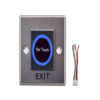
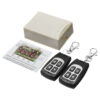
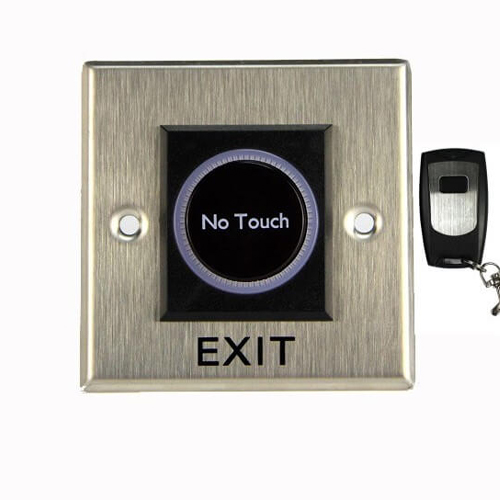
ZNT-R24 Biometrics Attendance System Accessory
ZNT-R24 Biometrics Attendance System Accessory
Zahabi ZNT R24 Push button with remote
Product Details
Q1. What is the Zahabi ZNT‑R24 push button with remote used for?
ZNT‑R24 is a touch‑free exit button with an additional wireless remote control, used with biometric attendance and access systems to release doors either by hand gesture or by remote. It is ideal where staff sometimes need to unlock the door from a distance, such as a reception desk.
Q2. How does the ZNT‑R24 non‑touch sensor work?
Like other touch‑free sensors, ZNT‑R24 uses infrared technology to detect a hand approaching within a short detection range (typically up to around 10 cm). When a hand is detected, it activates its relay output and changes LED colour to indicate an active exit signal.
Q3. What does the remote control add to the ZNT‑R24?
The built‑in RF receiver allows paired remote controls to trigger the same exit relay as the sensor, from distances up to around 30 m depending on environment. This lets authorised staff open the door for visitors or deliveries without walking to the exit button.
Q4. How many remotes can be paired with a ZNT‑R24?
Typical touch‑free exit sensors with remotes support pairing up to around 15 remote controls. This allows multiple receptionists or security staff to have their own remote for the same door.
Q5. What are the typical power and relay ratings of ZNT‑R24?
Devices of this class are usually powered by around 12 V DC and offer relay contacts rated up to 120 VAC or 30 V DC at 3 A. This is sufficient to control most door lock relays and access controllers.
Q6. Where is ZNT‑R24 most useful?
ZNT‑R24 is ideal for reception doors, controlled visitor entrances, and staff‑only doors where you want both touch‑free exit and remote‑triggered opening. It pairs well with Zahabi’s biometric attendance systems to manage both secure access and convenient exits.
Use‑case analysis for remote‑enabled exits
Zahabi helps you decide where remote‑triggered exits like ZNT‑R24 offer clear benefits—such as reception, delivery doors, or staff‑only entrances—compared with basic touch‑free or push buttons.
Pairing and managing remote controls
You receive step‑by‑step instructions to pair, test, and if necessary, delete or re‑pair remote controls with the ZNT‑R24 sensor, following a simple configuration button sequence.
Wiring and relay integration with access control
Zahabi provides wiring guidance so the ZNT‑R24’s relay output connects correctly to your controller or lock circuit, whether triggered by sensor or remote.
Mounting, detection, and RF range optimisation
Support includes recommendations on sensor placement, detection distance, and RF receiver positioning to minimise false triggers and maximise remote control reliability.
Troubleshooting sensor or remote issues
If the sensor fails to detect hands or remotes stop working, Zahabi walks you through checking power, LED indicators, remote batteries, and pairing or reset procedures.
Standardising remote‑enabled exits across multiple doors
For larger sites, Zahabi helps plan how many doors should use ZNT‑R24, how many remotes to issue, and how to label and manage them for security and audit purposes.
Tech Specs
Rating & Reviews
How We Can Help You

Wide Selection, Better Choices
Find products that match your exact needs without compromise.

Built for Performance
High-quality materials and tested reliability you can depend on.

Smartly Curated
Only the best products make it to our platform, saving you time and effort.

Customer-First Approach
Trusted by shoppers who value quality, service, and consistency.

Drivers, Manuals & Support
Zahabi Support
From drivers and manuals to diagnostic tools and replacement parts, Zahabi Product Support has you covered!
You may add any content here from XStore Control Panel->Sales booster->Request a quote->Ask a question notification
At sem a enim eu vulputate nullam convallis Iaculis vitae odio faucibus adipiscing urna.