When you operate several retail branches, the problem is rarely just selling more products. The real challenge starts when each location begins doing things differently. One branch may update stock immediately, another may rely on manual records, and a third may use different checkout hardware or product codes.
That makes a simple question surprisingly difficult to answer: How much stock do you actually have, and where is it?
A multi-branch POS in Kuwait addresses this challenge by connecting sales, inventory, products, and branch operations through a common system. But software alone is not enough. You also need standardised product data, hardware, barcode processes, user permissions, stock transfers, and reporting.
This guide explains how to build that structure so every branch follows the same operational framework without losing the flexibility needed for day-to-day retail.
Key Takeaways:
- Standardise product, pricing, and POS data across every branch.
- Centralised inventory gives you visibility into stock by location.
- Consistent hardware simplifies staff training and maintenance.
- Mobile devices can support stock checks away from the checkout.
- A repeatable POS structure makes future branch expansion easier.
Why Standardisation Becomes Critical as You Add Branches
Running one store gives you direct visibility into its sales and inventory. You know where the stock is, which employees are handling transactions, and how the checkout process works.
The situation changes when you operate several locations.
A product may be recorded differently between branches. Prices may be updated at different times. Stock transfers may be tracked through messages or spreadsheets. Even the checkout equipment may vary from one store to another.
These differences create more work for you at head office.
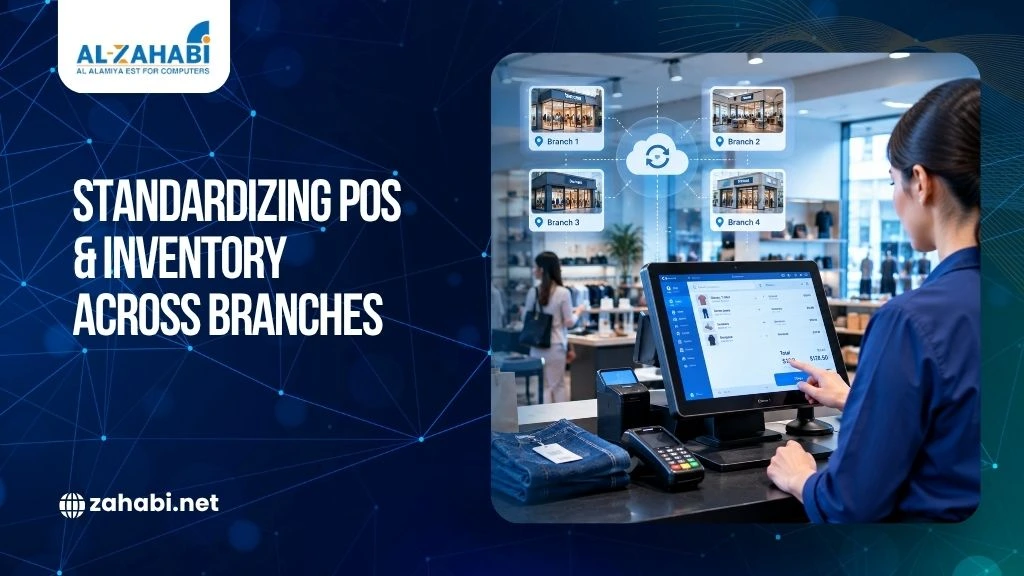
A centralised retail inventory management structure gives every branch a common operating framework. Instead of asking each store for separate information, you can work from standardised product, inventory, and sales records.
For retailers managing multiple locations, cloud POS systems for multiple retail locations can provide a more connected approach to accessing sales and operational information.
Zahabi’s existing Kuwait retail content similarly highlights common product data, inventory visibility, barcode workflows, and standardised branch processes as important parts of multi-location retail.
Build One Product Database for Every Branch
Your POS system is only as reliable as the product information behind it.
If the same item has different names, SKUs, prices, or barcode records at different branches, centralised reporting becomes difficult.
For example, imagine a fashion retailer selling the same black shirt in five locations. One branch records it as Black Shirt-L, another uses BS-L, and another has a different SKU entirely.
The products may be physically identical, but your system treats them as separate records.
Following GS1 barcode standards for retail inventory supports consistent product identification consistent product identification across multiple branches and inventory records.
A standard product database solves this problem.
It should define information such as:
- Product name
- SKU
- Barcode
- Category
- Selling price
- Product variants
- Applicable tax configuration
- Stock by branch
Once the product record is standardised, each branch can work from the same information.
Standardise Product Variants
This becomes particularly important when your products have variations.
A clothing retailer may have the same shirt in several colours and sizes. An electronics retailer may sell the same model with different storage capacities.
Each variation needs to be distinguishable within your inventory structure.
Otherwise, your central system may show stock for the general product while failing to tell you which specific variant is available.
This is one reason a multi-store POS system should be designed around the actual product structure rather than simply the number of checkout counters.
Standardise Prices and Promotions Across Locations
Pricing is another area where branch-level differences can quickly create confusion.
Suppose your head office changes the price of a product. If employees at individual branches have to update the price manually, there is a risk that one location will continue using the old price.
A centralised POS lets you define common pricing rules and distribute them across branches.
You can still maintain branch-specific promotions where your business model requires them. The important point is that those differences should be deliberate rather than caused by inconsistent data entry.
For example, a retailer could maintain a common product price across Kuwait branches while applying a limited promotion at a particular location.
The POS structure should make that distinction visible.
Connect Sales Directly to Inventory
A major benefit of a connected POS and inventory system is that sales activity can be linked to stock movement.
When a product is sold, the corresponding inventory record should reflect the transaction according to the system’s configuration.
The same principle applies to returns and stock adjustments.
This gives you a clearer picture of stock by branch instead of relying on separate spreadsheets or manual updates.
For a retailer with several locations, that visibility can answer practical questions:
- Which branch currently has the item?
- How much stock remains?
- Which location needs replenishment?
- Is stock sitting at another branch?
- Has a transfer already been recorded?
These are operational questions, but they directly affect customer service.
Example: Finding Stock at Another Branch
Imagine a customer visits Branch A looking for a particular shoe size.
Branch A is out of stock.
If your inventory system shows that Branch C has the same SKU available, staff can check the other location rather than simply telling the customer that the product is unavailable.
That is where centralised retail inventory management becomes useful at store level.
Create a Standard Stock Transfer Process
Moving products between branches sounds simple until you need to reconcile the records.
You need to know:
- Which branch sent the stock?
- Which products and quantities were sent?
- When were they dispatched?
- Which branch received them?
- Was the transfer completed correctly?
A standard transfer workflow records every stock movement.
This is especially important when inventory moves frequently between stores and a central warehouse.
For example, Branch A may have excess stock of a slow-moving product while Branch B needs additional units. A documented transfer process lets you move the inventory while keeping the branch-level records aligned.
Without that process, stock may physically move before the system is updated. That creates discrepancies that take time to investigate.
Standardize Your POS Hardware
Software standardisation is only one part of the project. The physical checkout environment also matters.
Your standard branch setup may include POS machines, POS accessories, receipt printers, barcode printing equipment, mobile computers, kiosks, etc.
A branch rollout should therefore define a standard hardware configuration rather than allowing every location to choose equipment independently.
A typical checkout setup may include:
- POS machine
- Barcode scanner
- Receipt printer
- Cash drawer
- Customer display
- POS keyboard or other accessories
Set the hardware configuration according to each branch’s size and needs while keeping the core standards consistent.
For example, a large store may need several POS stations, while a smaller location may need fewer. Both can still use the same core hardware family and workflow.
Why Hardware Consistency Matters
When branches use different equipment, your support team must troubleshoot more device types, connection methods, and replacement parts.
A consistent hardware framework simplifies maintenance and staff training, while making it easier to replicate the setup when you open another branch.
Standardize Barcode Printing and Scanning
Barcodes provide the connection between physical products and digital inventory records.
If each branch uses different barcode formats or inconsistent label practices, scanning and inventory accuracy can suffer.
A standardised Barcode Printing workflow helps you control how product and inventory labels are produced.
Choose from desktop, industrial, and mobile barcode printers, along with compatible barcode labels, ribbons, and other printing supplies.
Choose barcode printers according to print volume and operating environment. A smaller store may use a desktop printer for routine labels, while a central warehouse handling high volumes may require industrial equipment. Standardise label formats and product identification across locations, even when printer models differ.
Keep Barcode Scanners Consistent
The same principle applies to scanning equipment.
If one branch uses a fixed scanner while another uses a completely different handheld device, employees may need different operating procedures.
Comparing wired vs wireless barcode scanner options can help multi-branch retailers standardise scanning equipment according to each location’s workflow and operating requirements.
Fixed, handheld, cordless, and industrial barcode scanners serve different retail and warehouse environments.
Choose equipment according to the workflow, but establish a defined standard for each branch type.
For example:
- Checkout counters → presentation or handheld scanners
- Stockroom → handheld scanners
- Large warehouse → industrial scanning equipment
This gives employees the equipment they need without creating unnecessary variation.
Use Mobile Computers for Stockroom Operations
Your POS terminal should not be the only device connected to inventory operations.
Employees often need to check or update stock away from the checkout counter.
Using handheld mobile computers for inventory management can help staff perform stock checks, receiving, and verification tasks away from fixed POS counters.
A Mobile Computer supports stock counting, receiving, shelf checks, and inventory verification when integrated with compatible software.
Available options include handheld computers, Android handheld computers, data collectors, and mobile POS devices.
Example: Receiving New Stock
Suppose a branch receives a shipment containing dozens of products.
Instead of recording the delivery on paper and updating the POS later, an employee can use a compatible mobile device to scan and verify items during receiving.
That creates a more direct connection between the physical stock and the digital record. It also reduces duplicate data entry.
Integrate Price Checker Kiosks and Self-Service Technology
Customer-facing technology can support a consistent retail experience across branches. A Price Checker Kiosk allows shoppers to check product prices without asking a cashier, while a Kiosk can support self-service functions where they fit your store’s operating model.
Integrate these devices with your main POS environment so they use the same product information and pricing rules. Maintaining a separate product database creates the risk of conflicting information between checkout counters and customer-facing screens.
Before introducing kiosks, define where they will be used, which functions they will perform, and how their product data will stay aligned with the central POS system. Larger stores may benefit from customer-facing price checkers, while other locations may require broader self-service functionality.
Standardize Receipt Printing Across Branches
Receipts are another small but important part of the customer experience.
Choosing reliable thermal paper rolls for consistent POS receipts can support uniform receipt printing across different retail locations while reducing avoidable printing issues.
A standard receipt printer setup helps maintain consistent receipt formatting, printing processes, and counter hardware.
When selecting equipment, consider the POS software compatibility, connection requirements, counter space, expected transaction volume, and maintenance process.
Define an approved range of receipt printers that meets your POS compatibility, connectivity, space, and transaction-volume requirements across branches.
Don’t Ignore Staff Access and Permissions
Centralisation should not mean that every employee can access everything.
A cashier may need to process sales but should not necessarily be able to change product prices or approve every type of discount.
A branch manager may require broader access to returns, stock adjustments, and reports.
Your POS system should therefore support role-based permissions appropriate to your operating model.
Create standard roles such as:
- Cashier
- Senior cashier
- Store manager
- Inventory staff
- Branch administrator
- Head-office administrator
Then define what each role can view or change.
This makes your system easier to manage when you add employees or open new branches.
Build Consistent Reporting Across Branches
Standardisation is incomplete if every branch produces reports differently.
Your management team should be able to compare locations using common reporting structures.
For example, if all branches use the same product categories and transaction classifications, you can review sales and inventory information without manually reconciling different spreadsheets.
A centralised reporting structure lets you track:
- Branch-level sales activity
- Stock movement
- Returns
- Product availability
- Inventory discrepancies
- Transfer activity
The value comes from consistency. Using POS data for understanding customer buying behaviour can give retail managers additional insight into sales patterns and customer activity across different locations.
If every branch measures the same information in the same way, comparisons become more useful.
Prepare the System Before Opening a New Branch
One of the strongest reasons to standardise early is expansion.
When you open a new branch, you should not have to design the POS environment from scratch.
Instead, create a repeatable branch template covering:
Product data → POS software → hardware → barcode setup → staff permissions → inventory workflows → reporting
The new branch can then follow the same framework.
Configure mobile computers, printers, labels, and stock-taking software around your inventory and goods-receiving workflows rather than treating each device as a separate purchase.
A Practical Multi-Branch POS Implementation Checklist
Before deploying a multi-branch POS in Kuwait, review these areas:
Area | What to Standardize |
Product data | SKUs, names, categories, variants and barcodes |
Pricing | Base prices and approved promotional rules |
POS | Sales, returns, discounts and transaction workflows |
Inventory | Stock levels, adjustments and transfers |
Hardware | POS machines, scanners, printers and accessories |
Barcode | Printing, labels and scanning procedures |
Mobile operations | Stock counting, receiving and shelf checks |
Customer technology | Kiosks and price checkers where required |
Access | Staff roles and permissions |
Reporting | Branch, product and inventory reports |
Use this checklist before selecting equipment or rolling out a new branch.
What to Look for in a Multi-Store POS System
The right multi-store POS system should fit your actual operating model.
Before committing, ask the vendor to demonstrate your real workflows rather than giving you a generic product presentation.
Test scenarios such as:
- Selling the same SKU at two branches
- Checking stock at another location
- Transferring stock between branches
- Processing a return
- Updating a product price
- Conducting a stock count
- Adding a new branch
- Creating branch-level reports
If the system handles these workflows clearly, you have a stronger basis for evaluating whether it fits your operation.
Your hardware requirements may include POS machines, barcode scanners, barcode printing solutions, mobile computers, RFID equipment, and other retail devices.
Conclusion
Standardizing multiple retail branches is not simply about installing the same POS machine everywhere. You need consistent product data, inventory processes, barcode workflows, hardware, permissions, reporting, and stock-transfer procedures working together.
A multi-branch POS in Kuwait can provide the foundation, but the real value comes from building a repeatable operating structure around it. Start with your product and inventory data, standardize the branch workflow, then align the POS hardware and supporting devices around those requirements.
Frequently Asked Questions
1. What is a multi-branch POS in Kuwait?
A multi-branch POS in Kuwait connects sales and operational data from multiple retail locations through a common system. Depending on the software, you can manage products, branch-level inventory, sales, transfers, user permissions, and reporting from a centralised environment.
2. How does centralized retail inventory management work?
Centralised retail inventory management brings stock information from different locations into a common system. Instead of maintaining separate records for every store, you can view product availability by branch and record sales, returns, adjustments, and transfers through consistent workflows.
3. Do all branches need the same POS machine?
Not necessarily. Branches can have different hardware quantities based on their size and checkout requirements. However, using a standardised hardware family and approved configurations can simplify staff training, maintenance, troubleshooting, and future branch rollouts.
4. Can mobile computers work with a multi-store POS system?
Mobile computers can support inventory activities such as receiving, stock counting, product verification, and shelf checks when compatible software integration is available. They allow employees to work away from fixed checkout counters while keeping inventory processes connected.
5. What hardware should a multi-branch retailer standardize?
A retailer should review POS machines, barcode scanners, receipt printers, cash drawers, POS accessories, barcode printers, and mobile computers. Depending on the store format, kiosks and price checker kiosks may also form part of the standard branch setup.