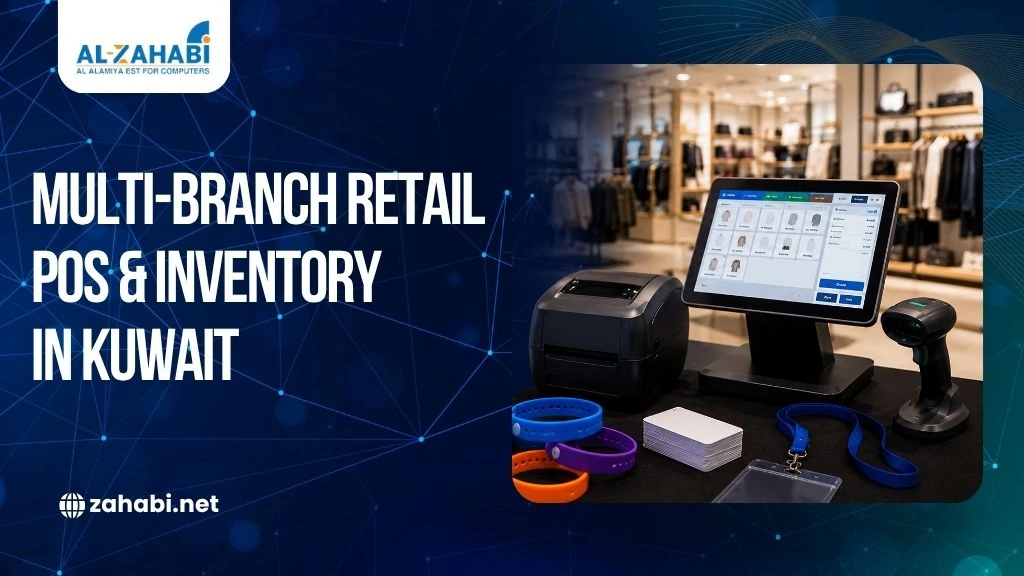
Running several retail stores can become difficult when every branch follows a different process. One location may use different product codes, another may maintain stock records manually, while a third may use different POS hardware. These differences make it harder for you to know what is selling, where stock is available, and whether every store is following the same process.
A multi-branch POS system in Kuwait can bring these operations together through standardized sales, inventory, product, and reporting workflows. Instead of treating every branch as a separate operation, you can manage locations through a connected system with common product data and procedures.
For example, if a customer wants a product that is unavailable at one branch, centralized inventory information can help staff identify whether another location has available stock. The result is better visibility, fewer manual processes, and more consistent retail operations.
Key Takeaways:
- Standardized POS processes create consistency across retail branches.
- Centralized inventory improves visibility across locations.
- Barcode systems help maintain consistent product identification.
- Mobile devices support stock checks and branch-level operations.
- A scalable POS setup makes future branch expansion easier.
Why Multi-Branch Retail Needs a Standardized POS Structure
Managing one store is relatively straightforward because sales, inventory, staff, and reporting remain within the same location. Once you add more branches, however, even small differences in processes can create larger operational problems.
You may find that branches use different product naming conventions or maintain separate stock records. Staff may also follow different procedures for receiving goods, processing returns, transferring stock, or updating prices.
A standardized POS structure gives every branch the same operational framework. Businesses managing several locations can also compare cloud POS systems for multiple retail locations when deciding how to centralize their operations. Product information, pricing rules, barcode workflows, and reporting can follow consistent processes while each store continues serving its local customers.
This matters particularly when you need a clear view of your retail network rather than separate reports from individual stores.
GS1 Kuwait notes that GS1 standards can help retail operations integrate store operations, delivery, and inventory management across omnichannel environments.
Building a Common Product and Inventory Database
The foundation of retail inventory management in Kuwait is consistent product information. Your POS system can only provide reliable inventory data when every branch uses the same product records.
A centralized product database should include information such as product name, SKU, barcode, selling price, tax configuration where applicable, product category, and stock levels.
For example, suppose a clothing retailer has five branches. If one store records a shirt as “Blue Shirt – Large” while another uses a different product description or SKU, consolidating sales information becomes more difficult.
A standardized database prevents these differences.
Keeping Product Information Consistent
Every product should have one defined record that can be used across branches. Changes to product information should follow an established process instead of being entered differently at each store.
This is particularly important for products identified through GS1 barcodes. Following GS1 barcode standards for retail inventory helps businesses maintain consistent product identification across multiple branches.
GS1 explains that GTINs provide a globally recognised way to identify products and support inventory management and POS transactions.
When product identification remains consistent, your POS and inventory systems can connect sales activity with the correct item.
Standardizing Prices and Promotions
Pricing is another area where branch-level differences can create confusion.
You may need to maintain the same price across locations while allowing certain promotions to apply only to selected stores. A centralized POS setup makes these rules easier to manage because pricing information can be controlled from a common system.
This also reduces the need for staff to manually update the same product information at every branch.
Creating a Consistent POS Workflow Across Locations
A POS system for multiple locations should standardize more than checkout.
The same basic workflow should apply to sales, returns, discounts, stock adjustments, cashier operations, and end-of-day reporting.
For example, if one branch requires manager approval for discounts but another allows cashiers to apply them without approval, your reporting and control structure can become inconsistent.
Standard procedures help ensure that each branch follows the same rules.
Sales and Returns
Every branch should follow a defined process for processing sales and returns.
The POS should record the transaction against the correct branch while maintaining consistent product and customer information.
Returns also need clear rules. You should decide whether an item purchased at one location can be returned at another and how the inventory adjustment will be recorded.
These decisions should be built into the operational workflow rather than left to individual staff members.
End-of-Day Reporting
Managers need consistent reporting to compare branch performance.
If every location uses different report categories or processes, comparing sales becomes unnecessarily difficult.
A standardized POS structure can give you common reporting fields across branches, making it easier to review sales, returns, discounts, and inventory movement.
Connecting Barcode Inventory Across Multiple Stores
Barcode identification plays an important role in multi-location retail.
A chain store barcode inventory system allows the same product identification structure to be used across branches. When a product is scanned, the POS can associate it with the relevant product record instead of requiring employees to enter information manually.
This becomes particularly useful when stock moves between stores.
For example, a retailer may discover that Branch A has excess stock of a particular product while Branch B is running low. With centralized inventory visibility, management can make a more informed decision about transferring stock.
Standardizing Barcode Printing
Barcode quality also needs to remain consistent.
Using different printing processes at different locations can create variations in barcode quality and label format. A standardized barcode printing workflow helps ensure that product labels follow the same specifications across the retail network.
GS1 guidance also emphasizes barcode quality, placement, size, and data requirements for retail POS environments.
For businesses expanding their retail network, standardizing printers, label formats, and barcode procedures can reduce avoidable scanning problems.
Managing Inventory Transfers Between Branches
Inventory transfers become more frequent as your retail network grows.
A centralized POS and inventory system should allow you to record when stock leaves one branch, where it is going, and when the receiving branch confirms the transfer.
Without this visibility, stock can appear unavailable at one location while physically sitting in transit or at another branch.
For example, imagine a footwear retailer with stores in different parts of Kuwait. One branch receives a high demand for a particular shoe size, while another has several units sitting in stock. A connected inventory system can make the imbalance visible and support a transfer decision.
This is more efficient than calling each branch to check stock manually.
Reducing Stock Discrepancies
Consistent transfer procedures also make inventory reconciliation easier.
Every movement should create a clear record. This gives you a better understanding of where stock is located and why inventory levels changed.
For high-volume retailers, this visibility becomes increasingly important as the number of stores and products grows.
Hardware Standardization for Every Branch
Software is only one part of a standardized retail setup.
Your hardware should also support a consistent checkout and inventory workflow.
Depending on the store format, you may use a pos machine, barcode scanner, receipt printer, cash drawer, customer display, and other peripherals. Comparing wired vs wireless barcode scanner options can help retailers standardize scanning equipment according to each branch’s layout and workflow.
An all in one terminal can simplify checkout by combining multiple POS functions into one workstation. This can be useful where counter space is limited or where you want each branch to follow the same hardware configuration.
The exact hardware setup can still vary according to store size and operational requirements. A large flagship store may need multiple checkout stations, while a smaller branch may operate with fewer terminals.
The important point is to establish a standard hardware framework that can be replicated as you open new locations.
Using Mobile Computers for Stock Operations
Checkout is not the only area where technology can improve multi-branch retail.
A mobile computer or handheld computers can help staff perform inventory activities away from the checkout counter.
Employees can use mobile devices for stock counts, shelf checks, receiving, price verification, and other inventory tasks, depending on the capabilities of the system.
For example, an employee conducting a stock count can scan products while walking through the store rather than recording quantities on paper and entering them later.
This reduces duplicate data entry and can help keep inventory records updated more efficiently.
GS1’s current retail guidance recognises that POS activity can take place through fixed scanners, handheld scanners, and mobile devices on the sales floor or in backroom areas.
Centralized Reporting Across Kuwait Branches
Once every location follows the same POS structure, centralized reporting becomes more useful.
You can compare branches using common measures such as sales, stock movement, returns, and product performance.
For example, if one store consistently sells a particular product faster than another, you can investigate whether the difference relates to location, customer demand, stock availability, or merchandising.
This information can support more informed purchasing and stock allocation decisions. Using POS data for understanding customer buying behaviour can provide additional insights into product demand and sales patterns across different branches.
A centralized system can also make it easier to identify slow-moving products and locations where stock levels need attention.
Supporting Omnichannel Retail
Retail is increasingly connected across physical and digital channels.
GS1 Kuwait highlights the role of standards in integrating store operations, delivery, and inventory management for omnichannel retail.
If you operate physical stores alongside online sales, maintaining accurate inventory across locations becomes even more important.
A product shown as available online should ideally reflect actual stock availability. Otherwise, an order may be placed for an item that is already unavailable.
Standardizing Staff Access and Store-Level Controls
Different employees need different levels of system access.
Cashiers may need permission to process sales but not change product prices. Store managers may need access to returns, discounts, stock adjustments, and reports.
A standardized permission structure helps maintain these controls across branches.
You can define common roles and permissions while still giving regional or store managers access to information relevant to their responsibilities.
This also makes staff training easier.
Instead of teaching employees completely different systems at each branch, you can establish one standard process and train teams accordingly.
Preparing Your POS System for Future Expansion
Standardization becomes most valuable when your retail network continues to grow.
If you open another branch, a repeatable POS structure allows you to replicate product databases, hardware configurations, user roles, reporting structures, and inventory workflows instead of building the setup from scratch.
Before expansion, review whether your system can support:
- Additional stores
- More POS terminals
- Larger product catalogues
- Increased transaction volumes
- Centralized inventory
- Mobile stock operations
You should also review whether your barcode and POS infrastructure can support future retail technology.
GS1 is currently supporting the retail industry’s transition toward 2D barcodes, while noting that retail systems need time to become capable of processing these symbols alongside existing linear barcodes.
This makes scalability an important consideration when selecting your POS and scanning infrastructure.
A Practical Standardization Checklist
Before rolling out a multi-branch POS system in Kuwait, review the following areas.
- Product Data: Make sure every branch uses the same product records, SKUs, barcodes, prices, and categories.
- POS Procedures: Document standard processes for sales, returns, discounts, stock adjustments, and end-of-day reconciliation.
- Inventory Movement: Define how receiving, transfers, damaged stock, and branch-to-branch movements are recorded.
- Hardware: Standardize your core POS equipment, including the pos machine, barcode scanners, printers, and terminals where practical.
- Mobile Operations: Determine whether mobile computer or handheld computers are required for stock counting, receiving, and shelf-level inventory work.
- Reporting: Create consistent reports so management can compare branches without manually combining different data formats.
Conclusion
Managing several retail locations becomes easier when your POS, inventory, barcode, and reporting processes follow one consistent structure. A multi-branch POS system in Kuwait can give you centralized visibility while allowing each store to handle daily operations efficiently. Start by standardizing product data and workflows, then align hardware, barcode processes, inventory transfers, reporting, and mobile operations around the same system. A scalable setup can make future branch expansion much easier.
1. What is a multi-branch POS system?
A multi-branch POS system connects multiple retail locations to a common platform. It can centralize product data, sales information, inventory records, and reporting across stores.
2. How does a POS system improve retail inventory management in Kuwait?
It can provide centralized visibility into stock levels and movements across branches. This helps you identify shortages, excess inventory, and transfer requirements more efficiently.
3. Can the same barcode be used across multiple retail branches?
Yes, when products are correctly identified and the same product database is used across locations. Standardized barcode data helps maintain consistent product identification and scanning.
4. Do all branches need identical POS hardware?
Not necessarily. You can standardize the core hardware while adjusting the number or type of terminals according to each store’s size, layout, and transaction volume.
5. Can mobile computers be connected to a multi-branch POS system?
Yes, depending on the POS platform and integration. Mobile computers can support activities such as stock counts, receiving, shelf checks, and inventory updates.