
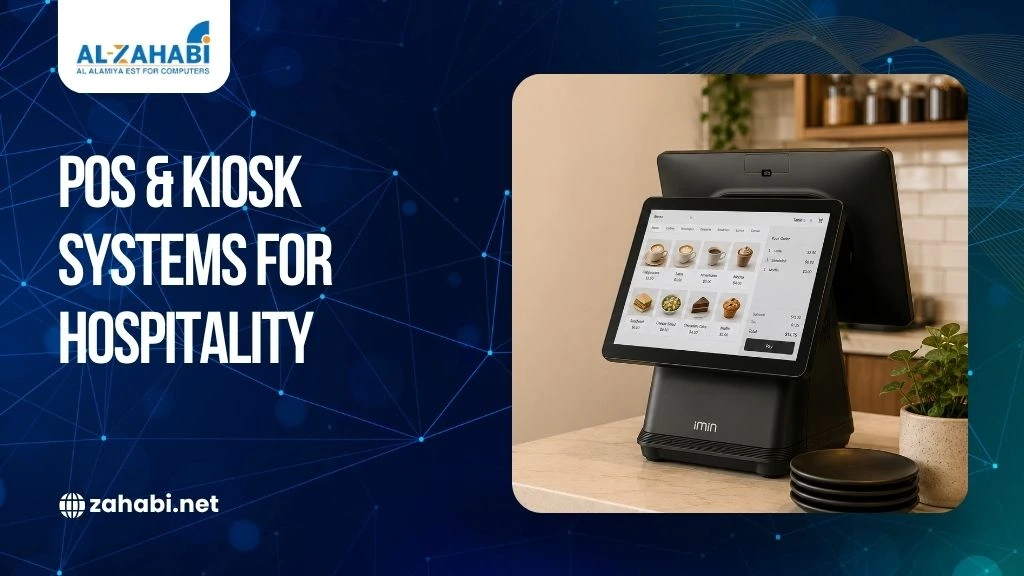
Long queues, delayed orders, incorrect bills and disconnected sales channels can quickly affect a guest’s experience. For hotels, restaurants and cafes in Kuwait, the challenge is not simply processing payments. Staff also need to manage orders, tables, room services, inventory and customer requests without creating unnecessary delays.
A hospitality POS system in Kuwait can bring these activities into a more organised workflow. Depending on the operation, the setup may include a POS machine, touchscreen terminal, receipt printer, kitchen order management, self-service kiosks and other connected hardware.
The right configuration depends on how the property operates. A small cafe may need a straightforward billing setup, while a hotel may require separate terminals for reception, restaurants and room service. This guide explains how POS and kiosk systems fit into Kuwait’s hospitality sector and what to consider before investing.
Key Takeaways:
- Hospitality POS systems connect billing with daily service workflows.
- Hotels may need multiple POS points across different departments.
- Kiosks can reduce queues for suitable self-service transactions.
- Hardware should match the volume and environment of each operation.
- Integration and scalability matter as much as the initial purchase.
How POS Systems Fit into Hospitality Operations
A hospitality POS system is more than a device used to accept payments. It can act as the central point for recording orders, processing bills, managing products and connecting different parts of a hospitality operation.
In a restaurant, staff can use the system to enter table orders, send information to the kitchen and generate the final bill. In a cafe, the same setup can manage menu items, payments and receipts at the counter.
Hotels can have more complex requirements. A property may have a restaurant, cafe, poolside service and other points of sale. A connected POS setup can help staff manage transactions across these areas instead of relying on separate, disconnected processes.
The hardware configuration also matters. A pos machine, touchscreen terminal, cash drawer and receipt printer may be enough for a small outlet. Larger properties may require additional terminals, customer displays, kitchen equipment and self-service options.
POS Requirements Across Hotels, Restaurants and Cafes
Each hospitality business has different operational needs, so the right POS setup should match its service model, transaction volume and customer journey.
1. Hotel POS Systems
Hotels often manage several revenue-generating departments under one property. A guest may book a room, order breakfast, purchase food at a restaurant and use another service during the same stay.
A suitable POS setup can help each department record its transactions accurately. Depending on the software, charges may also be connected with the property’s wider management workflow.
For example, a hotel restaurant can use a POS terminal to record a guest’s meal and process the payment according to the hotel’s chosen billing process. The same property may use separate terminals at other outlets.
The key requirement is coordination. Hardware and software should support the hotel’s actual workflow rather than forcing staff to maintain separate manual records.
2. Restaurant POS Systems
A restaurant has different priorities from a hotel. Speed of order entry, table management, kitchen communication and billing are often central to the operation.
A restaurant POS system in Kuwait can help staff enter orders at the counter or table and send the required information to the appropriate preparation area. It can also help management review sales and menu performance.
For a busy restaurant, the difference can be practical. If a server has to walk back to a fixed terminal after every table order, the process takes longer. A suitable mobile or strategically positioned terminal can reduce unnecessary movement.
3. Cafe Billing Systems
Cafes generally handle faster, shorter transactions. Customers may order at the counter, pay immediately and wait for their drinks or food.
A cafe billing system in Kuwait should therefore prioritise quick order entry, clear menu selection and efficient receipt printing. A compact terminal can be suitable for a smaller counter, while a high-volume cafe may need additional equipment during busy periods.
The important point is to match the system to transaction volume. A cafe does not necessarily need the same hardware configuration as a large hotel.
Self-Service Kiosks for Hotels and Hospitality Businesses
Self-service technology is becoming increasingly relevant where guests want to complete straightforward transactions without waiting for staff.
A self-service kiosk for hotels can support activities such as self-check-in, service requests, ordering or other guest-facing workflows, depending on the software and property setup.
Kiosks can be particularly useful in areas where customers repeatedly perform the same type of transaction. Instead of requiring an employee to handle every request, the kiosk can guide the customer through the available options.
Consider a hotel breakfast area where guests need to make simple selections or a quick-service outlet within the property. A kiosk can provide another ordering channel while staff focus on preparation and guest service.
However, a kiosk should not be introduced simply because it is a newer technology. The property should first identify whether guests are likely to use it and whether the workflow is suitable for self-service.
Where Kiosks Add the Most Value
Kiosks are most useful when the process is predictable and easy for guests to understand.
They can support:
- Self-service ordering
- Guest check-in workflows
- Payment collection
- Menu browsing
- Service requests
For restaurants and cafes inside hotels, kiosks can also help reduce pressure on front-counter staff during peak periods.
A good kiosk interface should be easy to navigate, display prices clearly and provide a straightforward payment process. The hardware should also be positioned where guests can comfortably use it without blocking regular service areas.
The Role of POS Hardware in Hospitality
Software is only one part of the POS setup. The hardware has to withstand the pace and environment of hospitality operations.
1. All-in-One Terminals
An all in one terminal combines several POS functions within one compact unit. This can be useful for cafes, restaurant counters and hotel outlets where counter space is limited.
Instead of installing multiple separate components, the business can use a single terminal for the main interaction point.
The right choice depends on the operation. A compact terminal may work well at a cafe counter, while a larger restaurant may require additional screens or customer-facing equipment.
2. Receipt Printers
A receipt printer remains an important part of many hospitality POS setups. Restaurants and cafes often need to print customer receipts, order records or other transaction documents quickly.
Printer selection should consider printing speed, connectivity, expected daily volume and the available counter space.
For a high-volume restaurant, printer reliability matters because a printer failure during a busy service can disrupt the billing process.
3. Price Checker Kiosks
A price checker kiosk can be useful where customers need to verify product prices without approaching staff. Although more common in retail environments, similar self-service concepts can have applications within hospitality businesses that sell packaged products or operate retail-style outlets.
The value comes from reducing simple staff interactions and giving customers quicker access to information.
Connecting POS Systems with Hospitality Workflows
A POS system becomes more useful when it fits into the wider operational environment.
Restaurants may need the POS to communicate with kitchen workflows. Hotels may need connections between different outlets and their property management processes. Cafes may require inventory visibility alongside billing.
Understanding the role of POS data can also help hospitality businesses understand sales patterns and make more informed operational decisions.
Integration should therefore be considered before selecting hardware.
For example, if a restaurant uses separate systems for orders, payments and inventory, staff may need to enter the same information more than once. A connected setup can reduce unnecessary duplication.
The exact integrations available depend on the selected POS software and the systems already used by the property. These should be confirmed before implementation rather than assumed.
Choosing the Right POS Setup for a Hotel
Hotels should begin with the guest journey rather than the hardware catalogue.
Map where transactions happen. Reception may need one configuration, while restaurants, cafes and other outlets may require another. Then consider whether transactions need to share information across departments.
A hotel with one restaurant may need a relatively simple deployment. A larger property with several outlets may require multiple terminals, printers and connected systems. Recognising common POS upgrade signs can help growing hotels determine when their existing setup needs to be expanded.
Staff training should also be considered. A technically capable system is not useful if employees struggle to operate it during busy service periods.
The goal is to create a workflow that staff can learn quickly and use consistently.
Choosing a POS System for Restaurants and Cafes
A POS for restaurants and cafes should reflect how orders move through the business.
Start with the order journey. Does a customer order at the counter, from a table or through a self-service kiosk? Where does the order need to go next? How is the bill generated and paid?
These questions help determine the required hardware.
A small cafe may only need an all-in-one terminal, payment device and receipt printer. A larger restaurant may need multiple terminals, kitchen displays, customer-facing screens and additional printers.
There is no single configuration that works for every hospitality business.
Cost and Long-Term Value
The cheapest POS setup is not necessarily the most economical one. Businesses considering self-service technology can also evaluate self-service kiosk ROI before investing in additional customer-facing hardware.
A business should consider the total operating requirement, including hardware, software, installation, maintenance, support and future upgrades.
A low-cost terminal may seem attractive initially, but repeated downtime during peak service can create operational problems. Similarly, investing in equipment that is significantly more advanced than the business needs can increase unnecessary spending.
A practical evaluation should consider:
|
Factor |
Why It Matters |
|
Transaction Volume |
Determines hardware capacity |
|
Number of Outlets |
Affects terminal requirements |
|
Self-Service Needs |
Determines kiosk requirements |
|
Integration |
Influences software compatibility |
|
Counter Space |
Affects terminal selection |
|
Future Expansion |
Determines scalability |
For a growing restaurant group, choosing a scalable setup from the beginning may be more practical than replacing the system every time another location opens.
Security and Reliability Considerations
Hospitality POS systems handle sensitive business and transaction information, so reliability and security should be part of the selection process.
Businesses should ask vendors how data is protected, how software updates are managed and what support is available if hardware fails.
Payment processing should also follow the requirements of the payment solution being used. Businesses should also consider POS compliance requirements when selecting and implementing payment systems in Kuwait. Businesses should confirm compatibility rather than assuming every terminal supports every payment method.
Hardware reliability matters just as much. A failed POS terminal during a busy dinner service can affect ordering and billing simultaneously.
This is why support arrangements, replacement procedures and maintenance should be clarified before deployment.
Planning a POS and Kiosk Deployment
Before purchasing equipment, document the current workflow from order to payment.
Identify every transaction point and note where delays occur. Then determine whether the issue requires additional hardware, software integration or a change in the service process.
It is also useful to plan for future requirements. A cafe that expects to open another location may benefit from a system that can support multiple outlets. A hotel planning additional food and beverage services should consider whether the POS can expand with the property.
A phased rollout can also reduce disruption. Start with one outlet or department, test the workflow, train staff and then expand once the system performs as expected.
Conclusion
A hospitality POS system in Kuwait should support the way a hotel, restaurant or cafe actually operates. The right combination of POS terminals, receipt printers, kiosks and supporting hardware can improve billing, ordering and service workflows without adding unnecessary complexity. Before investing, assess transaction volume, outlet structure, integration needs and future growth. A system that fits today’s workflow and can scale with the business will usually provide greater long-term value.
Frequently Asked Questions
1. What should a hospitality POS system in Kuwait include?
The setup depends on the property, but it may include POS terminals, payment hardware, receipt printers, inventory tools and reporting software. Hotels may also require multiple connected terminals
2. Can hotels use self-service kiosks?
Yes. A self-service kiosk for hotels can support suitable guest-facing processes such as ordering or check-in, depending on the software and property workflow.
3. Is an all-in-one terminal suitable for cafes?
Yes. An all in one terminal can be practical for cafes where counter space is limited and staff need billing, ordering and payment functions in one location.
4. What hardware does a restaurant POS system need?
A restaurant may need a POS terminal, payment device and receipt printer, with additional screens or printers depending on its kitchen and ordering workflow.
5. Can POS systems support multiple hotel outlets?
Many POS platforms are designed to support multiple points of sale, but the exact capabilities depend on the software. Confirm outlet management and integration features before purchase.


Add comment