
- All in one terminal | Pos Machines | Zahabi
- BARCODE
- Barcode Printing Solution
- Biometrics Attendance System
- Camera
- Document Scanner
- ID Cards
- Kiosk
- Mobile Computer in Kuwait
- POS Accessories
- POS Machines
- Price Checker Kios | Pos Machines | Zahabi
- Printing Supplies
- RECEIPT PRINTER
- RFID & Hardware Solutions
- Tablet
- Uncategorized
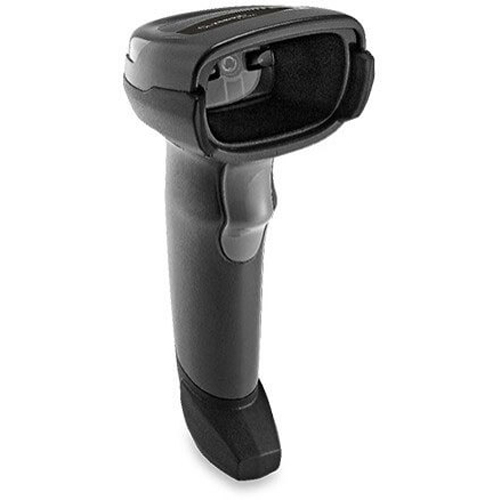
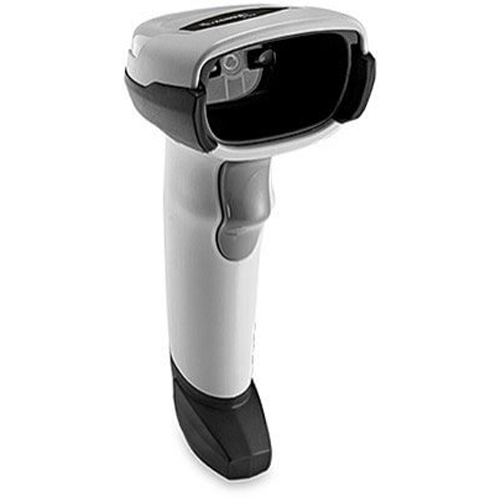
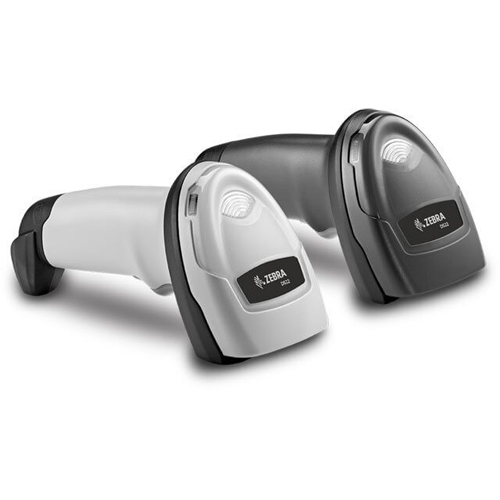
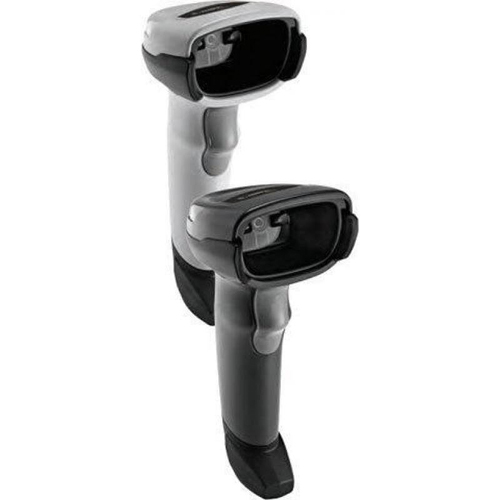
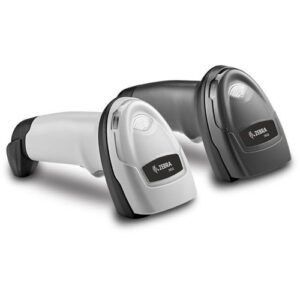
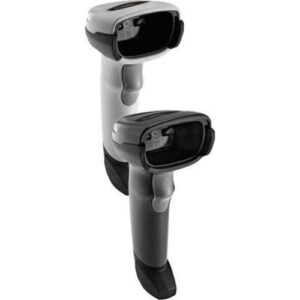
Zebra DS2208 barcode scanner
Zebra DS2208 barcode scanner
Zebra DS2278 – Micro USB Kit, Cordless Area Imager, Standard Range. Color: Black. Includes micro USB cable.
 Download Datasheet
Product Details
Q1. What is the Zebra DS2208 barcode scanner used for?
The Zebra DS2208 is a corded handheld 1D/2D barcode scanner designed for retail, hospitality, billing counters, and light warehouse applications. It provides quick, reliable scanning of printed labels and digital barcodes from mobile phones and computer screens.
Q2. Can the DS2208 scan both 1D and 2D barcodes, including QR codes?
Yes, the DS2208 reads a wide range of 1D barcodes (UPC/EAN, Code 128, Code 39, etc.) and 2D symbols such as QR Code, Data Matrix, PDF417, and Aztec. This makes it a versatile, future‑proof scanner for modern POS and front‑desk environments.
Q3. Does the DS2208 work with mobile screens and e‑wallet barcodes?
The DS2208 can scan barcodes from mobile phone and tablet screens as well as printed labels. This is ideal for loyalty apps, e‑tickets, and digital payment QR codes in Kuwait’s retail and service businesses.
Q4. How far can the DS2208 read barcodes from?
Workers can scan barcodes from around 0.5 cm up to about 36.8 cm (14.5 inches), depending on the barcode size and density. This “point‑and‑shoot” working range helps speed up checkout and reduces the need for precise positioning.
Q5. Is the DS2208 durable enough for everyday retail use?
The DS2208 is engineered for daily business use with tested drop resistance around 1.5 m and IP52‑class sealing on many configurations. This robustness helps lower total cost of ownership over long‑term heavy use.
Q6. How easy is it to set up the DS2208 with my POS system?
The DS2208 is plug‑and‑play, with auto‑host detect cables and Zebra’s 123Scan or quick configuration barcodes to simplify setup. It supports standard interfaces such as USB, RS‑232, RS‑485 and keyboard wedge, and works with over 90 international keyboard layouts.
2D scanner suitability and software compatibility checks
Share your POS, billing, or membership software and device types, and Zahabi will confirm that the DS2208 is the right 2D scanner for your stack or suggest an alternative if needed.
Guided DS2208 installation and configuration
You receive step‑by‑step support on connecting the DS2208 via USB or serial, scanning the correct interface barcodes, and configuring suffixes, language, and keyboard settings so it inputs data correctly into your POS.
Optimization for printed and on‑screen barcodes
Zahabi can help tune working distance, beeper/LED feedback, and symbology options so the DS2208 reads both printed labels and mobile barcodes quickly and reliably at the counter.
Troubleshooting decoding and communication issues
If the DS2208 misreads codes, sends wrong characters, or fails to communicate with the host, Zahabi will walk you through cable checks, mode selection, reset barcodes, and firmware options to restore stable performance.
Standardisation and profiles for multiple counters
For stores with several billing stations, Zahabi can create a standard DS2208 configuration profile so all lanes behave the same, simplifying training and support.
Deployment and spare‑unit planning for branches
Zahabi helps estimate how many DS2208 scanners and spare units each branch needs based on lane count and traffic, ensuring uninterrupted scanning during peak hours or servicing periods.
Tech Specs
Rating & Reviews
How We Can Help You

Wide Selection, Better Choices
Find products that match your exact needs without compromise.

Built for Performance
High-quality materials and tested reliability you can depend on.

Smartly Curated
Only the best products make it to our platform, saving you time and effort.

Customer-First Approach
Trusted by shoppers who value quality, service, and consistency.

Drivers, Manuals & Support
Zahabi Support
From drivers and manuals to diagnostic tools and replacement parts, Zahabi Product Support has you covered!
You may add any content here from XStore Control Panel->Sales booster->Request a quote->Ask a question notification
At sem a enim eu vulputate nullam convallis Iaculis vitae odio faucibus adipiscing urna.