
- Barcode Printing Solution
- Biometrics Attendance System
- Camera
- Document Scanner
- ID Cards
- Kiosk
- Mobile Computer
- POS Accessories
- POS Machines
- Price Checker Kios
- Printing Supplies
- RECEIPT PRINTER
- RFID & Hardware Solutions
- Tablet
- Uncategorized
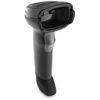
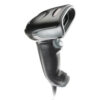
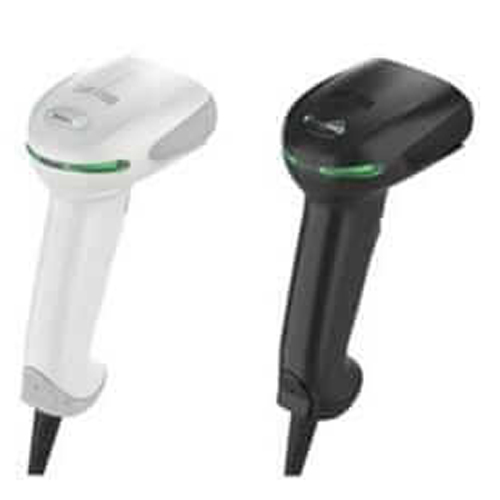
Honeywell Xenon XP 1950g General Duty Scanner
Honeywell Xenon XP 1950g General Duty Scanner
The Xenon™: XP 1950 series scanners deliver premium performance and class-leading durability for improved employee productivity and maximum uptime
 Download Datasheet
Product Details
Q1. What makes the Honeywell 1950g barcode scanner suitable for busy POS counters and warehouses?
The Honeywell 1950g is a high‑performance 2D barcode scanner with very fast scan speeds and aggressive reading on damaged or low‑contrast barcodes, making it ideal for supermarket checkout, pharmacy POS and warehouse picking where every second counts.
Q2. Can the 1950g scan QR codes and barcodes from mobile phone screens?
Yes, the 1950g is a true area‑imager that reads 1D barcodes, 2D codes like QR, PDF417 and Data Matrix, as well as digital barcodes displayed on smartphone screens for loyalty apps, e‑vouchers and mobile payments.
Q3. Is the Honeywell 1950g available in both USB and RS‑232 versions?
The 1950g general‑duty scanner supports popular interfaces such as USB keyboard wedge, USB‑COM and RS‑232, so it can integrate with most POS systems, ERP terminals and PCs used in Kuwait retail and back‑office operations.
Q4. How durable is the 1950g for daily use in retail and logistics?
The 1950g is built to withstand repeated drops from typical counter heights onto hard floors and is sealed against dust and everyday spills, making it robust for demanding retail, healthcare and warehouse environments.
Q5. Can I configure the 1950g to add prefixes or suffixes to scanned data?
Yes, the scanner can be programmed using configuration barcodes to add prefixes, suffixes, or function keys to each scan, allowing seamless integration with POS forms, invoice screens or web‑based applications.
Q6. Is the Honeywell 1950g easy to deploy across multiple POS lanes?
The 1950g is plug‑and‑play for most POS platforms, and once you finalize a configuration profile, Zahabi can help you replicate the same settings across all checkout counters for consistent behavior.
POS integration for Honeywell 1950g
We help you connect the 1950g to your POS or ERP system, select the correct cable/interface and configure keyboard wedge vs. USB‑COM mode to match your software.
Advanced configuration & data formatting
Our team assists in setting up prefixes, suffixes, function keys and barcode type enabling/disabling so your 1950g scanner sends exactly the data your application expects.
Scan performance optimization
We guide you on tuning symbology settings, beeper/LED feedback and scan distance so the 1950g performs reliably at checkout and in stockrooms.
Troubleshooting failed or slow scans
If the 1950g struggles with certain labels or mobile screens, we help diagnose issues like print quality, glare, aiming and configuration, and suggest corrective actions.
Rollout support for chains and supermarkets
For multi‑branch retailers, Zahabi can support standardized configuration, documentation and training so every 1950g scanner works the same way in every store.
Tech Specs
Rating & Reviews
How We Can Help You

Wide Selection, Better Choices
Find products that match your exact needs without compromise.

Built for Performance
High-quality materials and tested reliability you can depend on.

Smartly Curated
Only the best products make it to our platform, saving you time and effort.

Customer-First Approach
Trusted by shoppers who value quality, service, and consistency.

Drivers, Manuals & Support
Zahabi Support
From drivers and manuals to diagnostic tools and replacement parts, Zahabi Product Support has you covered!
You may add any content here from XStore Control Panel->Sales booster->Request a quote->Ask a question notification
At sem a enim eu vulputate nullam convallis Iaculis vitae odio faucibus adipiscing urna.