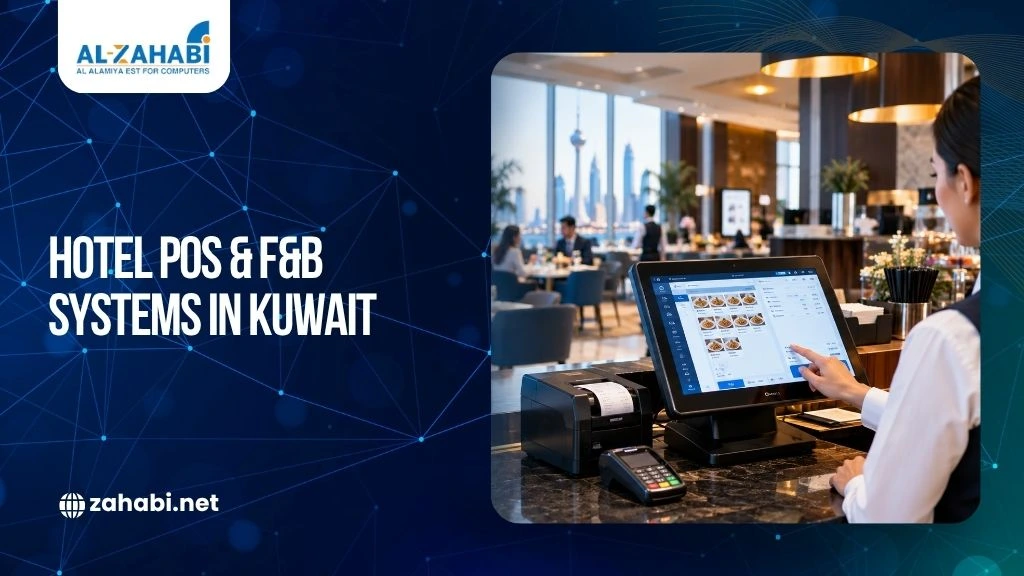
A guest orders breakfast at the restaurant, charges it to their room, orders coffee by the pool later, and gets room service at night. If each outlet handles those transactions separately, your staff may spend more time reconciling orders than serving guests.
That is the real challenge behind choosing a hotel POS system in Kuwait. You do not simply need a terminal that prints receipts and accepts payments. You need a system that can connect hotel restaurants, cafes, bars, room service, kitchens, payments, and reporting without creating extra work for your team.
For Kuwait’s hospitality sector, the right setup depends on the property’s size, number of F&B outlets, service model, and existing hotel management software. The goal is simple: make every order easier to capture, route, settle, and track.
Key Takeaways:
- A hotel POS should connect F&B operations rather than operate as an isolated billing terminal.
- PMS integration is important when guests need to charge restaurant purchases to their rooms.
- Kitchen printers and KDS solutions help move orders from service staff to preparation teams.
- Hardware should match each outlet’s environment, transaction volume, and workflow.
- The best system is one that can scale as your hotel’s F&B operation grows.
What a Hotel POS System in Kuwait Actually Needs to Do
A hotel POS system has a different job from a basic restaurant billing system.
In a standalone restaurant, the main workflow may be straightforward: take an order, send it to the kitchen, collect payment, and close the bill.
A hotel can have several revenue centres operating at the same time. A guest may dine at the restaurant, order room service, purchase something from a café, and charge everything to the same room.
Your POS therefore needs to support more than payment processing.
A suitable hotel POS system in Kuwait should help you manage:
- Restaurant and café orders
- Table service
- Room-service transactions
- Poolside or outdoor F&B service
- Guest room charges
- Kitchen order routing
- Receipt and kitchen printing
- Menu and pricing management
- Discounts and promotions
- Sales reporting
- Integration with hotel management systems
Oracle’s hotel POS documentation, for example, describes integration between POS and hotel property-management systems, along with support for printers, kitchen display systems, table management, payments, reporting, and other operational tools.
Why Hotel F&B Requires More Than Standard Restaurant POS
Hotel F&B operations often involve multiple outlets with different service patterns.
Your main restaurant may need table management and kitchen order routing. A lobby café may focus on quick counter transactions. Room service needs a way to connect orders to guest rooms. A pool outlet may need mobile or portable hardware.
Trying to force every outlet into exactly the same workflow can create unnecessary friction.
A better approach is to use a common POS platform while configuring each revenue centre according to its actual operation.
For example, the menu, printer routing, user permissions, and payment workflow for a fine-dining restaurant do not necessarily need to match those of a grab-and-go café.
This is where a properly planned hospitality point of sale in Kuwait becomes useful: the system should adapt to your operation rather than making your staff adapt to a rigid workflow.
If you are reviewing your current setup, start with the outlets that generate the highest transaction volume. These usually reveal workflow problems faster than quieter areas.
PMS and POS Integration Matters
One of the most important considerations for a hotel is how the POS communicates with the Property Management System (PMS).
Without integration, staff may need to manually transfer information between systems. That creates opportunities for incorrect room numbers, duplicate entries, and reconciliation problems.
With an integrated setup, an eligible restaurant transaction can be associated with the guest’s room and posted through the hotel’s established billing workflow.
This matters particularly when a guest says, “Please charge it to my room.”
The objective is not simply convenience for the guest. There are also fewer manual steps for your front-desk and F&B teams. When planning your technology infrastructure, comparing cloud POS vs traditional POS systems can help determine which deployment approach suits your hotel.
Oracle’s hotel POS documentation specifically highlights integration between its Simphony POS and OPERA hotel property-management systems. Its current hotel POS offering also supports room-charge workflows through OPERA Cloud.
Kitchen Communication Is Part of the POS Decision
A POS terminal is only one part of the F&B workflow. Once a waiter enters an order, the kitchen needs to receive the right information at the right preparation station.
A restaurant may have separate areas for hot food, cold food, desserts, or beverages. Sending every item to one printer can create confusion and unnecessary movement.
This is where hotel F&B printer systems become important.
A properly configured system can route different parts of an order to the appropriate printer or kitchen display. For example, a food item can be sent to the kitchen while a beverage goes to the bar.
Modern hospitality platforms can also use Kitchen Display Systems (KDS) instead of paper tickets. Oracle describes its KDS as a way to route, sequence, and track orders while improving communication between kitchen and service teams.
If order delays are already affecting your operation, review printer and kitchen routing before replacing every POS terminal. The bottleneck may be in the back-of-house workflow.
Hotel F&B Printer Systems: What You Actually Need
Printers remain useful in many hotel F&B environments, particularly where kitchen staff prefer physical tickets or where specific stations need printed production information.
The important question is not simply whether a printer is included. It is where the printer is located and what information it receives.
For example:
|
Outlet |
Possible POS Requirement |
Output |
|
Main restaurant |
Table-service POS |
Kitchen + guest receipt |
|
Lobby café |
Counter POS |
Receipt |
|
Bar |
POS terminal |
Bar order + receipt |
|
Room service |
POS/mobile ordering |
Kitchen + room-service receipt |
|
Pool outlet |
Mobile POS |
Bar/kitchen + receipt |
This configuration reduces unnecessary printing and keeps orders moving to the right team. Hotels should also consider thermal paper rolls for reliable POS receipts when selecting consumables for their receipt printers.
Printer placement also matters. A device positioned too far from the preparation area forces staff to walk back and forth, which can slow service even when the POS software itself works correctly.
Mobile POS Can Improve Service in the Right Areas
Not every transaction needs to happen at a fixed counter. Consider a poolside outlet. Asking staff to remember orders, walk to a fixed terminal, enter everything manually, and return to the guest adds unnecessary steps.
Mobile POS hardware can allow staff to enter orders closer to where service happens.
This can be particularly useful for:
- Poolside service
- Outdoor dining
- Banquet operations
- Large restaurant floors
- Events
- Room-service workflows
Oracle’s hotel F&B solutions include mobile hardware designed to allow staff to serve guests across different areas of a property.
The key is to deploy mobile devices where they solve a genuine workflow problem. Buying mobile hardware simply because it is newer does not automatically improve service.
Reporting Should Help Managers Make Decisions
A hotel POS should not stop at recording sales. Your managers need to understand what is happening across the F&B operation.
Useful reporting can include:
- Sales by outlet
- Sales by menu item
- Sales by time period
- Discounts and voids
- Payment activity
- Order performance
- Revenue by service area
Centralised reporting becomes especially valuable when one property operates several F&B outlets. Using POS data for understanding customer buying behaviour can give hotel managers additional insight into sales patterns and guest purchasing activity.
Instead of manually collecting figures from different terminals, management can review performance through a common system.
Oracle describes centralised F&B reporting and dashboards that provide operational and financial information across properties and outlets.
Hardware Must Match the Hotel Environment
Hospitality hardware operates in demanding conditions. A restaurant POS may face spills and constant staff interaction. Kitchen equipment operates around heat and moisture. Poolside service introduces a different set of environmental considerations.
That means hardware selection should be based on where the device will actually operate.
Consider:
- Screen size
- Mounting options
- Connectivity
- Printer type
- Durability
- Cleaning requirements
- Peripheral compatibility
- Backup or offline capabilities
Purpose-built hospitality hardware is designed for the demands of F&B environments. Oracle, for example, specifically highlights hardware designed to withstand conditions such as spills, drops, and temperature extremes.
This is why the cheapest POS terminal is not necessarily the lowest-cost option over its working life.
Payments Should Fit the Guest Journey
Your payment workflow should be considered alongside ordering and billing.
Hotel guests may pay at the restaurant, charge to their room, use contactless payment, or interact with digital ordering channels.
The POS should support the payment methods your operation actually needs while maintaining a clear record of each transaction.
For example, a restaurant may close a bill immediately, while a room-service order may be posted to the guest’s room for settlement later.
The important point is that payment handling should not create a separate administrative process for your staff.
Modern hospitality POS platforms increasingly support multiple ordering and payment channels, including mobile ordering and room-charge workflows.
A Real Example: What Integration Looks Like in Practice
Oracle has documented how hospitality operators use its Simphony POS alongside hotel systems and F&B workflows. Its hotel solution connects POS functions with OPERA, while its F&B platform supports kitchen management, reporting, mobile ordering, and other operational functions.
The lesson for a Kuwait hotel is not that one particular platform is automatically the right choice.
It is that the POS should be evaluated as part of the entire property workflow.
If your restaurant, kitchen, front desk, payment process, and reporting system all operate independently, adding another standalone terminal may simply add another data silo.
How to Choose a Hotel POS System in Kuwait
Start with your operation, not the hardware catalogue.
- List Every F&B Outlet
Identify restaurants, cafés, bars, room service, pool outlets, banquet areas, and temporary service points.
- Map the Order Journey
Follow an order from the guest to the POS, kitchen, payment, and final reporting stage.
- Check PMS Integration
If you allow room charges, verify exactly how the POS communicates with your PMS.
- Review Kitchen Requirements
Determine whether you need kitchen printers, multiple printer stations, KDS, or a combination.
- Plan for Growth
A system that works for two outlets may not be suitable when your property expands to five or ten. Recognising the signs your POS system needs an upgrade can help hotel operators decide when their existing setup is no longer suitable for a growing F&B operation.
- Test the Actual Workflow
Do not evaluate a POS only through a presentation. Ask for a practical demonstration using your menus, outlets, billing scenarios, and reporting requirements.
What Kuwait Hotels Should Prioritise
For most hotel operators, the priority should not be buying the most feature-heavy system. It should be building a setup that removes friction from the guest and staff journey.
A strong hotel POS system in Kuwait should connect the parts of the operation that need to work together: F&B ordering, kitchen communication, payments, room charges, reporting, and hotel management software.
The hardware should then support those workflows reliably at each outlet.
For a smaller hotel, that might mean a few fixed POS terminals and kitchen printers. A larger property may require multiple revenue centres, mobile devices, KDS, PMS integration, and centralised reporting.
A scalable POS and printing setup can help hotels accommodate additional outlets and increase transaction volumes as their operations grow. The right configuration depends on your operation.
Conclusion
A hotel POS is not simply a billing machine. For Kuwait’s hospitality sector, it should act as a practical link between guests, service staff, kitchens, payments, and hotel operations.
The best approach is to map your F&B workflow first and then select the POS software, printers, terminals, mobile devices, and integrations that support it. That keeps your investment focused on measurable operational needs rather than unnecessary features.
If you are evaluating a new setup, request a POS assessment based on your actual hotel outlets and F&B workflow before choosing the hardware.
FAQs
1. What is a hotel POS system in Kuwait?
A hotel POS system in Kuwait manages F&B transactions across hotel restaurants, cafés, bars, room service, and other outlets. Depending on the setup, it can also integrate with the hotel’s PMS, kitchen systems, payment infrastructure, and reporting tools.
2. Can a hotel POS connect restaurant bills to guest rooms?
Yes, a properly integrated hotel POS can support room-charge workflows. The exact process depends on the POS, PMS, payment setup, and integration used by the property.
3. What are hotel F&B printer systems used for?
Yes, a properly integrated hotel POS can support room-charge workflows. The exact process depends on the POS, PMS, payment setup, and integration used by the property.
4. Does a hotel need a Kitchen Display System with its POS?
Not necessarily. Some hotels may use kitchen printers, while others may benefit from KDS. The right choice depends on kitchen size, order volume, station layout, and how staff manage incoming orders.
5. What should I check before buying a hospitality point of sale in Kuwait?
Check PMS integration, kitchen routing, payment support, hardware durability, reporting, outlet management, scalability, and supplier support. Most importantly, test the complete workflow using scenarios that match your hotel’s actual operation.