
- Barcode Printing Solution
- Biometrics Attendance System
- Camera
- Document Scanner
- ID Cards
- Kiosk
- Mobile Computer
- POS Accessories
- POS Machines
- Price Checker Kios
- Printing Supplies
- RECEIPT PRINTER
- RFID & Hardware Solutions
- Tablet
- Uncategorized
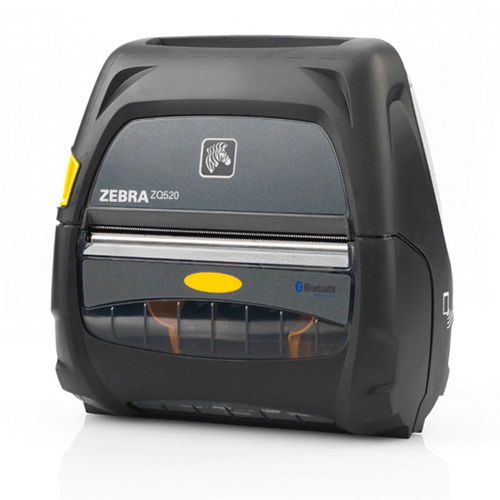
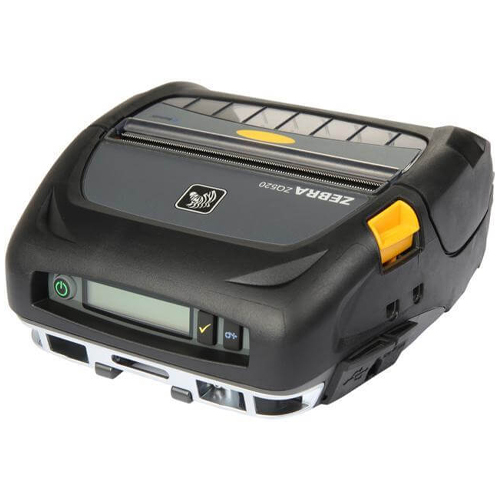
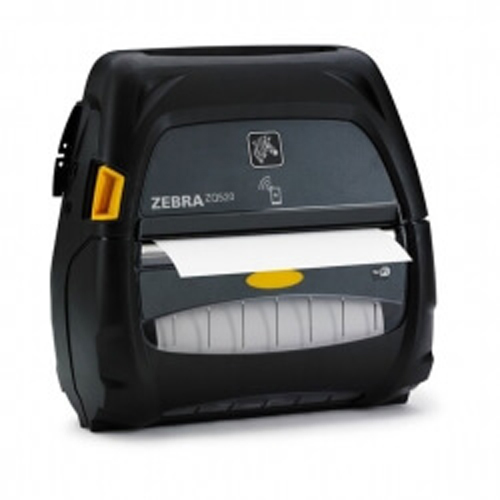
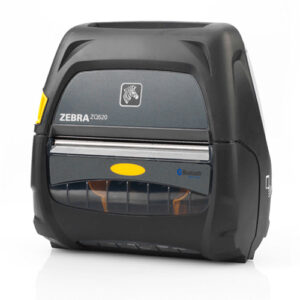
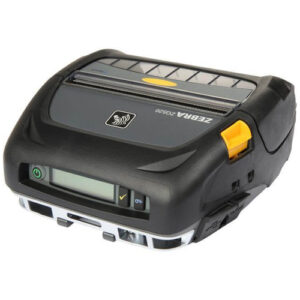
Zebra ZQ520 RFID Mobile Printer
Zebra ZQ520 RFID Mobile Printer
Zebra ZQ520 – 4″ Mobile Direct thermal Printer, 203 dpi, Double-sided Tear bar, Bluetooth Interface. Apple iOS, Android, Windows Mobile and BlackBerry compatible, Charging Cables Not Included.
 Download Datasheet
Product Details
Q1. What is the Zebra ZQ520 mobile printer designed for?
The Zebra ZQ520 is a rugged 4‑inch direct thermal mobile printer built for the harshest environments, including transportation, logistics, public safety, and field service. It is ideal for printing receipts, invoices, tickets, and 4‑inch labels directly from vehicles or in the field.
Q2. Which interfaces and wireless options are available on the ZQ520?
The ZQ520 includes Bluetooth and often Wi‑Fi options, enabling wireless printing from mobile computers, tablets, and in‑vehicle systems. It supports popular mobile operating systems like Apple iOS, Android, and Windows, making integration with rugged handhelds straightforward.
Q3. How rugged is the ZQ520 in field operations?
Marketed as one of Zebra’s most rugged premium mobile printers for 4‑inch applications, the ZQ520 is designed to withstand repeated drops, shocks, and exposure to dust and moisture. This durability makes it well‑suited for outdoor use, delivery trucks, and emergency vehicles where conditions are tough.
Q4. What kind of media can the ZQ520 handle?
The ZQ520 prints on direct‑thermal receipt and label media with a media roll outer diameter of approximately 2.24 inch (57 mm), supporting most common 4‑inch mobile applications. It also features a double‑sided tear bar for clean tearing of receipts and labels in the field.
Q5. Is the ZQ520 easy to mount in vehicles and carry on body?
Yes, the ZQ520 is designed for both in‑vehicle and wearable use; it can be mounted using vehicle cradles or carried with shoulder straps and belt accessories. This flexibility supports route accounting, direct store delivery, and field‑service technicians.
Q6. Can the ZQ520 be managed remotely and integrated with enterprise systems?
ZQ520 supports Zebra management tools and standard printer languages that make it easier to integrate with ERP, WMS, and custom mobile applications. Remote status monitoring and configuration help reduce downtime and service visits.
Use‑Case Assessment and Printer Sizing
We review your field workflows (ticketing, invoicing, delivery receipts) and media needs to validate that the ZQ520 4‑inch rugged mobile printer is the right fit for your routes and crews.
Vehicle and Mobile Device Integration
Assistance with integrating ZQ520 printers into vehicle systems, pairing with handhelds or tablets via Bluetooth/Wi‑Fi, and configuring drivers, ports, and print settings for your apps.
Media, Supplies, and Battery Strategy
Recommendations on suitable 4‑inch rolls, receipt stock, labels, and spare batteries, plus guidance on charging infrastructure for depots and vehicles to keep fleets always ready.
Printer Configuration, Firmware, and Profile Management
Support for loading printer configuration files, updating firmware, and setting up standard print profiles (darkness, speed, media type) for consistent results across all units.
Deployment, Training, and Maintenance Support
Help with rolling out ZQ520 printers to drivers or technicians, training them on loading media and basic troubleshooting, and coordinating repair or replacement processes when needed.
Tech Specs
Rating & Reviews
How We Can Help You

Wide Selection, Better Choices
Find products that match your exact needs without compromise.

Built for Performance
High-quality materials and tested reliability you can depend on.

Smartly Curated
Only the best products make it to our platform, saving you time and effort.

Customer-First Approach
Trusted by shoppers who value quality, service, and consistency.

Drivers, Manuals & Support
Zahabi Support
From drivers and manuals to diagnostic tools and replacement parts, Zahabi Product Support has you covered!
You may add any content here from XStore Control Panel->Sales booster->Request a quote->Ask a question notification
At sem a enim eu vulputate nullam convallis Iaculis vitae odio faucibus adipiscing urna.