
- BARCODE
- Barcode Printing Solution
- Biometrics Attendance System
- Camera
- Document Scanner
- ID Cards
- Kiosk
- Mobile Computer
- POS Accessories
- POS Machines
- Price Checker Kios
- Printing Supplies
- RECEIPT PRINTER
- RFID & Hardware Solutions
- Tablet
- Uncategorized
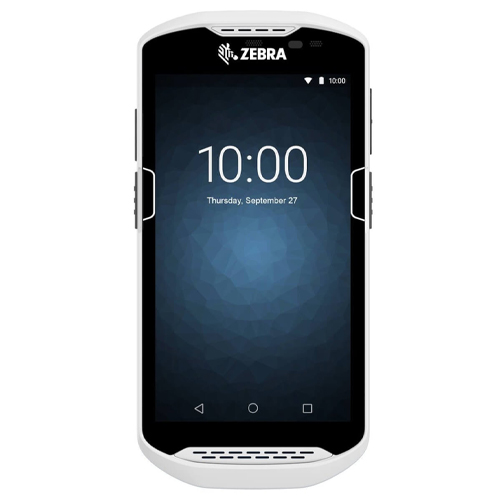
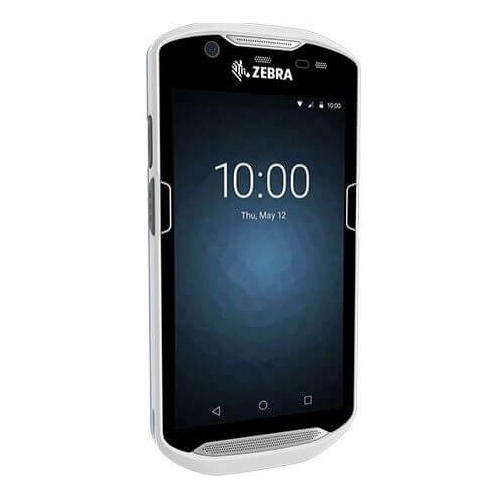
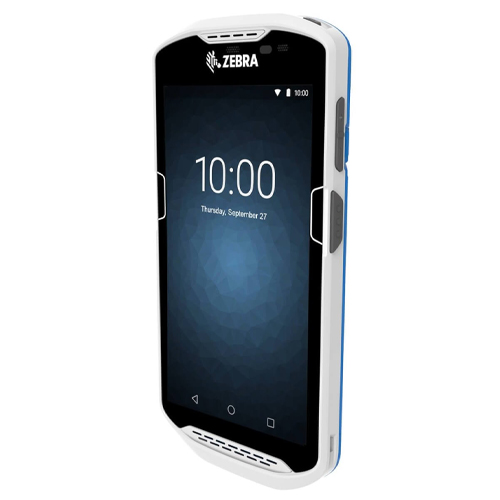
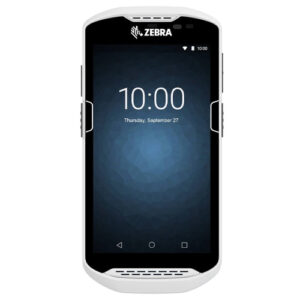
TC-21 Android Touch Computer: The Perfect POS Machine
TC-21 Android Touch Computer: The Perfect POS Machine
The TC21 features an Android 10 operating system, . Waterproof and dustproof this durable device can withstand drops to concrete, snow, rain, heat, and freezing cold.
 Download Datasheet
Product Details
Q1. What sets the Zebra TC21 mobile computer apart from ET rugged tablets?
The Zebra TC21 is a compact 5‑inch smartphone‑like rugged handheld, designed for use inside the four walls with integrated barcode scanning and Wi‑Fi connectivity. ET series rugged tablets are larger 8+ inch devices better suited to detailed inventory views and field service applications that require expanded screen real estate and optional scan attachments.
Q2. Does the Zebra TC21 support barcode scanning and mobile data capture?
Yes, depending on configuration, the TC21 integrates a 1D/2D imager for high‑performance barcode scanning, plus NFC for close‑range card or tag reading. This makes it suitable for inventory management, order and returns processing, ticketing, and store operations.
Q3. What operating system and apps run on the Zebra TC21?
The TC21 runs Android (upgradeable up to Android 14 on supported SKUs), allowing you to deploy WMS, inventory, ticketing, and workflow apps optimized for enterprise handhelds. Zebra Mobility DNA tools simplify management, updates, and device‑side configuration.
Q4. Can the Zebra TC21 be used for delivery tracking or in‑store pickup workflows?
Yes, within Wi‑Fi coverage you can scan items, validate orders, and capture basic proof (e.g., item images) tied back to your order management system for buy‑online‑pickup‑in‑store and internal delivery tasks.
Q5. What is the battery life and charging options for Zebra TC21?
The TC21 supports standard batteries rated for up to roughly 10 hours and extended batteries for up to about 14 hours of operation, depending on workload. It is supported by a wide accessory ecosystem including multi‑slot chargers, workstation cradles, and protective boots to improve durability.
Q6. Does the Zebra TC21 support MDM and enterprise security?
Yes, TC21 supports Android enterprise management and works with leading MDM solutions, letting you configure device restrictions, push apps, enforce security policies, and perform remote troubleshooting.
Device Selection for Indoor Operations
Evaluation of your use cases (inventory counts, ticketing, BOPIS, assisted selling) and environment to confirm TC21 is the right Wi‑Fi handheld for operational and budget requirements.
Accessory and Peripheral Pairing for TC21
Recommendations on protective boots, holsters, single‑ and multi‑slot chargers, workstation cradles, and headsets to extend the TC21’s capabilities in stores and warehouses.
Android Setup and Business App Installation on TC21
Configuration of Wi‑Fi networks, Android enterprise profiles, and deployment of your inventory or ticketing apps; validation of scanning workflows before full production rollout.
TC21 MDM Enrollment and Security
Integration with your MDM for centralized control, including encryption enforcement, OS update scheduling, app lockdown, and remote wipe in case of loss or theft.
On‑Site Rollout and Training for TC21
Staging batches of TC21 devices, loading standard configurations, training users on scanning and workflow best practices, and supporting the first weeks of live usage.
Tech Specs
Rating & Reviews
How We Can Help You

Wide Selection, Better Choices
Find products that match your exact needs without compromise.

Built for Performance
High-quality materials and tested reliability you can depend on.

Smartly Curated
Only the best products make it to our platform, saving you time and effort.

Customer-First Approach
Trusted by shoppers who value quality, service, and consistency.

Drivers, Manuals & Support
Zahabi Support
From drivers and manuals to diagnostic tools and replacement parts, Zahabi Product Support has you covered!
You may add any content here from XStore Control Panel->Sales booster->Request a quote->Ask a question notification
At sem a enim eu vulputate nullam convallis Iaculis vitae odio faucibus adipiscing urna.