No products in the cart.

Shopping cart (0)
Subtotal: د.ك0.000
Spend د.ك3,050.000 to get free shipping
Congratulations! You've got free shipping.
Menu
Categories
- All in one terminal | Pos Machines | Zahabi
- Barcode Printing Solution
- Biometrics Attendance System
- Document Scanner
- ID Cards
- Kiosk
- Mobile Computer in Kuwait
- POS Accessories
- POS Machines
- Price Checker Kios | Pos Machines | Zahabi
- RECEIPT PRINTER
- RFID & Hardware Solutions
- Uncategorized
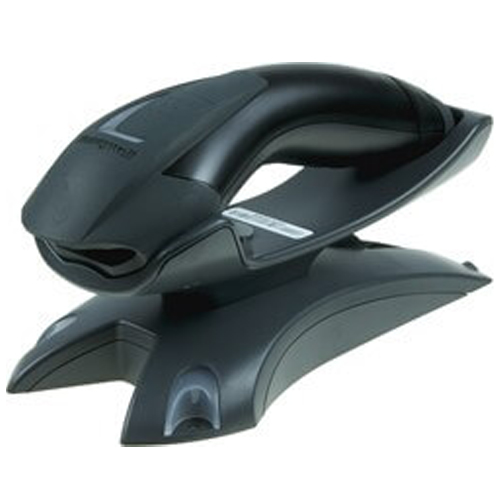
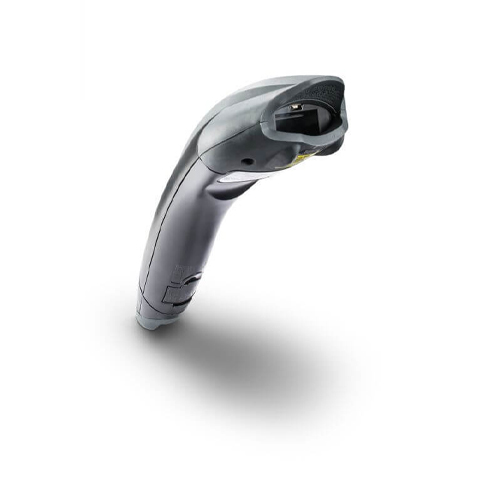
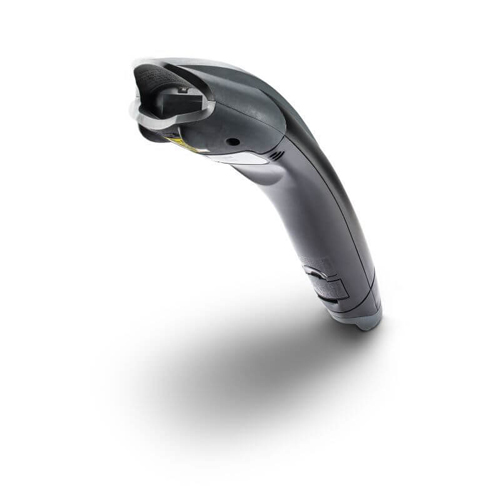
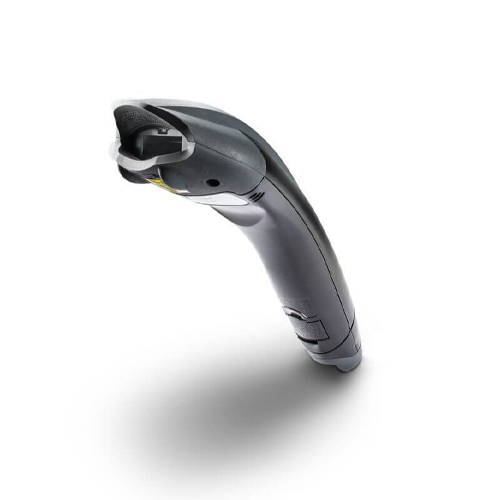


Honeywell Voyager 1202g Barcode Scanner
Honeywell Voyager 1202g Barcode Scanner
Voyager™: 1202g (wireless) laser barcode scanners are built on the world’s best-selling single-line laser scanner platform.
 Download Datasheet
Brand:
Tag: Honeywell
Categories: Barcode Scanner
Product Details
Honeywell Voyager 1202g – USB Kit, Honeywell Voyager 1202g, 1D laser, cordless. Includes cradle and cables. Color: BlackVoyager™: 1202g (wireless) laser barcode scanners are built on the world’s best-selling single-line laser scanner platform. They aggressively scan virtually all linear barcodes. And they do an exceptional job of reading poor quality and even damaged barcodes.Features
- High-performance scanning engine
- Ergonomic and user-friendly design
- Seamless wireless connectivity
- High-performance scanning engine
- Ergonomic and durable design
- Wireless connectivity for enhanced mobility
- Long-lasting battery for extended usage
- Brand: Honeywell
- Model No: 1202g
- Product Dimension:6.6 x 18 x 9.2 cm;
Q1. What are the advantages of the Honeywell 1202g wireless barcode scanner?
The Voyager 1202g offers cordless scanning via Bluetooth, giving cashiers and warehouse staff the freedom to move around counters, aisles and stockrooms without being limited by cable length.
Q2. What is the typical Bluetooth range of the 1202g?
In most retail and warehouse environments, the 1202g provides a wireless range of around 10–30 meters from the base station, depending on obstacles and interference.
Q3. Can the 1202g scan barcodes on shelves and bulky items away from the POS?
Yes, the cordless design allows staff to walk to the item, scan the barcode and return to the POS, which is ideal for scanning large cartons, items on high racks or products that are difficult to bring to the counter.
Q4. How long does the 1202g battery last in daily use?
When properly charged, the 1202g battery is designed to last through a typical work shift, offering many thousands of scans before needing to be placed back in the charging cradle.
Q5. Is the Voyager 1202g compatible with my existing POS system?
The base station connects via USB or other supported interfaces and appears to the POS like a standard wired scanner, so it works with most POS platforms used in Kuwait.
Q6. What happens if the 1202g goes out of range or loses connection?
The scanner provides audible/visual feedback if it moves out of range, and it can buffer scans until it reconnects, depending on configuration.
Bluetooth pairing & base station setup
We walk you through pairing the 1202g with its base, assigning it to the correct POS terminal and testing wireless connectivity.
Battery care and charging best practices
Our team advises on charging routines and storage tips to maximize battery lifespan and avoid unexpected downtime.
Range testing in your store or warehouse
We help you test wireless coverage and identify any dead zones or interference points in your environment.
Multi‑scanner environment configuration
If you have several 1202g scanners, we assist with configuring bases and channels to avoid cross‑pairing issues.
Replacement batteries and accessories
We support sourcing spare batteries, cradles and stands to keep your wireless scanning fleet fully operational.
Tech Specs
Rating & Reviews
How We Can Help You

Wide Selection, Better Choices
Find products that match your exact needs without compromise.

Built for Performance
High-quality materials and tested reliability you can depend on.

Smartly Curated
Only the best products make it to our platform, saving you time and effort.

Customer-First Approach
Trusted by shoppers who value quality, service, and consistency.

Drivers, Manuals & Support
Zahabi Support
From drivers and manuals to diagnostic tools and replacement parts, Zahabi Product Support has you covered!
You may add any content here from XStore Control Panel->Sales booster->Request a quote->Ask a question notification
At sem a enim eu vulputate nullam convallis Iaculis vitae odio faucibus adipiscing urna.