
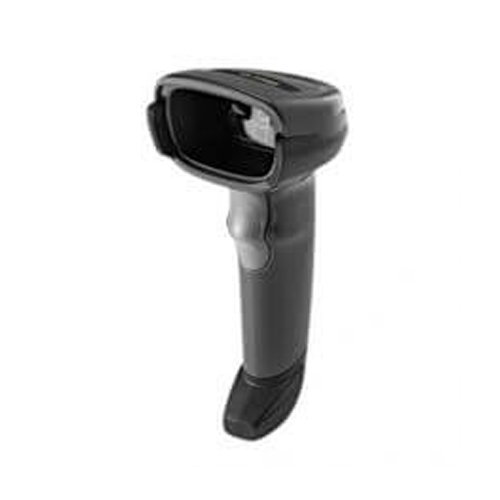
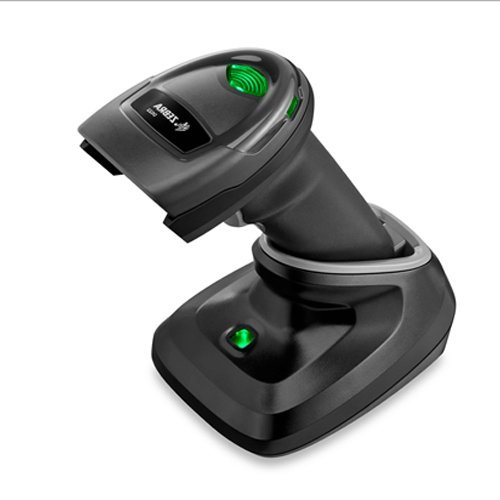
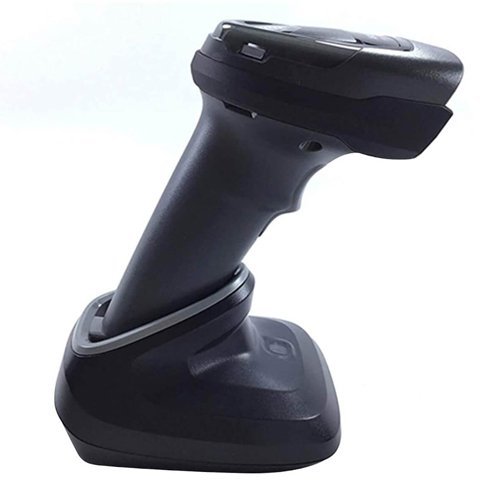
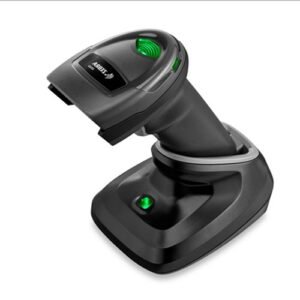
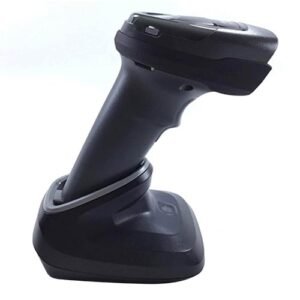
Zebra DS2278 2D Wireless Barcode Scanner
Zebra DS2278 Series Cordless Handheld Standard Range Area Imager Kit with Presentation Cradle and USB Kit, Black
 Download Datasheet
Product Details
| Brand | Zebra |
| Model | DS2200 |
| Form Factor | Handheld |
| Connectivity | Cordless |
| Scan Pattern | Area |
| Scanner Capability | 2D |
| Communication Range | less than 33 ft, Standard Range |
| Scanner Type | Imager |
| Communication Type | Bluetooth |
| Ruggedness | General Purpose |
Q1. What is the Zebra DS2278 wireless barcode scanner used for?
The Zebra DS2278 is a cordless 2D imager designed for POS, pharmacies, and front‑desk environments that need to scan both printed and digital barcodes. It is ideal for modern retail where customers present loyalty codes, e‑tickets, and mobile payment barcodes on their phones.
Q2. Can the DS2278 scan both 1D and 2D barcodes from screens and labels?
Yes, the DS2278 reads 1D and 2D barcodes from paper labels as well as phone and tablet screens. This includes UPC/EAN, Code 128, QR Code, Data Matrix, PDF417, and more, making it a flexible scanner for omnichannel retail.
Q3. How does the DS2278 connect to my POS system?
You can connect the DS2278 in two main ways: via a cradle plugged into your POS hub/PC, or via direct Bluetooth pairing to a compatible POS device. The scanner appears as a HID input device, sending barcode data to the active cursor location.
Q4. Is the DS2278 easy to pair and configure?
Yes, setup is straightforward: you place the scanner in its charging cradle or put it into Bluetooth pairing mode and follow simple steps to pair it with your POS tablet or PC. Configuration barcodes can then be scanned to set suffixes, beeps, or other preferences.
Q5. How long does the DS2278 battery last?
The DS2278 is designed to support a full shift or more on a single charge under typical retail workloads, with actual battery life depending on scan volume. Fast charging in the cradle helps reduce downtime between shifts.
Q6. When should I choose the DS2278 instead of the wired DS2208?
Choose the DS2278 when you want the same 2D scanning capabilities as the DS2208 but with cordless freedom for scanning items in carts, shelves, or larger counters. The DS2208 is a good fit when you prefer a fixed, wired scanner at the till.
Cordless 2D scanner use‑case review
We assess your checkout layout, device types (PC, tablet, POS terminal), and barcode mix to confirm whether a DS2278 wireless scanner is the best choice for your counters.
Pairing and connection setup (cradle/Bluetooth)
Our team guides you through pairing the DS2278 via cradle or direct Bluetooth, including factory reset, HID mode selection, and POS device pairing steps.
Configuration for printed and mobile barcodes
We help you configure the DS2278 for scanning printed labels and mobile barcodes with optimal performance, including aiming patterns and feedback beeps for busy environments.
Battery management and charging station planning
We suggest charging setups, cradle locations, and spare scanners for each lane so your DS2278 devices are always ready to use throughout the day.
Troubleshooting pairing and data‑transmission issues
If the scanner disconnects, fails to send data, or behaves inconsistently, we walk you through reset steps and connection checks to restore stable operation.
Standardisation across multi‑store deployments
For retailers with many outlets, we help standardise DS2278 configurations and deployment practices so all branches use the same profiles and support procedures.
Q1. What is the Zebra DS2278 wireless barcode scanner used for?
The Zebra DS2278 is a cordless 2D imager designed for POS, pharmacies, and front‑desk environments that need to scan both printed and digital barcodes. It is ideal for modern retail where customers present loyalty codes, e‑tickets, and mobile payment barcodes on their phones.
Q2. Can the DS2278 scan both 1D and 2D barcodes from screens and labels?
Yes, the DS2278 reads 1D and 2D barcodes from paper labels as well as phone and tablet screens. This includes UPC/EAN, Code 128, QR Code, Data Matrix, PDF417, and more, making it a flexible scanner for omnichannel retail.
Q3. How does the DS2278 connect to my POS system?
You can connect the DS2278 in two main ways: via a cradle plugged into your POS hub/PC, or via direct Bluetooth pairing to a compatible POS device. The scanner appears as a HID input device, sending barcode data to the active cursor location.
Q4. Is the DS2278 easy to pair and configure?
Yes, setup is straightforward: you place the scanner in its charging cradle or put it into Bluetooth pairing mode and follow simple steps to pair it with your POS tablet or PC. Configuration barcodes can then be scanned to set suffixes, beeps, or other preferences.
Q5. How long does the DS2278 battery last?
The DS2278 is designed to support a full shift or more on a single charge under typical retail workloads, with actual battery life depending on scan volume. Fast charging in the cradle helps reduce downtime between shifts.
Q6. When should I choose the DS2278 instead of the wired DS2208?
Choose the DS2278 when you want the same 2D scanning capabilities as the DS2208 but with cordless freedom for scanning items in carts, shelves, or larger counters. The DS2208 is a good fit when you prefer a fixed, wired scanner at the till.
Cordless 2D scanner use‑case review
We assess your checkout layout, device types (PC, tablet, POS terminal), and barcode mix to confirm whether a DS2278 wireless scanner is the best choice for your counters.
Pairing and connection setup (cradle/Bluetooth)
Our team guides you through pairing the DS2278 via cradle or direct Bluetooth, including factory reset, HID mode selection, and POS device pairing steps.
Configuration for printed and mobile barcodes
We help you configure the DS2278 for scanning printed labels and mobile barcodes with optimal performance, including aiming patterns and feedback beeps for busy environments.
Battery management and charging station planning
We suggest charging setups, cradle locations, and spare scanners for each lane so your DS2278 devices are always ready to use throughout the day.
Troubleshooting pairing and data‑transmission issues
If the scanner disconnects, fails to send data, or behaves inconsistently, we walk you through reset steps and connection checks to restore stable operation.
Standardisation across multi‑store deployments
For retailers with many outlets, we help standardise DS2278 configurations and deployment practices so all branches use the same profiles and support procedures.
Tech Specs
Rating & Reviews
How We Can Help You

Wide Selection, Better Choices
Find products that match your exact needs without compromise.

Built for Performance
High-quality materials and tested reliability you can depend on.

Smartly Curated
Only the best products make it to our platform, saving you time and effort.

Customer-First Approach
Trusted by shoppers who value quality, service, and consistency.

Drivers, Manuals & Support
Zahabi Support
From drivers and manuals to diagnostic tools and replacement parts, Zahabi Product Support has you covered!
Reviews
There are no reviews yet.