Walking into a bank is routine for customers. Behind the scenes, however, the security challenge is much more complex. Employees may need access to offices, cash-handling areas, server rooms, records, and other restricted spaces, while different roles require different levels of access.
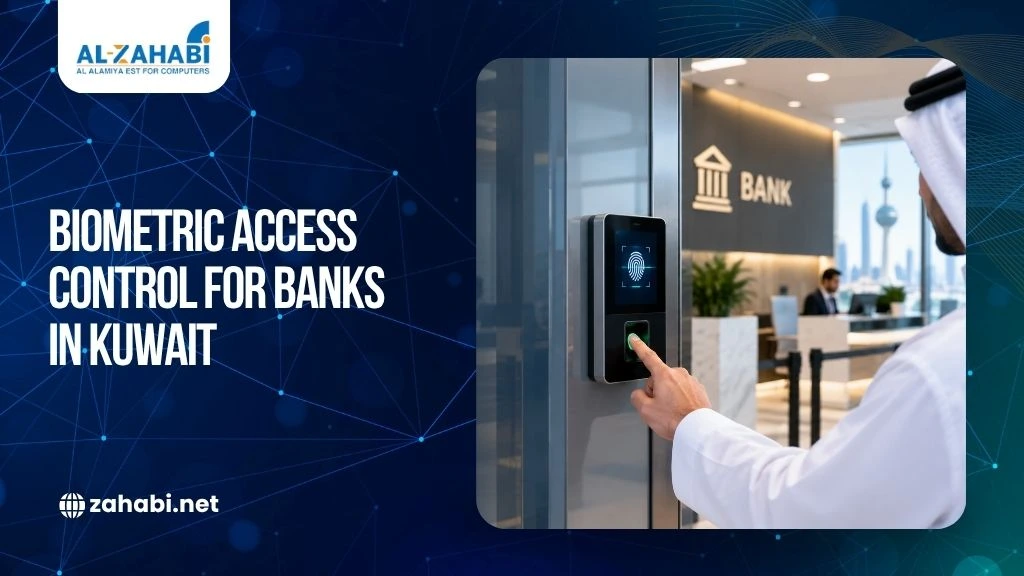
Traditional keys and shared access cards can make it difficult to know exactly who entered a sensitive area and whether that access was appropriate. Biometric access control systems in Kuwait can address part of this challenge by verifying people through characteristics such as fingerprints or facial recognition rather than relying only on something they carry.
For Kuwaiti banks and financial institutions, access control also needs to fit into a broader security and resilience strategy. The Central Bank of Kuwait’s Cyber and Operational Resilience Framework (CORF), launched in December 2025, places greater emphasis on resilience and security controls for the local banking sector.
Key Takeaways:
- Biometrics can strengthen identity verification at sensitive bank entry points.
- Access should be based on employee roles and the sensitivity of each area.
- Fingerprint systems can complement cards, PINs, CCTV, and other controls.
- Integration and access logging matter as much as the biometric reader itself.
- Banks should assess security, privacy, reliability, and regulatory requirements before deployment.
What Is Biometric Access Control?
Biometric access control verifies a person’s identity using a physical or behavioural characteristic.
Common methods include:
- Fingerprint recognition
- Facial recognition
- Iris or other biometric recognition technologies
- Card and biometric combinations
When comparing biometric options, face recognition vs fingerprint systems can help financial institutions understand which authentication method may better suit different access environments.
Instead of simply checking whether someone has an access card, the system attempts to verify the person using their registered biometric credential.
This makes biometrics particularly useful where knowing who is entering matters as much as knowing whether they have permission.
For a financial institution, that distinction can be important. A shared card or misplaced credential can potentially be used by someone other than its assigned employee. A biometric credential is linked more directly to the individual.
However, biometrics should not be treated as a standalone security solution. The strongest approach depends on the risk level of the area, access policy, system configuration, and other security controls.
Why Banks Need Stronger Access Controls
Banks handle financial information, customer records, payment infrastructure, physical assets, and critical technology systems. Not every employee needs access to every part of a facility.
A receptionist, IT administrator, cash-handling employee, and senior manager may all work in the same building but have very different access requirements.
This is where properly designed bank access control systems become important.
The Central Bank of Kuwait’s earlier cybersecurity baseline specifically addressed access management, including access to systems, services, physical premises, information, and information-processing facilities. It also called for access management policies and monitoring of access-management activities.
Biometric access can therefore form one layer within a broader access-control architecture.
Where Banks Can Use Biometric Access Control
The right deployment depends on the institution’s risk assessment and internal security policy.
1. Server and IT Rooms
Server rooms contain infrastructure that can affect banking operations. Restricting physical entry to authorised personnel helps reduce unnecessary access.
A fingerprint or facial-recognition reader can be installed at the entrance and connected to an access-control system that records approved and denied attempts.
For particularly sensitive environments, institutions may choose a combination of credentials rather than relying on a single authentication factor.
2. Cash-Handling Areas
Cash operations require controlled access.
A bank can assign access privileges according to employee responsibilities, ensuring that only authorised personnel can enter designated cash-handling areas.
The system can also provide an electronic record of access events for authorised security and audit teams.
3. Records and Sensitive-Information Areas
Banks may maintain physical documents and other sensitive resources in restricted areas.
Access permissions can be configured according to job responsibilities rather than giving every employee the same level of access.
4. Restricted Administrative Areas
Executive offices, security rooms, and other controlled areas may also benefit from biometric authentication where the institution’s security assessment identifies a need.
The key principle is simple: do not install the same access policy everywhere.
A public lobby and a server room have completely different security requirements.
Fingerprint Security for Financial Institutions
Fingerprint recognition is one of the most familiar forms of biometric authentication.
A fingerprint reader compares the presented fingerprint with an enrolled biometric template and determines whether it matches an authorised user.
For fingerprint security in financial institutions, several factors deserve attention before deployment.
- Accuracy: The reader should reliably identify authorised users while minimising false acceptance and false rejection.
- Environmental Conditions: Banks should consider the actual installation environment. Dust, moisture, frequent handling, and other conditions can influence device performance depending on the technology selected.
- User Experience: Employees should be able to authenticate quickly without disrupting normal workflows.
- System Integration: The biometric reader should work with the institution’s access-control platform and other relevant security infrastructure.
- Administration: When an employee changes roles or leaves the organisation, access permissions should be updated promptly.
The technology is only as effective as the policies and processes surrounding it. For access points exposed to demanding conditions, understanding rugged devices for demanding work environments can help teams evaluate whether additional hardware durability is necessary.
Biometrics Should Support Role-Based Access
A common mistake is to think that installing biometric readers automatically creates a secure facility. The access-control policy determines what the system actually allows each person to do.
For example:
Employee role | Possible access |
Reception staff | Public and designated office areas |
Branch operations staff | Operational areas |
Cash-handling staff | Approved cash areas |
IT personnel | Designated technology areas |
Security personnel | Security-controlled areas |
These are illustrative examples, not prescribed access levels. Each institution should define permissions according to its own risk assessment and policies.
Access should also be reviewed when an employee changes departments, responsibilities, or employment status.
The Central Bank of Kuwait’s cybersecurity baseline specifically included user registration, modification, and revocation as part of access-management controls.
Combining Biometrics With Cards and Other Credentials
Biometric authentication does not always need to replace access cards. Understanding PVC vs smart ID card options can help banks choose the right type of physical credential to use alongside biometric authentication.
In some environments, a financial institution may use multiple authentication factors depending on the sensitivity of the area.
For example, an access point could require a card plus a biometric credential for a particularly restricted room.
This approach can provide an additional verification layer.
Banks should determine the appropriate combination through their security assessment rather than assuming that one authentication method is universally best.
Zahabi’s access-control offering includes biometric devices as well as cards, readers, locks, brackets, and access-control software, allowing institutions to consider a broader system rather than treating the reader as an isolated device.
Access Logs Matter as Much as the Reader
A biometric device tells you whether authentication was accepted or rejected. An effective access-control system should also help authorised teams understand what happened.
Access records can support:
- Security investigations
- Internal reviews
- Incident response
- Access-rights monitoring
- Employee access management
This is particularly relevant in financial institutions, where security teams may need to investigate activity across multiple restricted locations.
The Central Bank of Kuwait’s earlier cybersecurity baseline called for logging and monitoring access-management activities.
That means purchasing a biometric reader without considering the wider software, logging, administration, and integration requirements can leave gaps in the overall solution.
Integrating Biometric Access With Existing Security
A bank rarely operates its access-control system in isolation.
Depending on its architecture, the access-control environment may need to work alongside:
- CCTV
- Door locks
- Access-control software
- Alarm systems
- Employee identification systems
- Security monitoring tools
Integration can make investigations easier because security teams can correlate access events with other available information.
For example, if an unauthorised entry attempt occurs at a restricted door, the security team may need to review the access event alongside relevant camera footage.
The exact integration should be designed around the institution’s existing infrastructure and security requirements.
ID Cards Still Have a Role
Biometric authentication does not make employee identification cards irrelevant.
Banks can use professional ID Cards & Accessories alongside biometric systems for employee identification, visitor management, or environments where card-based credentials remain appropriate.
A complete office ID badge system setup can complement biometric access by providing employees and visitors with visible identification credentials.
Zahabi’s ID card solution includes card printers, cards, software, ribbons, and cleaning kits for identification-card issuance.
This can be useful when a bank wants a combined identification and access strategy rather than depending entirely on one credential type.
For example, an employee could display an ID card for visual identification while using a biometric credential to enter a restricted area.
How Other Hardware Can Fit Into a Bank’s Security Workflow
Access control is only one part of a technology environment.
Financial institutions may also use other business hardware across branches and operational facilities.
For example, mobile computers can support controlled inventory, asset management, or operational workflows where staff need to capture information while moving around a facility.
Similarly, a POS Machine or receipt printer may be part of a bank-operated retail or payment environment where transactions and printed records need to be handled reliably.
These systems have different functions from access control, but they may coexist within the same branch technology environment.
The important point is to avoid treating every device as a separate technology project. Integration, network architecture, support, and security policies should be considered together where appropriate.
What to Check Before Buying a Biometric System
Before selecting a biometric access-control system, ask these practical questions:
- How many users need access?
A small office and a large financial institution have very different enrollment and administration requirements.
- How many doors need protection?
The number and location of access points can influence the system architecture.
- Which areas are genuinely sensitive?
Prioritise high-risk areas rather than automatically putting biometric readers on every door.
- What authentication method is appropriate?
Fingerprint, facial recognition, cards, PINs, or combinations may suit different environments.
- How will access be managed?
Check how users are enrolled, permissions are changed, and credentials are revoked.
- How will the system integrate?
Confirm compatibility with existing access-control infrastructure and other relevant security systems.
- What happens during a system or network failure?
Banks should consider fail-safe or fail-secure behaviour, backup procedures, power availability, and business continuity requirements as part of the deployment design.
Banks should also consider how to avoid costly printer downtime and other equipment failures when building reliable workflows across identification and operational systems.
Need help evaluating the hardware? A practical assessment of your doors, user groups, authentication requirements, and existing security infrastructure can help narrow the right solution before you commit a budget.
Privacy and Biometric Data Need Careful Handling
Biometric information is different from an ordinary password or access card.
If a password is compromised, it can be changed. A person’s biometric characteristics cannot simply be replaced.
That makes biometric data protection an important consideration when deploying fingerprint or facial-recognition systems.
Financial institutions should therefore review:
- How biometric information is stored
- Who can administer the system
- How access to biometric records is controlled
- What retention and deletion policies apply
- How the system is protected against unauthorised access
- What applicable laws and regulatory requirements govern the deployment
The Central Bank of Kuwait has emphasised information confidentiality and data protection within its banking-sector cybersecurity framework.
This is another reason to evaluate the complete system—not just the biometric terminal.
Biometric Access Control and Kuwait’s Banking Security Environment
Kuwait’s banking sector operates under an established cybersecurity and operational-resilience framework.
The Central Bank of Kuwait launched its Cyber and Operational Resilience Framework for local banks and financial institutions in December 2025, replacing the earlier cybersecurity framework with a resilience-focused regulatory model. The CBK states that the framework is intended to help regulated entities anticipate, withstand, recover from, and adapt to disruptions.
This does not mean that every bank is required to install a particular biometric technology.
Instead, biometric access control should be evaluated as one possible physical-security and identity-verification control within the institution’s wider security architecture.
For a regulated financial institution, the final design should be reviewed against applicable CBK requirements, internal security policies, risk assessments, privacy obligations, and other relevant regulatory requirements.
Building a Practical Deployment Strategy
A sensible implementation can start with the areas where stronger identity verification provides the most value.
Step 1: Map sensitive areas.
Identify server rooms, cash-handling areas, records rooms, and other restricted locations.
Step 2: Define access groups.
Determine which roles genuinely require access to each location.
Step 3: Review existing controls.
Document current cards, locks, CCTV, alarms, and access-control software.
Step 4: Select authentication methods.
Decide where fingerprint, facial recognition, cards, PINs, or combinations make sense.
Step 5: Test integration.
Verify that the chosen hardware works with the required software and existing infrastructure.
Step 6: Establish administration procedures.
Create clear processes for enrolment, permission changes, periodic reviews, and employee exits.
Step 7: Test the complete workflow.
Do not stop at installation. Test normal access, denied access, system failures, reporting, and administrative controls.
This approach reduces the risk of buying hardware first and discovering integration or workflow problems later.
Beyond Access Control: A Connected Branch Environment
A modern financial institution may use many technology systems at the same location.
Access control protects physical entry. ID cards support identification. Mobile computers can support operational workflows. POS hardware may support payment-related activities, while printers handle documents and transaction records.
Even seemingly separate equipment can affect day-to-day efficiency.
For example, Zahabi’s product portfolio includes Kiosk, mobile computer, POS accessories, POS machine, price checker Kios, and receipt printer categories alongside biometric and ID-card solutions.
For banks and financial institutions evaluating hardware, the goal should be to create a dependable technology environment rather than simply purchase individual devices.
Conclusion
Biometric access control for banks in Kuwait can provide stronger identity verification for sensitive areas when properly selected, configured, and integrated. Fingerprint and facial technologies can complement cards, locks, monitoring, and access-management policies, but no single device replaces a complete security strategy.
This guide draws on CBK’s published CORF materials and international biometric-data standards (ISO/IEC 24745). For a financial institution, the right starting point is a clear assessment of sensitive areas, user roles, existing infrastructure, and applicable regulatory requirements. From there, biometric hardware can be selected as part of a broader, properly managed access-control system.
Frequently Asked Questions
1. Is biometric access control mandatory for banks in Kuwait?
No, biometric access control is not a blanket requirement for banks in Kuwait based on the CBK materials reviewed for this article. Banks should evaluate biometric technology according to their security policies, risk assessments, applicable CBK requirements, privacy obligations, and the specific security needs of each restricted area.
2. Why use fingerprint security in financial institutions?
Fingerprint security can provide an identity-based access layer for restricted areas within financial institutions. It helps verify that the person requesting entry matches an enrolled biometric credential. Banks can use fingerprint authentication alongside cards, PINs, CCTV, locks, and other controls according to their security requirements.
3. Can biometric access control work with ID cards?
Yes, biometric access control can work alongside ID cards. Banks can use both technologies where their security architecture requires multiple credentials or different authentication methods for different areas. ID cards can provide visible employee identification, while biometric authentication can add an identity-verification layer for restricted locations.
4. Which areas of a bank can use biometric access control?
Biometric access control can be used for server rooms, cash-handling areas, records rooms, security rooms, and other restricted locations. The appropriate areas depend on the institution’s security assessment, access policies, risk level, and operational requirements. Public areas generally require different access controls from highly sensitive spaces.
5. What should banks consider before installing a biometric system?
Banks should evaluate authentication accuracy, user capacity, access policies, system integration, access logging, privacy and biometric-data handling, failure procedures, and applicable regulatory requirements before installing a biometric system. They should also consider existing security infrastructure, user roles, protected areas, and how access permissions will be administered.