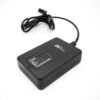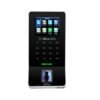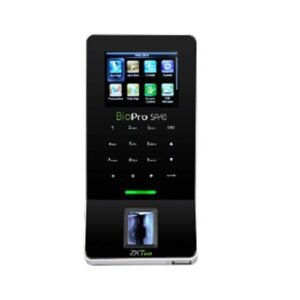
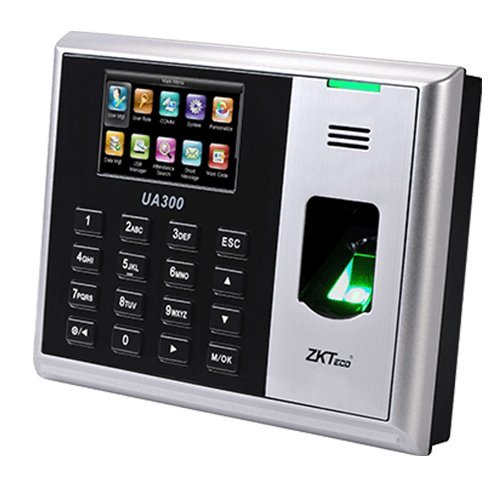
ZKteco UA300 Biometric Fingerprint Attendance System
ZKteco UA300 Biometric Fingerprint Attendance System Users can easily manage data by networking UA300 via TCP/IP, USB Host or USB Client.
 Download Datasheet
UA300 adopts the brand new firmware and provides an unprecedented user experience. It brings innumerable surprises, including the stunning GUI, rock-solid stability, fast matching speed and expandability. Users can easily manage data by networking UA300 via TCP/IP, USB Host or USB Client. Most importantly, all the functions can still operate in a networking state. UA300 is compatibility with various types of USB flash disks, ADMS and former SDK. It also supports data
| Fingerprint Capacity | 3000 (1:N) |
| ID Card Capacity | 10,000 (Optional) |
| Record Capacity | 100,000 |
| Display | 3-inch Screen |
| Communication | TCP/IP, RS232/485, USB client |
| Standard Functions | Web Server, SMS, Automatic Status Switch, Self-Service Query, Work Code, T9 input, 9 Digits User ID, DST, Schedule Bell |
| Optional Functions | ID/Mifare Card, External Printer and Bell, Photo ID, ADMS |
| Software | ZKTime. Net 3.0 |
| Power Supply | DC 5V 0.8A |
| Verification Speed | ≤ 1 sec |
| Operating Temp. | 0 °C- 45 °C |
| Operating Humidity | 20%-80% |
| Dimension | 180 × 135 × 37 mm (Length × Width × Thickness) |
| Net Weight | 0.70 kg |
Q1. What is the ZKTeco UA300 biometrics attendance system used for?
The UA300 is a fingerprint‑based biometric attendance and access control terminal designed for offices, schools, factories, and small to medium businesses in Kuwait. It provides reliable time tracking and secure entry using fingerprints.
Q2. How many fingerprint templates can the UA300 store?
The UA300 supports a large number of fingerprint templates (typically in the range of thousands), suitable for medium‑sized organizations with hundreds to a few thousand employees.
Q3. Does the UA300 support attendance reporting and holidays?
Yes, the UA300 can be configured with attendance rules, holidays, shifts, and overtime settings, allowing it to generate detailed attendance reports for payroll and management.
Q4. What communication options does the UA300 support?
The UA300 typically supports standard interfaces such as TCP/IP, RS485, and Wiegand, enabling integration with door locks, alarms, and attendance software.
Q5. Is the UA300 suitable for both indoor and outdoor use?
The UA300 is designed primarily for indoor office and commercial environments. For outdoor gates or harsh weather, more robust models like ProFace X or SpeedFace V5L may be recommended.
Q6. How easy is it to enroll users on the UA300?
User enrollment on the UA300 is straightforward: place your finger on the sensor multiple times until the device confirms successful template capture. Managers can also enroll users via software for larger deployments.
Fingerprint‑based attendance fit review
Zahabi reviews your organization size, shift patterns, and access needs to confirm whether UA300 is the right fingerprint‑only solution or if face/palm options are more suitable.
UA300 network and software integration
You receive guidance on connecting UA300 via TCP/IP or RS485, configuring network settings, and linking it to your attendance software for automatic data collection.
Attendance rule and shift configuration
Zahabi helps you set up shifts, holidays, overtime rules, and attendance policies on UA300 so reports align with your payroll and HR processes.
User enrollment and capacity planning
We assist with bulk enrollment strategies, estimate fingerprint capacity, and plan how many UA300 units you need per site or floor.
Troubleshooting fingerprint and connectivity issues
If UA300 shows slow reads, misreads, or network problems, Zahabi walks you through sensor cleaning, re‑enrollment, and network checks.
Deployment planning for multi‑office sites
For businesses with multiple offices, Zahabi helps plan UA300 locations, standardise configuration, and establish spare units for maintenance and growth.
Q1. What is the ZKTeco UA300 biometrics attendance system used for?
The UA300 is a fingerprint‑based biometric attendance and access control terminal designed for offices, schools, factories, and small to medium businesses in Kuwait. It provides reliable time tracking and secure entry using fingerprints.
Q2. How many fingerprint templates can the UA300 store?
The UA300 supports a large number of fingerprint templates (typically in the range of thousands), suitable for medium‑sized organizations with hundreds to a few thousand employees.
Q3. Does the UA300 support attendance reporting and holidays?
Yes, the UA300 can be configured with attendance rules, holidays, shifts, and overtime settings, allowing it to generate detailed attendance reports for payroll and management.
Q4. What communication options does the UA300 support?
The UA300 typically supports standard interfaces such as TCP/IP, RS485, and Wiegand, enabling integration with door locks, alarms, and attendance software.
Q5. Is the UA300 suitable for both indoor and outdoor use?
The UA300 is designed primarily for indoor office and commercial environments. For outdoor gates or harsh weather, more robust models like ProFace X or SpeedFace V5L may be recommended.
Q6. How easy is it to enroll users on the UA300?
User enrollment on the UA300 is straightforward: place your finger on the sensor multiple times until the device confirms successful template capture. Managers can also enroll users via software for larger deployments.
Fingerprint‑based attendance fit review
Zahabi reviews your organization size, shift patterns, and access needs to confirm whether UA300 is the right fingerprint‑only solution or if face/palm options are more suitable.
UA300 network and software integration
You receive guidance on connecting UA300 via TCP/IP or RS485, configuring network settings, and linking it to your attendance software for automatic data collection.
Attendance rule and shift configuration
Zahabi helps you set up shifts, holidays, overtime rules, and attendance policies on UA300 so reports align with your payroll and HR processes.
User enrollment and capacity planning
We assist with bulk enrollment strategies, estimate fingerprint capacity, and plan how many UA300 units you need per site or floor.
Troubleshooting fingerprint and connectivity issues
If UA300 shows slow reads, misreads, or network problems, Zahabi walks you through sensor cleaning, re‑enrollment, and network checks.
Deployment planning for multi‑office sites
For businesses with multiple offices, Zahabi helps plan UA300 locations, standardise configuration, and establish spare units for maintenance and growth.
| Connectivity | TCP/IP |
|---|---|
| Biometric | Finger |