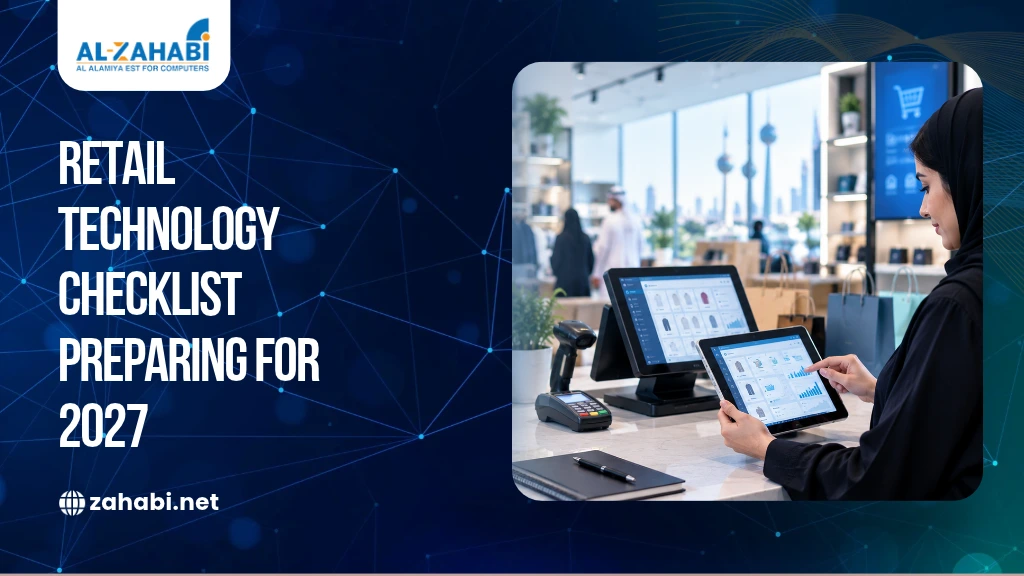
Are your retail systems ready to handle changing customer expectations, growing inventory demands and operational disruptions in 2027? If your POS system slows down during busy hours, stock records do not match physical inventory, or staff rely on manual processes, these gaps can affect sales and productivity. Adding new devices will not necessarily solve the problem unless your systems work together.
For retailers in Kuwait, preparing for 2027 means reviewing existing technology, identifying operational weaknesses and deciding which improvements deserve investment. This retail technology checklist for Kuwait covers POS systems, inventory management, barcode infrastructure, mobile computers, RFID, self-service kiosks, digital payments and reporting. Instead of following every new technology trend, you can use these practical checks to assess your current setup, prioritise upgrades and build a technology plan around your business requirements and budget.
Key Takeaways:
- Check POS reliability, payment compatibility and downtime procedures.
- Improve inventory accuracy through connected stock and barcode workflows.
- Assess mobile computers and RFID against actual operational needs.
- Review reporting, data security and multi-branch integration.
- Prioritise 2027 upgrades based on business risks, not technology trends.
1. What Retail Technology Should Kuwait Businesses Review Before 2027?
Kuwait retailers should review the technology supporting checkout, inventory, payments, customer service and daily operations before deciding where to invest. The priority is to identify problems that create delays, errors or unnecessary manual work.
Start by assessing three areas:
- Customer experience: Can customers complete purchases, returns and product enquiries without avoidable delays?
- Operational efficiency: Can staff access accurate stock and sales information?
- System reliability: Can your team respond effectively when a device, application or network connection fails?
For example, a retailer operating several branches may find that each location maintains separate inventory records. Before purchasing automation equipment, it should assess whether the current systems can share stock information accurately.
Review your existing processes first. This helps you distinguish between problems that need better procedures, software improvements or new hardware.
2. Is Your POS System Ready for Retail Operations in 2027?
Your POS system is ready when it can support your actual sales workflows, communicate with compatible peripherals and provide the transaction information your business needs. Reliability matters as much as the features advertised by the supplier.
Use this checklist to assess your current POS setup:
- Can staff process sales, returns, exchanges and discounts correctly?
- Does the system integrate with your inventory and reporting tools?
- Can you access the reports required to review sales performance?
- Are payment terminals and receipt printers compatible?
- Is there a documented procedure for outages and failed transactions?
Consider a clothing retailer that accepts returns across multiple branches. If staff cannot verify purchases made at another location, they may need manual checks that slow down the process.
Before replacing your equipment, ask the supplier to demonstrate your actual workflows. Review the software, terminal, receipt printer, accessories and connectivity requirements together.
Explore Zahabi’s POS Machine and POS Accessories categories when evaluating compatible equipment.
Can your POS system continue operating during an internet outage?
Do not assume that every POS system supports offline transactions. Capabilities depend on the software, configuration, payment method and provider.
Ask which functions remain available during an outage, how transactions are stored and synchronised, and what happens when a payment cannot be verified. Test the documented procedure before relying on it during busy trading hours.
3. How Can Retailers Improve Inventory Visibility and Stock Accuracy?
Retailers can improve inventory visibility by recording stock movements consistently, investigating discrepancies and connecting sales and inventory workflows wherever the systems support integration. Accurate records help staff make better replenishment decisions and reduce uncertainty about product availability.
Review whether your current process records:
- Incoming deliveries and supplier receipts
- Transfers between branches or storage locations
- Sales returns and damaged products
- Stock adjustments and their reasons
- Inventory updates following sales
For example, a store may show five units available in its system when only two remain on the shelf. The discrepancy could come from an unrecorded transfer, a delayed receiving entry or an incorrect return.
Investigate the transaction history before buying a new inventory system. If manual entry is causing repeated errors, consider whether barcode scanning or improved software integration could address the underlying problem.
4. How Should Retailers Prepare Their Barcode Printing and Scanning Infrastructure?
Retailers should prepare their barcode infrastructure by checking product identification, label readability, scanner compatibility and printing capacity. A barcode system is useful only when products are labelled correctly and staff can scan them reliably.
Complete these checks before 2027:
- Product identifiers are assigned consistently.
- Labels remain readable under normal operating conditions.
- Scanners support the barcode formats used by the business.
- Damaged labels can be replaced promptly.
- Printers support the required label dimensions and materials.
For example, if a warehouse label becomes smudged, staff may need to identify the item manually. This adds time to receiving and picking tasks and can introduce further errors.
Your printer choice should reflect daily label volume, print resolution, connectivity and the operating environment. A compact printer may suit a retail counter, while a high-volume warehouse may require industrial equipment.
Explore Zahabi’s Barcode Printing category and related articles such as How to Choose the Right Barcode Printer and Desktop vs Industrial Barcode Printers, if available on the website.
5. When Should Retailers Use Mobile Computers for Warehouse Operations?
Retailers should consider mobile computers when employees need to access inventory applications and record stock movements while moving around a warehouse or store. These devices can reduce the need to write information on paper and enter it into a computer later.
Before investing, check whether:
- Employees frequently return to fixed workstations to enter data.
- Picking, receiving or stocktaking errors are difficult to trace.
- Wireless connectivity is available in the working areas.
- Devices are compatible with the inventory or warehouse software.
- Batteries and device durability suit the intended shifts.
- Staff can receive training and technical support.
For example, an employee receiving a delivery could scan products and record quantities directly in a supported inventory application. This can reduce duplicate entry when the software and workflow are configured correctly.
Explore Zahabi’s Mobile Computer category to compare devices based on scanning needs, application compatibility, connectivity and working conditions.
6. When Is RFID Inventory Technology Worth Considering?
RFID inventory technology is worth evaluating when manual stock identification or counting creates a measurable operational bottleneck. RFID uses radio waves to communicate with compatible tags and readers, allowing supported items to be identified without the same direct visual scanning process required by conventional barcode workflows.
Before investing, ask:
- Is manual stocktaking consuming significant staff time?
- Would RFID address a clearly identified inventory problem?
- Are the products and environment suitable for RFID?
- Can the solution integrate with your inventory software?
- Have tag, reader, software and implementation costs been assessed?
For example, a retailer managing a large number of tagged items may investigate RFID to reduce the work involved in stocktaking. Actual performance depends on tag selection, reader placement, product materials and the operating environment.
RFID does not automatically replace barcode technology. A business may benefit from using both, while another may find that its existing barcode workflow is sufficient.
7. Which Self-Service Technologies Should Retailers Assess for 2027?
Retailers should assess self-service technology when it solves a specific customer problem, such as checking a product price or completing a supported transaction without waiting for staff assistance. The decision should be based on customer needs and the practical requirements of operating the equipment.
Before installing a kiosk, check whether:
- Customers have a clear reason to use self-service.
- The interface is straightforward to operate.
- Product and pricing information stays accurate.
- The equipment suits the available floor space.
- Staff can resolve software or hardware failures.
- Maintenance and support arrangements are in place.
For example, a large retail store may introduce a price checker kiosk so customers can verify product prices independently. A self-service checkout involves additional considerations, including payment integration, transaction controls and customer assistance.
Explore our Kiosk and Price Checker Kiosk categories when comparing equipment for your intended application.
8. How Can Retailers Check Digital Payment Readiness Before 2027?
Retailers can assess digital payment readiness by verifying that payment terminals, POS software and transaction records work together correctly. They should also establish clear procedures for failed payments, refunds and interrupted transactions.
Use this checklist:
- Payment terminals support the methods your business accepts.
- The terminal integrates with your POS setup.
- Staff understand how to handle interrupted transactions.
- Refund and reversal procedures are documented.
- Transaction records can be reconciled with sales reports.
- Applicable security and compliance requirements have been confirmed.
For example, when a payment is interrupted, staff should know how to verify its status before attempting another transaction. This helps reduce duplicate-payment risks and customer disputes.
Review Zahabi’s Receipt Printer category if receipt quality or printing speed affects checkout. Confirm payment capabilities and applicable requirements with your payment service provider before making changes.
9. What Customer Data and Reports Should Retailers Review?
Retailers should review whether their reporting tools provide accurate sales, stock and branch information that supports everyday decisions. More dashboards are not necessarily useful if the underlying records are inconsistent or difficult to interpret.
Check whether authorised staff can:
- Compare sales across relevant periods and branches
- Identify products that need replenishment
- Review discounts, refunds and stock adjustments
- Access the information required for their roles
- Export or integrate data where needed
- Manage records according to applicable policies
For example, comparing two branches can be misleading if they use different product codes, reporting periods or discount rules. Consistent data definitions are essential for meaningful comparisons.
Also review access permissions, backups and data retention. Customer information and transaction records should be handled according to applicable requirements and your organisation’s policies.
10. How Can Retailers Prepare Their Technology for Multiple Branches?
Retailers can prepare for multiple branches by checking whether their systems support consistent product records, pricing, stock transfers, permissions and consolidated reporting. Disconnected systems can make it harder to maintain control as the business grows.
Ask whether your current setup allows authorised staff to manage products centrally, monitor stock across locations and review branch performance. Check how updates reach each location and what happens when a branch loses connectivity.
For example, if headquarters changes a product price, your process should specify how the change reaches each branch and how staff confirm the correct price is being used.
Document the systems that need configuration before opening another location. This helps you identify integration requirements, training needs and potential support costs before committing to an expansion.
11. How Can Retailers Reduce Technology Downtime and Operational Risk?
Retailers can reduce technology-related disruption by identifying critical equipment, documenting recovery procedures and maintaining a practical support plan. The objective is to understand which failures could interrupt trading and prepare a response before they occur.
Check whether your business has:
- A list of critical devices and applications
- Documented procedures for outages
- Clear support contacts and escalation steps
- Scheduled maintenance and software updates
- Compatible replacement supplies where necessary
- Tested backups and recovery procedures, where applicable
For example, a store relying on one label printer should know how essential labels will be produced if the printer fails. A spare device may help, but only if it is compatible and ready to use.
Review maintenance and support requirements with your suppliers. Prioritise equipment whose failure would interrupt essential business operations.
12. What Should Your Retail Technology Checklist for 2027 Include?
Your 2027 retail technology checklist should cover the systems that support transactions, stock control, customer service, reporting and business continuity. Use the following review to organise upgrades around operational importance rather than adopting technology without a clear purpose.
POS and payments
- Test sales, returns and refund workflows.
- Confirm payment-terminal compatibility.
- Document outage procedures.
Inventory and barcode operations
- Investigate recurring stock discrepancies.
- Test barcode readability and scanner compatibility.
- Review printer capacity and label materials.
Warehouse and automation
- Assess mobile computer requirements.
- Evaluate RFID against a defined business need.
- Review kiosks and price-checking use cases.
Data and continuity
- Validate reporting and access permissions.
- Review multi-branch integration.
- Document maintenance and recovery procedures.
Once the review is complete, divide outstanding tasks into three groups: urgent operational risks, improvements possible with existing equipment, and investments requiring further evaluation.
This approach helps you direct your budget towards genuine business needs and avoid replacing technology that still performs adequately.
Conclusion
Preparing for 2027 starts with understanding how your retail technology performs today. Review POS reliability, inventory accuracy, barcode workflows, mobile devices, payments and reporting before deciding where to invest.
Use this checklist to identify priorities, verify compatibility and plan upgrades in manageable stages. Explore our relevant product categories to assess equipment against your operational requirements.
Frequently Asked Questions
1. What retail technology should Kuwait businesses review before 2027?
Start with POS reliability, digital payments, inventory management, barcode printing, scanning, reporting and business continuity. If you operate warehouses or multiple branches, assess mobile computers, RFID and system integration where relevant. Your priorities should reflect documented operational problems, budget and compatibility requirements rather than trends alone.
2. How can a retailer improve inventory accuracy?
Review how stock is recorded during receiving, sales, returns and branch transfers. Barcode scanning can help reduce manual entry, while integrated inventory software can keep records updated across supported workflows. Investigate recurring discrepancies before investing in additional equipment, because process and data problems can persist after an upgrade.
3. Should every retailer invest in RFID inventory technology?
No. RFID can be useful when item identification or stocktaking creates a significant operational bottleneck, but its suitability depends on products, environment, software and implementation cost. A well-managed barcode system may already meet your needs. Compare both approaches against a defined business problem before committing a budget.
4. How do I choose a POS system for a retail business in Kuwait?
Assess transaction workflows, payment compatibility, returns, reporting, inventory integration, branch requirements and support arrangements. Ask suppliers to demonstrate your actual use cases and explain what happens during connectivity or system failures. Confirm applicable payment and regulatory requirements with the relevant providers before purchasing or upgrading equipment.
5. How often should a business review its retail technology?
Review critical workflows regularly and conduct a broader technology assessment before major business changes, such as opening a branch or introducing new sales channels. An annual planning review can help identify outdated equipment, compatibility gaps, maintenance needs and investment priorities. Reassess sooner when recurring problems affect trading or customer service.