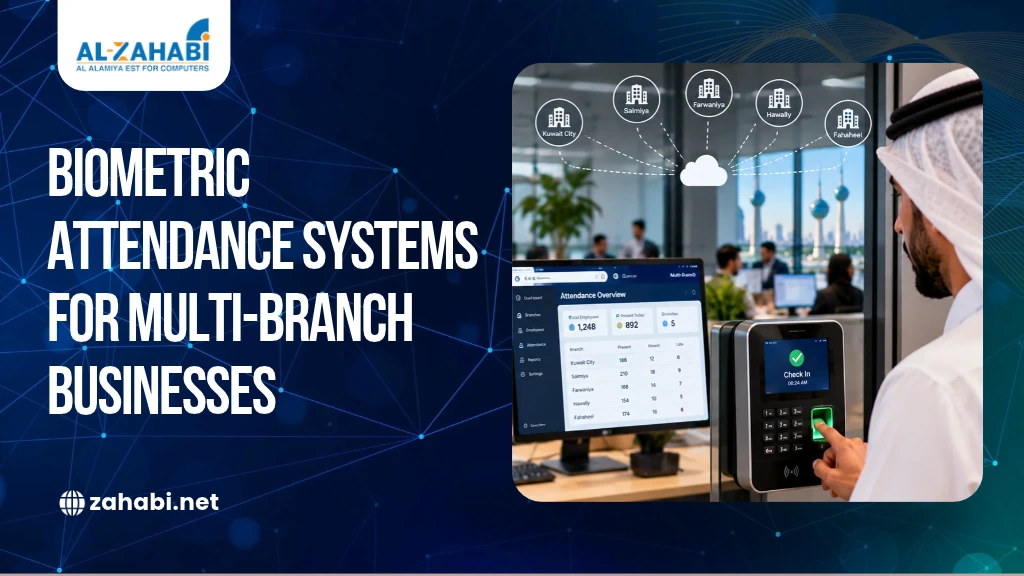
Managing employee attendance across multiple branches can become difficult when every location follows a different process. You may need to collect attendance reports from separate offices, verify missed check-ins, investigate overtime discrepancies, and prepare accurate payroll records. As your business expands, these tasks can take up valuable time and make workforce management harder.
A biometric attendance system in Kuwait can help you record employee check-ins and check-outs through fingerprint or facial recognition. When connected to centralized attendance software, it allows you to monitor records across multiple locations, review attendance exceptions, and prepare reports from one platform.
However, buying biometric devices for every branch does not automatically solve these problems. You also need to consider software compatibility, internet connectivity, payroll workflows, employee privacy, and future expansion. Understanding these requirements will help you choose a system that fits your business operations.
Key Takeaways:
- Centralized attendance software brings records from multiple branches into one platform.
- Fingerprint, facial recognition, and card-based systems suit different workplace needs.
- Offline recording and synchronization help manage temporary connectivity problems.
- Payroll integration depends on accurate records and clear approval procedures.
- Security, privacy, reporting, and scalability should guide your purchase.
Why Do Multi-Branch Businesses Need a Centralized Attendance System?
Multi-branch businesses need centralized attendance because managing separate records at every location makes it harder to monitor employees consistently. A shared system allows authorised managers to review attendance information across branches without relying entirely on manually combined spreadsheets.
For example, a retail company with five stores may have different opening times, shift schedules, and branch managers. If each store sends attendance records to head office separately, HR must combine the information and investigate missing entries before preparing payroll. Retail businesses can also explore POS machines for branch operations when reviewing the technology used across their outlets.
A centralized attendance system can reduce this administrative workload by bringing records together and applying consistent reporting procedures. Depending on the software, you may also be able to manage employee profiles, assign shifts, and compare attendance across locations.
Before purchasing, confirm that the platform supports your number of branches, employees, administrators, and reporting requirements. Centralization is useful only when the software can handle your actual workforce structure.
How Does a Biometric Attendance System Work Across Multiple Branches?
A biometric attendance system identifies employees using a fingerprint or facial recognition and records their check-in or check-out events. Compatible terminals send or synchronize those records with attendance management software, where authorised users can review and process them.
A typical setup includes three components:
- Biometric terminals: Capture employee attendance events at each branch.
- Attendance software: Organises employee records, shifts, and attendance information.
- Reporting tools: Help HR and managers review hours, absences, late arrivals, and exceptions.
For instance, employees at a warehouse and two retail outlets can check in using terminals installed at their respective locations. If the devices and software support centralized synchronization, the HR team can access the resulting records through one management platform.
Not every biometric terminal offers the same connectivity or reporting capabilities. Before buying, ask the supplier to demonstrate how records from different branches reach the central system and how missing or disputed entries are handled.
Should You Choose a Centralized or Standalone Attendance System?
A centralized attendance system is generally more suitable when you need to monitor several branches from one platform, while a standalone system may be sufficient for a small workplace with limited reporting requirements.
A standalone terminal may store records locally or require manual data transfer, depending on the model. This can work for a single office, but managing multiple independent systems may create extra work for HR.
A centralized system can consolidate attendance records and support shared employee management, provided the software offers those functions.
Before deciding, compare the following requirements:
Requirement | Standalone system | Centralized system |
Attendance management | Mainly local | Across connected branches |
Reporting | May require separate reports | Can consolidate reports |
Employee records | May need separate administration | May support shared profiles |
Connectivity | Can operate independently, depending on the device | Requires a defined synchronization process |
Expansion | Depends on the model and setup | Depends on software capacity and compatibility |
Ask the supplier to demonstrate how head office reviews attendance across all locations while branch managers access only the records they are authorised to see.
Which Attendance Method Should You Choose: Fingerprint, Facial Recognition or Cards?
The right attendance method depends on your workplace conditions, employee workflow, and identification requirements. Fingerprint terminals, facial recognition devices, and card-based systems can all support attendance recording, but they have different practical considerations.
Fingerprint attendance can suit offices, retail stores, and workplaces where employees regularly pass through a designated entry point. However, scan quality may be affected by certain working conditions, so you should establish an alternative procedure for failed scans.
Face-recognition attendance supports contactless verification and may be useful at busy entrances. Check how the device performs under your lighting conditions, what verification features it supports, and how biometric information is stored and protected.
Card-based attendance allows employees to check in using assigned cards or credentials. It can suit workplaces where staff already carry identification cards, although lost or shared cards require clear management procedures. Businesses can also explore ID cards and accessories when reviewing employee identification options for their workplace.
You can explore our biometric attendance system category when comparing compatible terminals and related equipment.
Choose based on your operating environment and verification requirements rather than assuming one identification method will suit every branch.
How Can You Manage Employee Attendance Consistently Across Branches?
You can manage attendance more consistently by standardising employee records, shift rules, branch assignments, and correction procedures across your organisation.
Start by assigning each employee to the appropriate branch and defining who can manage their records. If employees move between locations, establish a process for temporary assignments and transfers so their attendance is recorded correctly.
Next, configure the relevant working schedules. A warehouse may begin work earlier than a retail store, but both locations should follow documented procedures for missed punches, late arrivals, overtime approvals, and shift changes.
For example, if an employee temporarily works at another branch, the system should identify the correct location and apply the appropriate attendance rules. Confirm that your selected software supports this workflow before implementation. Businesses managing operations across warehouses and retail outlets can also explore mobile computers for workforce operations as part of their wider technology requirements.
Finally, train branch managers and HR staff to review exceptions consistently. Clear procedures help prevent small recordkeeping issues from becoming recurring payroll disputes.
What Real-Time Attendance Reports Should Your System Provide?
Your attendance system should provide reports that help you identify staffing gaps, review exceptions, and monitor working hours across branches. The available information depends on the software and how frequently devices synchronize their records.
Useful reports may include:
- Daily attendance by branch
- Late arrivals and early departures
- Missing check-in or check-out records
- Absence and exception reports
- Overtime summaries
- Attendance trends by department
For example, a store manager may need to know whether scheduled employees have checked in before opening. A centralized dashboard can help the manager investigate missing attendance events, provided the system updates promptly.
Ask whether reports can be filtered by branch, employee, department, and date. You should also confirm whether data is available immediately or only after synchronization, especially when branches have different network conditions.
How Can an Attendance System Support Payroll and Employee Time Tracking?
An attendance system supports payroll by organising employee check-in and check-out records into reports that HR can review before calculating working hours, overtime, and other attendance-related entries.
However, attendance records should not automatically determine every payroll decision. Your organisation still needs to apply its approved work schedules, overtime rules, leave policies, and correction procedures.
Before choosing an employee time tracking system in Kuwait, confirm whether the software can export records to your payroll platform or integrate with it directly. Ask which fields are transferred and whether approved overtime can be separated from unapproved additional hours.
Kuwait’s Private Sector Labour Law includes provisions on working hours and overtime in Articles 64–66. Review the applicable requirements through the Public Authority for Manpower’s labour law document and seek appropriate advice when configuring payroll procedures.
For example, an employee staying late does not necessarily mean the additional time should automatically be classified as approved overtime. The attendance system should support a review and approval process before payroll is finalised.
What Happens When a Branch Loses Internet Connectivity?
If a branch loses internet connectivity, attendance recording can continue only if the selected device supports an appropriate offline mode or local record storage. Central reporting may be delayed until the terminal reconnects and synchronizes its data.
Before purchasing, confirm:
- Whether the device stores attendance events offline
- How many records it can retain
- Whether timestamps remain accurate
- How records synchronize after reconnection
- How duplicate or conflicting entries are handled
- What backup procedure applies if synchronization fails
For example, employees may still be able to check in at a store during an internet outage if its terminal records events locally. However, head office might not see those records until connectivity returns.
Your implementation plan should explain how managers verify attendance during an outage and how HR checks that all records have synchronized successfully.
How Should You Protect Employee Data in a Biometric Attendance System?
You should protect employee data by limiting collection to a defined purpose, restricting access, securing stored information, and establishing clear retention and deletion procedures.
Biometric attendance systems can process sensitive employee information, so ask the supplier how fingerprint templates or facial data are stored, who can access them, and whether information is encrypted during storage and transmission.
Kuwait Government Online lists a Data Privacy Protection Regulation issued by the Communication and Information Technology Regulatory Authority (CITRA). Before implementation, review the applicable requirements with your legal or compliance adviser and verify whether additional obligations apply to your organisation.
Your security checklist should cover administrator permissions, backup arrangements, audit logs, data retention, and procedures for handling employee requests or data incidents.
Do not assume that a vendor’s security features automatically establish legal compliance. Your organisation remains responsible for evaluating its data-processing practices and communicating relevant procedures to employees.
What Should You Check Before Buying an Attendance System for a Growing Business?
You should evaluate branch capacity, employee limits, reporting, connectivity, payroll compatibility, security, and expansion options before selecting a biometric attendance system.
Use this checklist when comparing suppliers:
Requirement | What to verify |
Branch capacity | Can the platform manage current and planned locations? |
Employee capacity | Does it support your expected workforce? |
Connectivity | Are the required network options available? |
Offline operation | Can devices store records and synchronize later? |
Reporting | Can managers access the required branch-level reports? |
Payroll | Does the software support your required export or integration? |
Security | Are access controls and data-management features available? |
Expansion | Can you add branches, terminals, and employees later? |
Support | Are installation, training, and maintenance available? |
Also consider the physical location of each terminal. A busy warehouse entrance may require different placement and equipment characteristics from an office reception area.
For instance, our biometric attendance system range is a starting point for reviewing available options. Before requesting a quotation, prepare your branch count, employee numbers, preferred identification method, connectivity requirements, and payroll needs.
Ready to plan your setup? Contact Zahabi with these details so the appropriate device and software options can be assessed against your operational requirements.
Conclusion
A biometric attendance system in Kuwait can help multi-branch businesses manage employee records from one platform, provided the hardware, software, connectivity, and reporting processes work together. Evaluate payroll workflows, offline recording, data security, and future expansion before choosing a system. The goal is to make attendance management more consistent without adding unnecessary complexity.
Frequently Asked Questions
1. What is a biometric attendance system in Kuwait?
A biometric attendance system records employee check-ins and check-outs using methods such as fingerprint or facial recognition. For businesses in Kuwait, compatible terminals and centralized software can help consolidate attendance records, monitor working hours, and prepare reports across multiple branches, depending on the system’s capabilities.
2. Can one attendance system manage employees across multiple branches?
Yes, if the attendance software supports multiple locations. A centralized system can combine records from connected terminals, organise employees by branch, and provide reports to authorised managers. Before purchasing, verify the supported branch and employee capacity, synchronization method, and access permissions.
3. What happens if a branch loses its internet connection?
The result depends on the attendance terminal. Some devices can store attendance events locally and synchronize them when connectivity returns, while others may require an alternative procedure. Check offline capacity, timestamp accuracy, backup options, and synchronization behaviour before choosing a system.
4. Can biometric attendance systems integrate with payroll software?
Some attendance platforms support payroll exports or direct integration, but compatibility varies. Ask the supplier to demonstrate how working hours, absences, overtime approvals, and corrections move into your payroll workflow. HR should review exceptions and apply the relevant employment rules before finalising salary calculations.
5. What should businesses consider before collecting employee biometric data?
Businesses should define why biometric data is needed, restrict access, protect stored information, and establish retention and deletion procedures. They should also review applicable Kuwait privacy requirements and communicate the process to employees. Supplier security features are important, but they do not replace the organisation’s own compliance responsibilities.