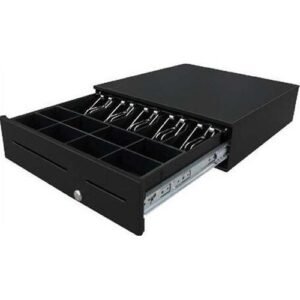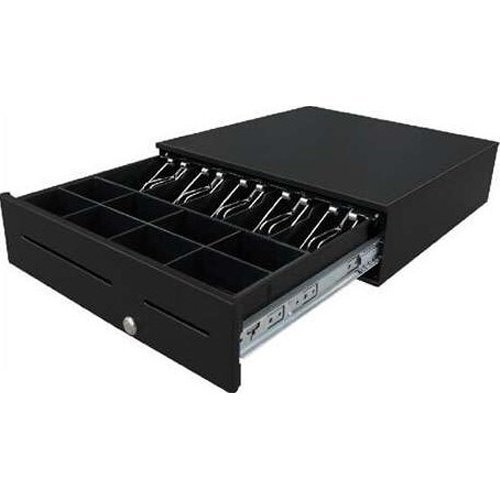
- Rugged Construction: Made from reinforced heavy steel, the cash drawer is built to withstand the demands of high-volume environments.
- Durability: Engineered to endure up to 1 million operations, ensuring long-term reliability and performance.
- Precision Mechanism: Features a precision mechanism that guarantees a wobble-free drawer movement, enhancing the overall user experience and reliability.
- Optional Bill and Coin Compartments: Offers flexibility in organizing currency, with customizable compartments that can be adjusted according to specific needs.
- Three-Position Lock: Provides maximum cash security with a lock that can be set in three different positions to suit various security needs.
- Space-Saving Design: The compact structure of the cash drawer helps save valuable counter space, making it ideal for businesses with limited area.
- Durability: Engineered to endure up to 1 million operations, ensuring long-term reliability and performance.
Q1. What is the ZCD-400 Desktop POS Cash Drawer used for? The ZCD-400 Desktop POS Cash Drawer is designed for secure cash storage and efficient cash management in retail stores, supermarkets, restaurants, cafés, pharmacies, and other POS environments. Q2. What are the key features of the ZCD-400 Desktop POS Cash Drawer? It features durable construction, a secure lock, organized note and coin compartments, smooth drawer operation, and compatibility with many POS systems and receipt printers. Q3. Can the ZCD-400 Cash Drawer integrate with POS systems? Yes. It integrates with compatible POS terminals and receipt printers, enabling automatic drawer opening during authorized sales transactions. Q4. Which businesses are best suited for the ZCD-400 Cash Drawer? The ZCD-400 is ideal for retail shops, supermarkets, convenience stores, restaurants, cafés, pharmacies, bakeries, boutiques, and hospitality businesses. Q5. How does the ZCD-400 improve cash management? Its organized cash tray speeds up cashier operations, reduces counting errors, and provides secure storage for notes and coins during business hours. Q6. How can I maintain the ZCD-400 for long-term performance? Keep the drawer clean, inspect cables regularly, avoid forcing the drawer open, and periodically check the locking mechanism to ensure reliable operation.
ZCD-400 POS System Compatibility Verification Our team can verify compatibility between the ZCD-400 cash drawer, your POS terminal, receipt printer, and software before installation. ZCD-400 Installation and Cash Drawer Configuration We provide guidance for connecting the cash drawer, configuring interfaces, and enabling automatic drawer operation. Cash Tray Setup and Operational Guidance Our specialists can recommend the best cash tray configuration and cash handling practices to improve checkout efficiency. ZCD-400 Drawer Operation and Connectivity Troubleshooting If the drawer is not opening automatically or communication problems occur, we can help diagnose hardware, cable, interface, or POS configuration issues.