
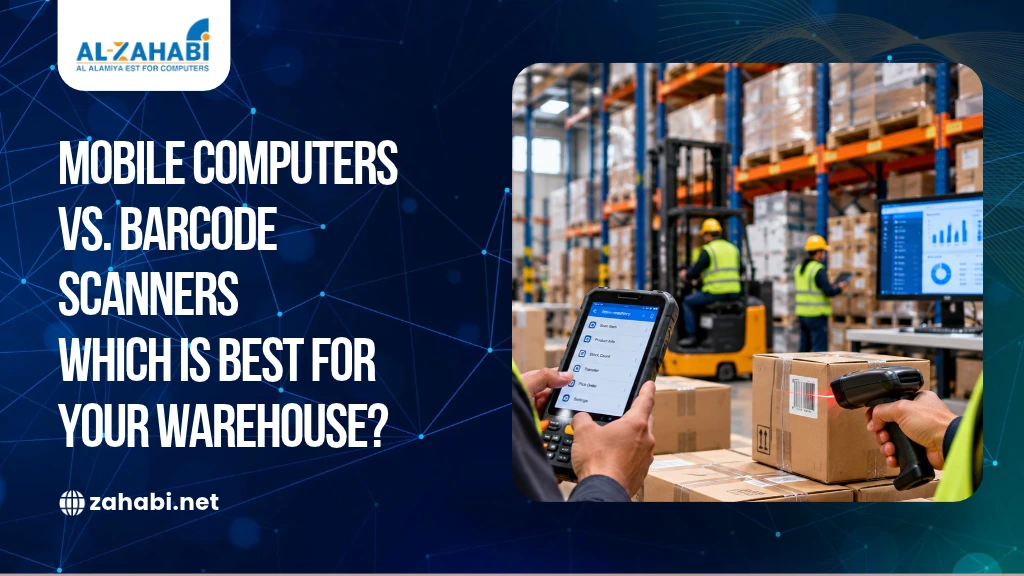
Choosing the wrong scanning device can slow down warehouse operations, increase manual work and make inventory updates more difficult. If your employees need to move between storage racks, receive deliveries and fulfil orders, you need equipment that supports their actual workflow. A device that works well at a packing station may not be suitable for staff who spend an entire shift moving around the warehouse.
A mobile computer vs barcode scanner for warehouse comparison comes down to how much work the device needs to perform. A barcode scanner primarily captures barcode data, while a mobile computer combines scanning capabilities with a display, input controls and applications for processing inventory information. Some mobile computers also include integrated barcode scanners.
The right choice depends on your receiving, picking, packing and stock-counting processes, along with software compatibility, connectivity, battery life and durability. Understanding these differences helps you choose equipment that supports warehouse productivity without adding unnecessary costs.
Key Takeaways:
- Mobile computers support scanning and inventory application access in one device.
- Barcode scanners suit workflows that primarily require barcode data capture.
- Receiving, picking and stock counting may require different device capabilities.
- Battery life, connectivity and ruggedness affect warehouse usability.
- Combining both devices can support different warehouse workflows efficiently.
What Is the Difference Between a Mobile Computer and a Warehouse Barcode Scanner?
A mobile computer combines barcode scanning with computing capabilities, while a warehouse barcode scanner primarily captures product information and sends it to a connected system. The main difference is whether employees need to interact with inventory software directly on the device.
A mobile computer typically includes a display, input controls, wireless connectivity and support for compatible applications. Depending on the model, employees can scan products, check stock levels, review storage locations and record transactions without returning to a workstation.
A barcode scanner captures information encoded in a barcode. A handheld scanner connected to a computer, for example, can scan a product at a packing station while the computer displays the order details.
For warehouse operations, the distinction matters because scanning is only one part of the job. If employees also need to check quantities, follow instructions and confirm inventory movements, a mobile computer may reduce the need to switch between devices.
Why is a Mobile Computer Useful for Warehouse Inventory Management?
A mobile computer is useful when employees need to scan products and access inventory applications while moving around the warehouse. It allows them to capture data, view instructions and record transactions through a compatible software system.
For example, when a delivery arrives, an employee can scan a carton, check the expected quantity and record a discrepancy at the receiving dock. The employee does not necessarily need to carry a separate scanner and return to a desktop computer for every update.
A warehouse mobile computer can also support:
- Receiving and put-away
- Order picking and packing
- Cycle counting and stock audits
- Bin-to-bin inventory transfers
- Product and location verification
These capabilities depend on the installed application and the warehouse management system. Before purchasing, confirm that the device supports your software and required workflows.
When is a Warehouse Barcode Scanner Sufficient?
A warehouse barcode scanner is sufficient when employees mainly need to capture barcode data and a separate computer or system handles the remaining work. It can be a practical option for fixed workstations and repetitive scanning tasks.
Consider a packing station where an employee scans every item before sealing an order. If the workstation already displays order details and confirms the scanned products, a connected scanner may provide everything required.
Barcode scanners can also suit dispatch stations, inventory desks and other locations where staff do not need to access applications while moving between warehouse aisles.
However, the type of scanner matters. Some models are designed for fixed installation, while others are handheld or wearable. If employees need mobility, check whether the scanner requires a paired device and how it communicates with the warehouse system.
Which Device Works Better for Warehouse Receiving, Picking and Stock Counting?
The more suitable device depends on the task. Mobile computers can support workflows that require scanning and immediate data entry, while barcode scanners can handle data capture when another device manages the transaction.
1. Which Device Is Better for Receiving Inventory?
A mobile computer may be more practical when employees must compare incoming goods with purchase orders, verify quantities and record damaged or missing items at the receiving dock. These activities require both barcode capture and access to inventory records.
A barcode scanner can perform the same capture step when it is connected to a suitable workstation or paired device. The decision depends on whether receiving employees need to complete the process away from a fixed terminal.
2. Which Device Is Better for Picking and Packing?
Mobile computers can display pick lists, product quantities and bin locations while employees move through the warehouse. They may also support scan confirmations through compatible warehouse software.
A barcode scanner can be sufficient at a fixed packing station where employees scan items against orders displayed on a computer. Some warehouses also use wearable scanners paired with mobile computers to support hands-free picking.
3. Which Device is Better for Stock Counting?
A mobile computer can help employees scan a product or storage location, enter the counted quantity and record discrepancies through an inventory application. This can be useful for regular cycle counts across multiple aisles.
A scanner connected to a computer can capture product codes, but employees may need another interface to enter quantities or review inventory records. If stock counting involves frequent movement and transaction entry, evaluate whether a mobile computer can simplify the process.
4. Which Device Is Better for Warehouse Transfers?
A mobile computer can guide employees through scanning the source location, identifying the product and confirming the destination in the inventory system. This helps keep recorded stock movements aligned with physical movements.
A barcode scanner can capture the relevant location and product codes, provided the connected system supports the transfer process. The important consideration is how easily employees can complete and confirm the transaction.
How Do Connectivity and Battery Life Affect Warehouse Device Selection?
Connectivity and battery life determine how reliably a device supports work throughout a warehouse shift. If your inventory application depends on live updates, check network coverage and device compatibility before investing.
Mobile computers commonly support Wi-Fi, although available connectivity options vary by model. Barcode scanners may use USB, Bluetooth or other supported interfaces, depending on the device and host system.
Before selecting either option, check the following:
- Wi-Fi coverage: Confirm that the network reaches receiving docks, storage aisles and dispatch areas.
- Offline support: Ask whether the application can store transactions during a connection loss and synchronise them later.
- Battery runtime: Evaluate expected usage across a complete shift, including screen and wireless activity.
- Charging arrangements: Consider spare batteries, charging docks and the demands of multiple shifts.
For example, a warehouse operating extended shifts may need spare batteries or strategically placed charging stations. Do not assume that every mobile computer or wireless scanner supports the same runtime or offline functionality.
Which Device Is More Suitable for Rugged Warehouse Environments?
A rugged mobile computer or industrial barcode scanner may be suitable for demanding warehouse environments, but the correct choice depends on the conditions the equipment must withstand. Dust, moisture, accidental drops, temperature changes and frequent handling can affect device performance.
A warehouse mobile computer may need to operate in areas where employees move equipment, handle cartons or work in cold storage. In these situations, check the manufacturer’s specifications for drop resistance, ingress protection and supported operating temperatures.
Barcode scanners also come in different durability levels. A scanner used at a protected packing bench may not need the same protection as one used on a loading dock.
Before purchasing, assess the actual working conditions, including whether employees wear gloves, scan labels from a distance or operate in refrigerated areas. Test the device in the intended environment instead of relying only on its product description.
Which Device Offers Better Value for a Warehouse?
The better-value option depends on the complete cost of the workflow rather than the initial device price. A barcode scanner may be less expensive as a standalone unit, but it still requires a compatible host device and software setup.
A mobile computer may combine several functions in one device, although it can involve additional application, configuration and device-management costs.
Compare these expenses before making a decision:
- Hardware and accessories
- Software licences and integration
- Charging equipment and spare batteries
- Staff training and technical support
- Repairs, replacements and downtime
- Ongoing device management
For example, if your warehouse already has computers at every packing station, adding compatible barcode scanners may be economical. If employees regularly leave their stations to check inventory, mobile computers may reduce unnecessary trips and manual recordkeeping.
A small operational pilot can help you compare task completion time, scanning errors and staff feedback before committing to a larger purchase.
Should a Warehouse Use Mobile Computers and Barcode Scanners Together?
Yes, a warehouse can use both devices when different tasks have different requirements. Combining them allows you to provide computing capabilities where employees need them and simpler scanning equipment where a workstation already handles the transaction.
For example, a distribution warehouse could use a Mobile Computer for receiving, picking, stock counting and transfers. Fixed barcode scanners could handle repetitive product verification at packing benches and dispatch stations.
This approach can also support gradual technology upgrades. You may retain existing scanners at fixed workstations while introducing mobile computers for workflows that require more mobility.
Before deploying both, confirm that the devices integrate with your inventory software, support the required barcode formats and fit your network and security requirements. Assign each device a clear role to avoid unnecessary hardware duplication.
How Can You Choose the Right Warehouse Scanning Device?
You can choose the right device by mapping your warehouse tasks and identifying what employees must do after scanning a barcode. Start with receiving, picking, packing, stock counting and transfers, then determine whether each workflow requires only data capture or direct interaction with inventory software.
Use these checks to narrow your options:
- Workflow: Identify where employees need to scan, view information and enter data.
- Software: Confirm compatibility with your warehouse management or inventory system.
- Connectivity: Check wireless coverage and offline transaction requirements.
- Environment: Match device durability to the actual working conditions.
- Total cost: Include accessories, software, training, support and replacement costs.
If you are planning a warehouse technology upgrade, explore Zahabi’s Mobile Computer and Barcode Printing categories and review the available device specifications. Compare suitable models against your workflow, then request a product demonstration or compatibility confirmation before purchasing.
Conclusion
The choice between a mobile computer and a barcode scanner depends on how your warehouse operates. Mobile computers suit workflows that combine scanning with inventory application access, while barcode scanners can be sufficient for data capture at connected workstations.
Map your daily tasks, verify software compatibility and test the equipment in real warehouse conditions. This will help you select a setup that supports productivity without adding unnecessary complexity.
Frequently Asked Questions
1. What is the main difference between a mobile computer and a barcode scanner?
A mobile computer combines scanning with computing capabilities, allowing employees to access compatible applications and process inventory information. A barcode scanner primarily captures barcode data and sends it to a connected system. Some mobile computers have integrated scanners, so their functionality can overlap.
2. Is a mobile computer better for warehouse inventory management?
A mobile computer can be useful when employees need to scan products, check stock levels, enter quantities and update inventory while moving around the warehouse. A connected barcode scanner may be sufficient for fixed workstations. The right choice depends on your software, workflow and budget.
3. What should I look for in a warehouse mobile computer?
Check software compatibility, scanning range, Wi-Fi connectivity, battery runtime, display usability and ruggedness. Consider your warehouse layout, operating temperatures and whether employees wear gloves. Also review warranty coverage, device management requirements and charging options to understand the total cost of ownership.
4. Can a warehouse barcode scanner work without Wi-Fi?
Yes, depending on the scanner and how it connects to the host device. A scanner may use USB or Bluetooth instead of Wi-Fi, but the receiving application may still require network access. Check whether your system supports offline transactions and how captured data is stored and synchronised.
5. Can a warehouse use mobile computers and barcode scanners together?
Yes. A warehouse can use mobile computers for receiving, picking and stock counting while using fixed scanners at packing or dispatch stations. This approach matches devices to individual tasks. Confirm that each device integrates with your inventory software and supports the required workflow.
