
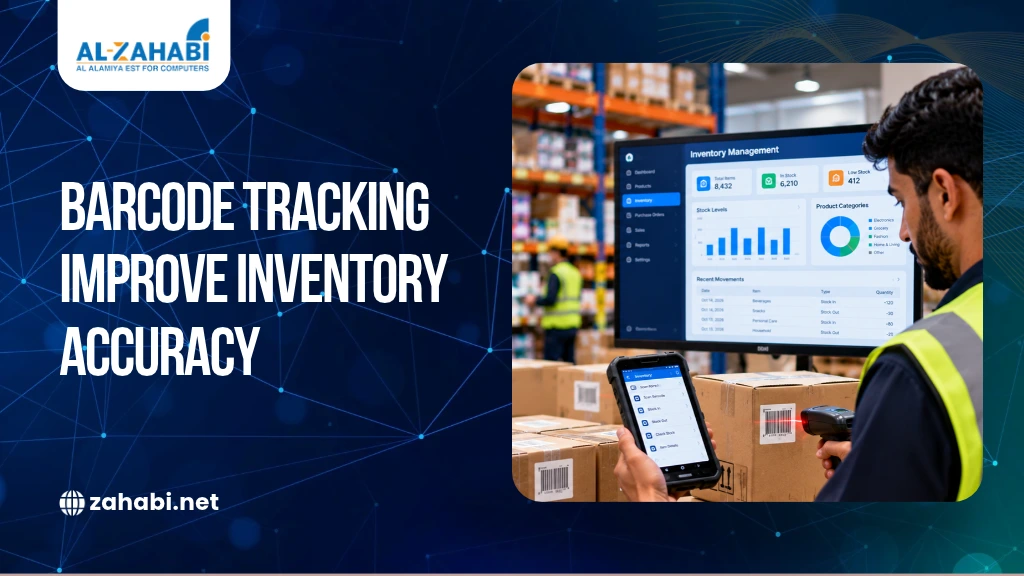
When your inventory system shows ten products in stock but only seven are available, you cannot rely on those records to make purchasing decisions. You may reorder products unnecessarily, miss sales because stock appears unavailable, or spend hours investigating discrepancies. These problems become harder to manage when you handle hundreds of products across multiple shelves, stockrooms or branches.
Barcode inventory management improves stock accuracy by recording product movements through scanning rather than relying entirely on manual data entry. When integrated with inventory software and your POS system, barcode tracking helps you record incoming deliveries, internal transfers, sales, returns and physical stock counts more consistently.
For retailers in Kuwait, this approach can improve visibility across daily operations and help teams make better replenishment decisions. However, installing scanners alone will not eliminate inventory errors. You also need accurate product records, compatible software and clear procedures that employees follow every day.
Key Takeaways:
- Barcode tracking records stock movements more consistently.
- Scanning helps reduce manual entry errors during inventory transactions.
- Barcode-based cycle counting identifies discrepancies before they grow.
- POS and inventory integration improves visibility across retail operations.
- Regular checks and staff training help maintain stock accuracy.
Barcode Tracking Improves Inventory Accuracy by Reducing Manual Stock Errors
Manual stock tracking creates discrepancies when employees forget to record transactions, enter incorrect quantities or update records after a delay. These errors can leave your inventory system showing products that are unavailable or missing products that are physically present.
For example, suppose your store receives 40 shirts but an employee records only 34. Your system immediately understates the available stock. If the error goes unnoticed, purchasing decisions and stock reports may continue to rely on the wrong figure.
A barcode inventory system reduces this risk by allowing employees to scan product codes and record transactions through a consistent workflow. Scanning reduces repeated typing, although staff must still verify quantities and handle exceptions correctly.
Barcode tracking also makes it easier to investigate discrepancies. When transactions are recorded consistently, you can review receiving records, transfers, sales and returns to identify where the difference occurred.
Barcode Inventory Tracking Improves Accuracy by Recording Every Stock Movement
Barcode inventory tracking connects a product’s barcode with its record in inventory software. When an employee scans the product, the system identifies the item and records the relevant transaction according to the software’s configuration.
This process follows the product through receiving, storage, shelf replenishment, sale and return. Instead of relying on separate handwritten records, your team can use one connected workflow.
For example, a grocery retailer can scan incoming packaged food, record the quantity received and assign it to a storage location. When employees move products to the shop floor, they record that movement if the inventory process requires it. A sale through an integrated POS system can then update the available quantity.
The accuracy of this process depends on three elements: correct product information, reliable scanning equipment and properly configured software.
If you’re reviewing your setup, explore our Barcode Printing category for equipment that supports barcode label production. Choose printers and supplies based on your product range, label requirements and daily printing volume.
Barcode Scanning During Receiving Improves the Accuracy of Incoming Stock
Scanning products during receiving helps you record the quantity that actually arrives instead of relying solely on the supplier’s delivery note.
When a delivery reaches your store or warehouse, employees can scan each product and compare the received quantity with the expected quantity. Employees can then record missing, damaged, or unexpected items for investigation before accepting the stock into available inventory.
Consider a retailer expecting 60 bottles of cleaning products. If the delivery contains only 56, the employee can record the actual quantity and flag the shortage rather than automatically entering 60.
For larger deliveries, an inventory barcode scanner or Mobile Computer can help employees scan products while moving through the receiving area. Before purchasing equipment, check that it works with your inventory software and supports the receiving process you need.
Barcode Scanning During Stock Transfers Improves Inventory Accuracy Across Branches
Barcode scanning helps maintain accurate records when products move between shelves, stockrooms or retail branches. Each transfer should record the product, quantity, source location and destination.
For example, imagine a retailer operating two branches in Kuwait. One branch has excess stock of a particular product, while the other needs additional units. Recording the transfer ensures that the sending branch’s inventory decreases and the receiving branch’s inventory increases at the appropriate stages.
Your inventory software may also support transfer statuses such as dispatched, in transit and received. These records help distinguish stock available at a branch from stock that has been sent elsewhere but has not yet arrived.
To make the process reliable, assign clear responsibilities for scanning outgoing stock, confirming deliveries and reporting shortages. A barcode tracking system improves visibility only when employees record movements consistently.
Barcode Scanning at Checkout Improves Stock Accuracy After Every Sale
Integrating barcode scanners with your POS system allows product sales to update inventory records without requiring employees to identify every item manually.
When a cashier scans a product, the POS retrieves the associated product information and records the transaction. If the POS and inventory software are connected correctly, the available stock quantity can be updated automatically.
For example, if a customer purchases three units of the same product, the system can record those units against the sale and update the relevant inventory record.
However, scanning alone does not guarantee synchronised inventory. You should confirm how your POS handles offline transactions, delayed synchronisation, cancelled sales and adjustments.
Review Zahabi’s POS Machine and POS Accessories categories when assessing checkout equipment. A compatible receipt printer supports the transaction process, while POS and inventory integration keeps sales and stock records aligned.
Barcode Scanning During Returns Improves the Accuracy of Available Stock
Barcode scanning helps you record returned products against the correct item and, where supported, the original transaction. The employee can then assign the returned item an appropriate inventory status.
This distinction matters because a returned product is not always ready for resale.
For example, a customer may return an electronic accessory with damaged packaging. The item should be inspected before being returned to available stock. Recording it as immediately sellable could make your inventory report appear accurate while overstating the quantity customers can actually purchase.
A clear returns workflow should identify the returned product, record its condition and determine whether it should be restocked, inspected, repaired or written off. Your software should support the relevant status and adjustment process.
By recording returns consistently, you can maintain a clearer distinction between physical stock and sellable inventory.
Barcode-Based Cycle Counting Improves Accuracy Through Regular Stock Checks
Barcode-based cycle counting helps you verify inventory in smaller, scheduled groups instead of relying only on occasional full-stock counts.
Employees scan products in a selected area and compare the physical quantities with the system records. Any differences can then be investigated and corrected through an authorised adjustment process.
For example, a grocery retailer may count fast-moving products more frequently than slower-moving household goods. If one product category repeatedly shows discrepancies, the manager can review its receiving, transfer, sales and returns procedures.
An effective cycle-counting process includes a defined schedule, clear employee responsibilities, documented discrepancy checks and approval for inventory adjustments.
Simply changing the system quantity to match the physical count may hide the real problem. Investigating the cause helps prevent the same discrepancy from recurring.
Barcode Tracking Improves Stock Accuracy, Replenishment and Inventory Visibility
Barcode tracking improves inventory accuracy by creating a more consistent record of product movements. Once these records are reliable, you can use them to make better operational decisions.
- Fewer manual entry errors: Scanning reduces the need to type product identifiers repeatedly, although incorrect labels and quantities can still create mistakes.
- Better stock visibility: Recorded transactions help you understand where products are held and how stock changes across locations.
- More informed replenishment: Accurate records make it easier to identify products that need reordering and avoid purchasing stock that is already available.
- Improved branch coordination: Connected inventory systems help managers review stock across locations and identify potential transfer opportunities.
- More useful inventory reports: Reliable transaction records support more meaningful stock counts, sales analysis and discrepancy investigations.
These benefits depend on the quality of your workflow. If employees bypass scanning, use incorrect product records or delay recording transactions, inventory discrepancies can continue after implementation.
Barcode Tracking and RFID Improve Inventory Visibility in Different Ways
Barcode tracking and RFID can both support inventory identification, but they suit different workflows.
Barcode systems use printed codes that scanners read optically. RFID systems use radio-frequency identification tags and compatible readers, allowing identification without the same direct optical scanning process.
Consideration | Barcode tracking | RFID |
Identification | Printed barcode | Electronic RFID tag |
Reading process | Scanner reads the printed code | Reader detects compatible tags within its effective range |
Typical workflow | Receiving, checkout and cycle counting | Applications requiring more automated identification |
Equipment | Labels, scanners, printers and software | Tags, readers and compatible software |
Main consideration | Scanning procedures and label readability | Tag compatibility, read conditions and infrastructure costs |
For example, a retailer with straightforward receiving and checkout requirements may use barcode scanning across its operations. A larger business that needs to identify multiple tagged items in a controlled area may evaluate RFID.
Neither technology guarantees accuracy automatically. Compare the total implementation cost, product characteristics, software compatibility and required level of automation before choosing a solution.
A Connected Barcode Inventory Workflow Improves Accuracy From Receiving to Replenishment
To improve stock accuracy, build your barcode inventory system around the way products actually move through your business.
- Standardise product records. Give each product the correct identifier and description. Maintain separate records for variations when required by your inventory and sales processes.
- Select compatible equipment. Choose scanners, printers and labels according to your environment, product range and transaction volume. Check that the equipment works with your existing software.
- Connect inventory and POS systems. Confirm how sales, returns, transfers and adjustments update inventory records. Identify any transactions that still require manual action.
- Establish scanning procedures. Decide who scans incoming deliveries, records transfers, processes returns and performs stock counts. Train employees to handle damaged labels, unknown products and quantity differences.
- Test before expanding. Start with a product category or location. Compare physical stock with system records, test routine transactions and resolve problems before rolling out the process more widely.
- Review recurring discrepancies. Track repeated stock differences, missed scans and adjustment patterns. Use these findings to improve training and procedures rather than treating every error as an isolated incident.
If your team also needs to record inventory movements away from a fixed workstation, assess whether Mobile Computer solutions suit your workflow. The right combination of scanning equipment, software and staff procedures can make stock records more reliable without adding unnecessary steps.
Conclusion
Barcode inventory management helps Kuwait retailers improve stock accuracy by recording product movements from receiving to sale, returns and replenishment. Its effectiveness depends on accurate product records, compatible POS and inventory software, and consistent scanning procedures.
Start by identifying where your discrepancies occur, then build a barcode workflow around those points. Review your equipment and integration needs before investing to ensure the solution fits your retail operations and existing systems.
Frequently Asked Questions
1. How does barcode inventory management improve stock accuracy?
Barcode inventory management connects product scans with digital inventory records during receiving, transfers, sales and returns. This reduces manual entry and helps identify discrepancies earlier. Accuracy still depends on correct product data, compatible software and employees consistently recording every relevant stock movement.
2. What equipment is required for a barcode inventory system?
A typical setup includes barcode labels, compatible scanners, barcode printing equipment and inventory software. Retailers may also need POS integration and mobile computers for warehouse tasks. The exact equipment depends on product volumes, storage locations, transaction frequency and the workflows the system needs to support.
3. Can barcode tracking work across multiple retail branches in Kuwait?
Yes, provided the inventory software supports multiple locations and synchronises the relevant stock transactions. Employees can record transfers, sales and receipts at each branch, while managers review consolidated inventory information. Connectivity, user permissions and transfer procedures should be checked before implementation.
4. Is barcode tracking better than RFID for retail inventory?
The choice depends on your inventory workflow, automation requirements and budget. Barcode tracking requires scanning printed codes, while RFID can identify compatible tagged items using radio-frequency readers. Compare equipment, consumables, software integration and operating conditions before deciding which technology suits your retail operation.
5. How can retailers maintain accurate inventory after implementing barcode tracking?
Establish standard scanning procedures for receiving, transfers, sales and returns, and schedule regular cycle counts. Investigate recurring discrepancies rather than adjusting quantities without explanation. Review product records, train employees and check system integration regularly to maintain reliable inventory information as operations change.s
