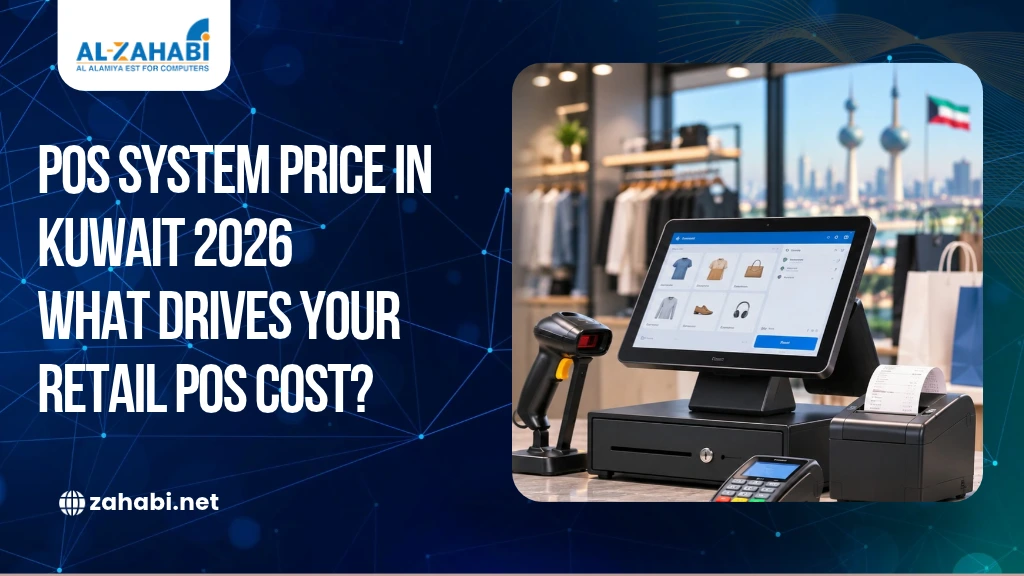
Planning a new checkout counter but unsure how much a complete POS setup will cost? The terminal is only one part of the investment. You may also need a touchscreen, receipt printer, cash drawer, barcode scanner, customer display and compatible billing software. Add installation, staff training and ongoing support, and the final budget can look very different from the price of a standalone machine.
The POS system price in Kuwait depends on how your business operates and which components it needs. A small shop with one billing counter will have different requirements from a supermarket managing several checkout stations. Instead of choosing equipment based only on its listed price, you should understand what each component does and how it affects the total cost of ownership.
This guide explains the main cost drivers and what to confirm before requesting a POS quotation from Zahabi.
Key Takeaways:
- POS pricing depends on hardware, software and implementation requirements.
- A terminal-only price is not the cost of a complete setup.
- Android and Windows terminals serve different software requirements.
- Licence, subscription and support charges affect long-term spending.
- Request an itemised quotation before comparing POS packages.
How Much Does a POS System Cost in Kuwait?
A POS system in Kuwait does not have one standard price. The total depends on the terminal, receipt printer, barcode scanner, cash drawer, software, installation and support you require. A basic counter needs fewer components than a multi-branch retail operation. Request an itemised quote based on your setup.
POS System Cost Drivers at a Glance
Component | What affects its cost |
POS terminal | Processor, memory, storage, touchscreen and operating system |
Receipt printer | Printing speed, paper width, connectivity and model |
Barcode scanner | Scanning technology, barcode compatibility and wired or wireless design |
Cash drawer | Size, build, opening mechanism and terminal compatibility |
Software | Features, number of users, licence or subscription model |
Installation and support | Configuration, training, warranty arrangements and ongoing assistance |
These are cost factors, not fixed prices. Zahabi’s published product pages show prices for selected individual hardware products, but those figures should not be treated as a complete POS package price. The final configuration and quotation depend on the required products and services.
1. POS Terminal: The Main Hardware Cost
The terminal is the centre of your checkout setup. It runs the POS application and connects with peripherals such as printers, scanners and cash drawers.
The POS machine price in Kuwait can vary according to processor, RAM, storage, screen size, connectivity, operating system and physical design. A terminal intended for basic billing may have different specifications from one running a more demanding retail application.
Standard and All-in-One Terminals
An all-in-one terminal combines the computer and display in one unit. It can help keep your counter organised and reduce the number of separate devices on the desk.
A standard touchscreen terminal may also suit retail environments where staff need a dedicated billing station. When comparing models, check:
- Processor and memory
- SSD or other storage capacity
- Screen size and touch technology
- USB, LAN and serial ports
- Cash drawer connection
- Support for required peripherals
Before finalising your purchase, understand the common mistakes businesses make when buying POS hardware so you can avoid compatibility problems, unsuitable specifications and unnecessary expenses.
For example, Zahabi’s ZP-T700 product listing describes a 15-inch touchscreen POS terminal with multiple USB connections, a LAN port and a cash drawer port. It also lists optional peripherals, including a customer display and barcode scanner. These specifications illustrate why two terminals with similar screen sizes may have different costs.
Explore Zahabi’s POS Machine category and All-in-One Terminal category to review available hardware.
Android vs Windows: Which Terminal Should You Choose?
The operating system matters because your POS software must be compatible with the terminal.
Android POS terminals may suit applications designed for Android, including certain compact or all-in-one retail systems. Their suitability depends on the software’s supported Android version, device specifications and peripheral requirements.
Windows POS terminals may be appropriate when your existing retail software is designed for Windows or requires particular desktop integrations. Check the software’s supported Windows version and hardware requirements before choosing a machine.
Do not select Android or Windows based only on the operating system’s name. Ask the software provider to confirm compatibility with the exact terminal model.
Shortlist your preferred terminal only after confirming its operating system, software compatibility and required connections. This can prevent the additional cost of replacing incompatible hardware. |
2. Receipt Printer: A Necessary Part of Many Retail Setups
A receipt printer produces transaction receipts for customers and helps maintain a record of sales. Its cost depends on the model, printing speed, paper width, connectivity and expected workload.
Before choosing one, check:
- Whether it supports 58 mm or 80 mm paper
- USB, Ethernet or other required connections
- Printing speed and expected transaction volume
- Compatibility with your POS software
- Availability of suitable paper rolls
For example, a small boutique with one checkout counter may need a straightforward thermal receipt printer. A busy supermarket may require a faster model designed for frequent printing.
Zahabi lists the Epson TM-T88VII thermal receipt printer with USB and Ethernet connectivity and a stated maximum print speed of 500 mm per second. This is an example of how printer specifications can influence the equipment selection.
Browse Zahabi’s Receipt Printer category to compare available models.
3. Barcode Scanner: Consider Your Product Range
A barcode scanner helps cashiers retrieve product information without manually searching for each item. It can reduce repetitive data entry and support faster checkout when products carry readable barcodes.
The barcode scanner cost depends on the scanning technology, supported barcode types, connectivity and intended working environment.
A small shop may only need a wired handheld scanner at its billing counter. A larger retailer with several checkout stations may need multiple scanners, while a business handling bulky products may prefer a wireless model for greater movement.
Before purchasing, confirm:
- Whether the scanner reads the barcode formats used on your products
- Whether it supports 1D, 2D or both
- Whether it connects to the selected terminal
- Whether your POS software recognises the device
- Whether wired or wireless operation suits the counter
A scanner should be selected according to the products and checkout workflow, not simply its advertised scanning speed.
4. Cash Drawer and Customer Display
A cash drawer stores cash securely during daily transactions. Its price depends on its size, construction, number of compartments, opening mechanism and compatibility with the POS terminal or receipt printer.
Check whether the drawer connects through the printer or directly to a supported terminal port. For example, Zahabi’s ZP-T700 listing specifies a cash drawer port, but you should still confirm the connection requirements of the exact drawer you plan to purchase.
A customer display is another optional component. It shows transaction details, prices or totals to customers while the cashier processes a sale.
It can be useful in retail environments where customers need to verify scanned items and amounts. However, not every small business needs a separate display. Some POS applications already show transaction information on the main screen or offer another display arrangement.
Include these accessories in your quotation only if they support your checkout process. Reviewing the essential POS accessories for a complete retail checkout setup can help you identify the additional components required for smooth billing and daily counter operations.
5. POS Software: Licence vs Subscription
Hardware cannot manage sales and inventory on its own. You also need software that supports billing, product records, reporting and other required functions.
One important cost distinction is software licence vs subscription.
Software model | How it generally works | What to check |
One-time licence | Payment for a defined software licence or version | Updates, renewal terms and support charges |
Subscription | Recurring payment, often monthly or annually | Included features, users, renewal and cancellation terms |
A one-time licence does not necessarily mean that every future update or support service is free. Comparing cloud POS vs traditional POS systems for retail businesses can help you understand the differences in software access, payment structures, updates and ongoing operating costs. Similarly, a subscription may include updates or support, but this depends on the provider’s terms.
Is Zahabi’s POS Software Included?
Zahabi’s website presents tailored solutions that combine hardware and software for common business requirements. Its Retail and Restaurant Solution lists POS computers, receipt printers, barcode scanners, cash drawers and menu software among the components.
However, the public information does not establish that every POS hardware purchase automatically includes software, nor does it identify one universal software licence or subscription model for all configurations.
You should therefore confirm the following when requesting a quotation:
- Whether software is included in the proposed package
- Whether it is supplied by Zahabi or a third-party provider
- Whether the software is licensed or subscription-based
- Whether updates and technical support are included
- Whether additional terminals or branches require extra licences
This distinction is important because two packages with similar hardware may have different software costs and terms.
Ask for the software name, provider, licence model and renewal conditions in writing. This makes it easier to calculate recurring costs before committing to a package. |
6. Installation and Staff Training
A POS setup may need more than connecting a terminal and switching it on. Depending on the software and business requirements, installation can involve configuring devices, setting up user accounts, adding product information and testing peripherals.
Staff training may also be required so cashiers know how to process sales, issue receipts, handle returns and close their counters.
For example, a new clothing shop may need its product catalogue organised by item, size and colour before billing can begin. A multi-branch retailer may also need user permissions and branch settings configured.
Ask whether the quotation includes:
- Hardware installation and connections
- POS software configuration
- Product or inventory data setup
- Printer and scanner testing
- Cashier training
- Post-installation assistance
The amount of work depends on your existing data, number of terminals and software configuration. Confirm which activities are included and which may attract separate charges.
7. Warranty and Technical Support
Warranty coverage is another factor in the total POS investment. However, it should not be assumed that every component in a setup has the same warranty period.
The warranty terms can depend on the manufacturer, product brand, model and supplier conditions. A POS terminal, receipt printer, scanner and cash drawer may each have different coverage.
Zahabi’s public product information identifies brands and hardware specifications, but the sources reviewed do not establish one standard warranty period applicable to every brand or POS package.
Before confirming your order, request written details of:
- Warranty period for each hardware item
- Parts and labour coverage
- Repair or replacement process
- Warranty exclusions
- Technical support availability
- Charges for service outside warranty
Also ask who handles software-related issues if the software comes from a third-party provider. Hardware warranty and software support are not necessarily the same service.
8. One-Time vs Recurring Cost: Calculate the Total Cost of Ownership
The initial purchase price is only one part of your POS budget. To understand the total cost of ownership, separate one-time expenses from recurring costs.
One-time costs to check | Recurring or ongoing costs to check |
POS terminal and touchscreen | Software subscription, if applicable |
Receipt printer and cash drawer | Licence renewal, if applicable |
Barcode scanner and customer display | Maintenance or support plans |
Installation and initial configuration | Consumables such as receipt paper |
Initial training | Additional user or terminal charges, if applicable |
Not every business will have all these expenses. For example, a package with a perpetual software licence may have a different cost structure from one using a monthly subscription.
Consider a retailer opening its first shop. Its initial investment may include one terminal, printer, scanner and cash drawer, along with installation. Its ongoing budget may include a software subscription, receipt paper and any separately agreed support plan.
A business operating multiple branches may also need additional terminals, licences, training and centralised configuration. This is why comparing only the upfront hardware price can give an incomplete picture.
When requesting a quotation, ask the supplier to separate one-time charges, recurring payments and optional services. This gives you a clearer view of what you will pay initially and over time.
9. How to Choose the Right POS Package for Your Retail Shop
A suitable POS package should match your daily operations. Buying more equipment than you need can increase your initial investment, while choosing an underspecified terminal can create limitations as your business grows.
Use these points to assess your requirements.
For a Small Retail Shop
A small shop with one checkout counter may need:
- One compatible POS terminal
- Billing software
- One receipt printer
- One cash drawer
- A barcode scanner, if products use barcodes
A separate customer display may be optional, depending on the checkout experience you want to provide.
For a Supermarket or Larger Retail Store
A larger operation may need several checkout stations, multiple printers and scanners, customer displays and software that supports centralised product and sales management.
You should also check whether the system can manage additional branches, users and terminals without requiring a complete replacement.
For a Retailer Planning to Expand
If you expect to add counters or locations, ask about software licensing limits, device compatibility and the process for adding new terminals.
Recognising the signs your retail business has outgrown a basic POS system can help you decide whether to upgrade your existing setup before expanding to additional counters or branches.
10. What to Include When Requesting a POS Quote from Zahabi
Zahabi presents tailored retail and restaurant solutions with combinations of POS hardware and software, and invites businesses to request a solution. Its published solution information lists components such as POS computers, receipt printers, barcode scanners, cash drawers and software.
To receive a useful quotation, share the details of your intended setup rather than asking only for the price of a POS machine.
Information to provide | Why it matters |
Business type | Helps identify the required checkout workflow |
Number of branches | Establishes location and reporting needs |
Number of checkout counters | Determines terminal and peripheral quantities |
Preferred operating system | Helps confirm Android or Windows compatibility |
Software requirements | Clarifies billing, inventory and reporting needs |
Required accessories | Identifies printers, scanners, drawers and displays |
Installation requirements | Helps estimate configuration and training work |
You can also ask Zahabi to provide separate hardware and software details, identify any third-party software provider, and specify the warranty period for each brand.
Explore our POS Machine, All-in-One Terminal, Receipt Printer and POS Accessories categories before preparing your requirements.
Conclusion
The POS system price in Kuwait depends on the complete setup, not just the terminal. Hardware specifications, Android or Windows compatibility, software licensing, accessories, installation and warranty terms all influence your investment. Compare itemised quotations and calculate one-time and recurring expenses before making a decision.
A well-planned POS setup should support your current checkout operations and allow room for future expansion. Contact Zahabi with your requirements to discuss a suitable hardware and software configuration.
Frequently Asked Questions
1. Is POS software included when I purchase a POS terminal from Zahabi?
Not necessarily. Zahabi offers tailored solutions combining hardware and software, but software inclusion depends on the proposed package. Before ordering, confirm whether the software is supplied by Zahabi or a third party, whether it requires a licence or subscription, and whether updates and support are included.
2. What accessories do I need for a retail POS system?
A typical retail counter may require a receipt printer, cash drawer and barcode scanner alongside the POS terminal. A customer display is optional, depending on your checkout requirements. Your product range, transaction volume and software compatibility should determine which accessories you purchase.
3. Can I get one POS quotation for several branches?
Yes. You can request a quotation covering multiple branches and checkout counters. Share the number of locations, terminals, users, required accessories and software features. Also confirm whether additional branches require separate software licences, installation charges, centralised configuration or ongoing support.
4. Does Zahabi provide the same warranty period for every POS brand?
Warranty periods should be confirmed separately for each product and brand. A POS terminal, receipt printer and barcode scanner may have different manufacturer warranty terms. Ask us for written confirmation of the warranty duration, coverage, exclusions and repair arrangements before placing your order.