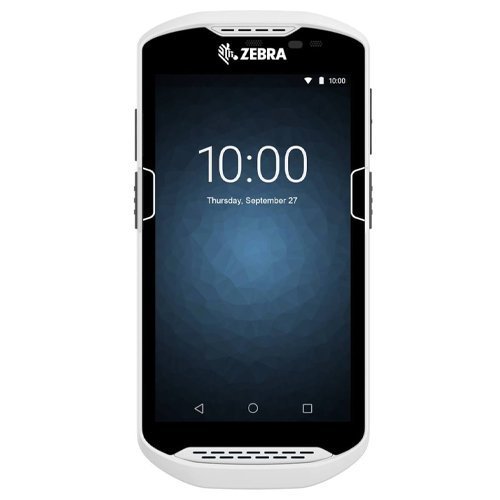
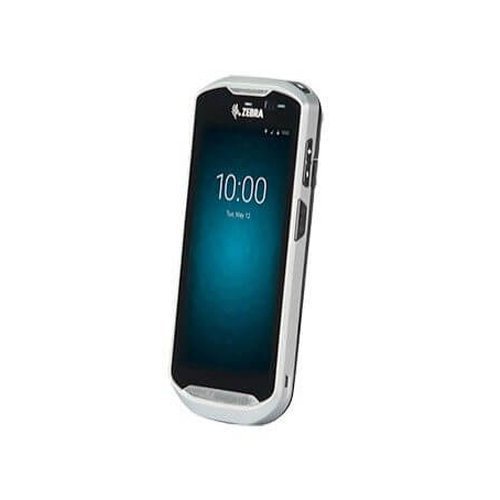
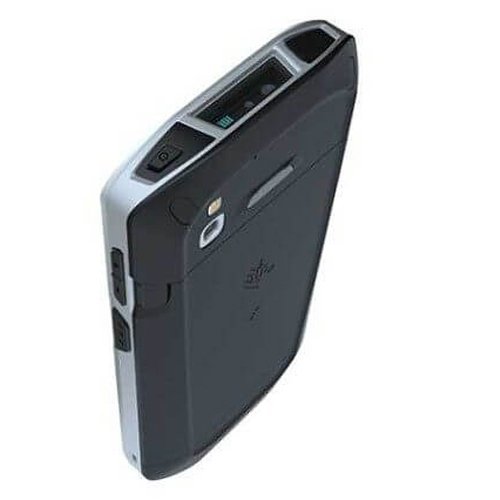
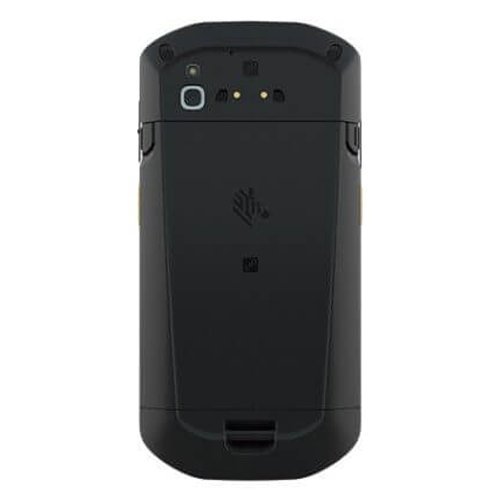
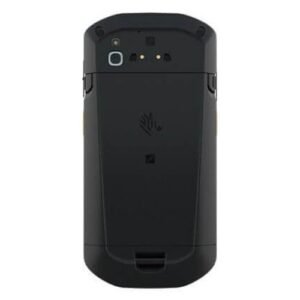
Zebra TC57 Mobile Computer
The Ultimate in Enterprise-Class Touch Computing
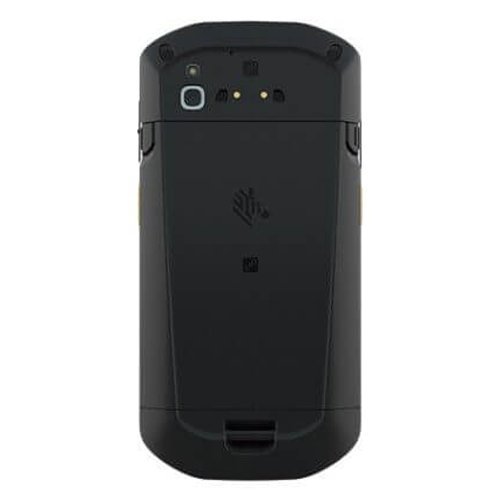
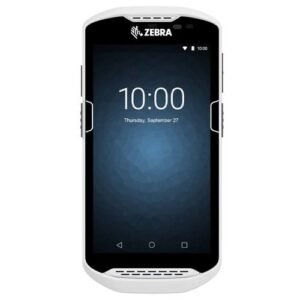
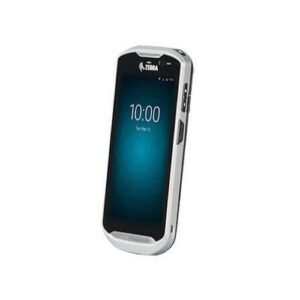
Building on Zebra’s successful TC56, the TC57 adds a new platform and new capabilities to deliver the ultimate in enterprise-class touch computing to users outside the four walls. Providing the ultimate user experience with the simplicity of Android and all the business features users will need to improve staff enablement, maximize productivity and minimize process cycle times. The ultimate technology advancements on a cutting edge platform allows users to maximize the benefits of mobility today with the future proofing you need to serve your business tomorrow.
Q1. What is the Zebra TC57 mobile computer used for in a POS environment?
The Zebra TC57 is an enterprise‑class Android touch computer designed for POS, inventory, and field operations outside the four walls, such as delivery, field sales, and store‑to‑door services. It combines smartphone‑style usability with rugged mobile barcode scanning, data capture, and real‑time connectivity for retail, logistics, and service businesses.
Q2. How is the Zebra TC57 different from the earlier TC56 model?
The TC57 builds on the successful TC56 by adding a newer hardware platform, enhanced performance, and extended Android support. You get improved processing power, better wireless connectivity, and advanced enterprise features that maximise mobility today while future‑proofing your investment for new apps and OS versions.
Q3. Which operating system and user interface does the TC57 use?
The TC57 runs on Android, offering a familiar smartphone‑style interface that workers can use with minimal training. This means your team can quickly adapt to the touch‑screen POS and mobile apps, reducing onboarding time and boosting productivity.
Q4. What kind of barcode scanning and data capture capabilities does the TC57 provide?
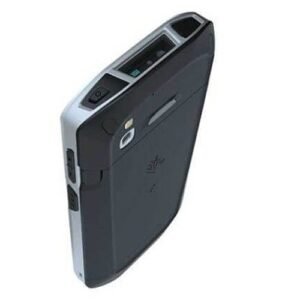
Equipped with Zebra’s advanced 1D/2D scan engine and PRZM intelligent imaging (model dependent), the TC57 can capture barcodes, labels, and documents quickly—even if they’re damaged, poorly printed, or displayed on mobile screens. This makes it ideal for mobile POS, price checks, inventory counts, and proof‑of‑delivery workflows.
Q5. Is the Zebra TC57 rugged enough for outdoor and field use?
Yes, the TC57 is built for enterprise field deployments, with rugged housing, Corning Gorilla Glass touch panel, and protection against drops, dust, and moisture. It is designed to withstand everyday knocks and tough conditions in logistics, transport, and outdoor retail or service operations.
Q6. How does the TC57 help improve staff productivity and reduce process cycle times?
The combination of a fast processor, Android OS, enterprise apps, high‑performance scanning, and 4G/Wi‑Fi connectivity allows staff to complete tasks faster and with fewer steps. This reduces process cycle times for tasks like order taking, stock checking, and on‑site billing, directly improving customer service and operational efficiency.
Device and application compatibility checks
Share your use cases (mobile POS, inventory, proof of delivery, field service) and existing software stack, and our team will confirm whether the Zebra TC57 is the right Android touch computer or recommend alternative models for your workflows.
Guided deployment for in‑store and field teams
We provide step‑by‑step guidance on enrolling the TC57 into your MDM or POS environment, configuring Wi‑Fi and cellular connectivity, and rolling out required apps so your store and field staff can start using the device productively from day one.
Optimization for barcode scanning and mobile POS
Our specialists can advise on scan settings, app layouts, and workflow design to get fast, accurate barcode capture when using the TC57 for mobile POS, picking, delivery confirmation, or merchandising in Kuwait.
Rugged device care and troubleshooting support
If you face issues such as poor scan performance, touch response problems, or connectivity drops, we walk you through checks on device settings, network configuration, and hardware health to restore reliable operation.
Battery management and shift‑length planning
We help you plan battery usage and charging strategies so TC57 devices achieve full‑shift or multi‑shift runtimes, recommending spares, cradles, and charging routines that match your field or store schedules.
Bulk rollout and lifecycle planning across locations
For customers deploying multiple TC57 units across branches or field teams, we can arrange standardized configurations, staging and kitting, and a replacement lifecycle plan so your Android touch computer fleet remains consistent and up‑to‑date.
Q1. What is the Zebra TC57 mobile computer used for in a POS environment?
The Zebra TC57 is an enterprise‑class Android touch computer designed for POS, inventory, and field operations outside the four walls, such as delivery, field sales, and store‑to‑door services. It combines smartphone‑style usability with rugged mobile barcode scanning, data capture, and real‑time connectivity for retail, logistics, and service businesses.
Q2. How is the Zebra TC57 different from the earlier TC56 model?
The TC57 builds on the successful TC56 by adding a newer hardware platform, enhanced performance, and extended Android support. You get improved processing power, better wireless connectivity, and advanced enterprise features that maximise mobility today while future‑proofing your investment for new apps and OS versions.
Q3. Which operating system and user interface does the TC57 use?
The TC57 runs on Android, offering a familiar smartphone‑style interface that workers can use with minimal training. This means your team can quickly adapt to the touch‑screen POS and mobile apps, reducing onboarding time and boosting productivity.
Q4. What kind of barcode scanning and data capture capabilities does the TC57 provide?
Equipped with Zebra’s advanced 1D/2D scan engine and PRZM intelligent imaging (model dependent), the TC57 can capture barcodes, labels, and documents quickly—even if they’re damaged, poorly printed, or displayed on mobile screens. This makes it ideal for mobile POS, price checks, inventory counts, and proof‑of‑delivery workflows.
Q5. Is the Zebra TC57 rugged enough for outdoor and field use?
Yes, the TC57 is built for enterprise field deployments, with rugged housing, Corning Gorilla Glass touch panel, and protection against drops, dust, and moisture. It is designed to withstand everyday knocks and tough conditions in logistics, transport, and outdoor retail or service operations.
Q6. How does the TC57 help improve staff productivity and reduce process cycle times?
The combination of a fast processor, Android OS, enterprise apps, high‑performance scanning, and 4G/Wi‑Fi connectivity allows staff to complete tasks faster and with fewer steps. This reduces process cycle times for tasks like order taking, stock checking, and on‑site billing, directly improving customer service and operational efficiency.
Device and application compatibility checks
Share your use cases (mobile POS, inventory, proof of delivery, field service) and existing software stack, and our team will confirm whether the Zebra TC57 is the right Android touch computer or recommend alternative models for your workflows.
Guided deployment for in‑store and field teams
We provide step‑by‑step guidance on enrolling the TC57 into your MDM or POS environment, configuring Wi‑Fi and cellular connectivity, and rolling out required apps so your store and field staff can start using the device productively from day one.
Optimization for barcode scanning and mobile POS
Our specialists can advise on scan settings, app layouts, and workflow design to get fast, accurate barcode capture when using the TC57 for mobile POS, picking, delivery confirmation, or merchandising in Kuwait.
Rugged device care and troubleshooting support
If you face issues such as poor scan performance, touch response problems, or connectivity drops, we walk you through checks on device settings, network configuration, and hardware health to restore reliable operation.
Battery management and shift‑length planning
We help you plan battery usage and charging strategies so TC57 devices achieve full‑shift or multi‑shift runtimes, recommending spares, cradles, and charging routines that match your field or store schedules.
Bulk rollout and lifecycle planning across locations
For customers deploying multiple TC57 units across branches or field teams, we can arrange standardized configurations, staging and kitting, and a replacement lifecycle plan so your Android touch computer fleet remains consistent and up‑to‑date.
Rating & Reviews
How We Can Help You
Wide Selection, Better Choices
Find products that match your exact needs without compromise.
Built for Performance
High-quality materials and tested reliability you can depend on.
Smartly Curated
Only the best products make it to our platform, saving you time and effort.
Customer-First Approach
Trusted by shoppers who value quality, service, and consistency.
Drivers, Manuals & Support
Zahabi Support
From drivers and manuals to diagnostic tools and replacement parts, Zahabi Product Support has you covered!

 Download Datasheet