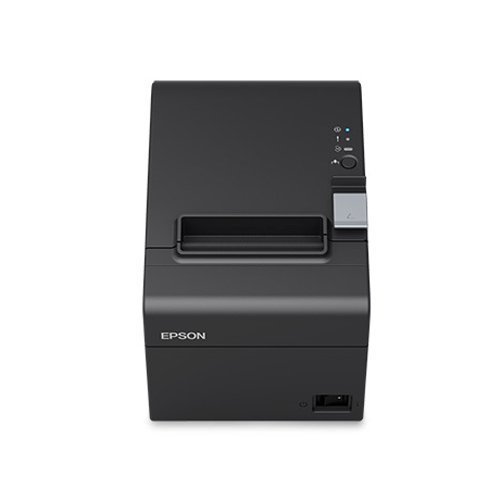
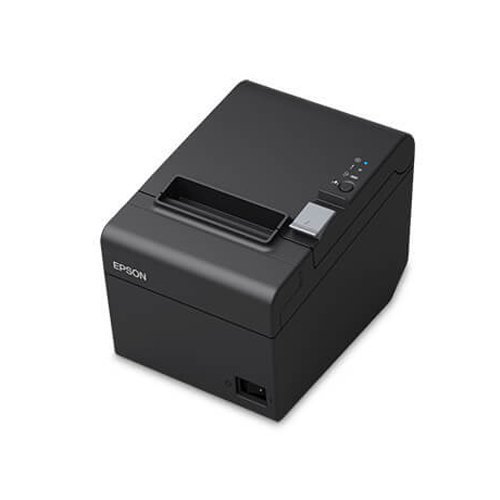
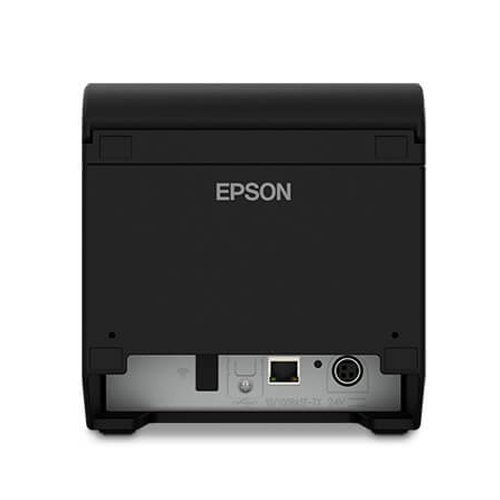
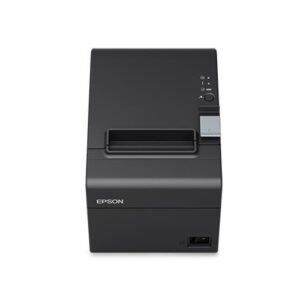
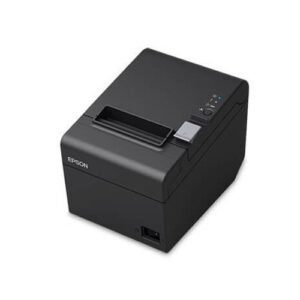
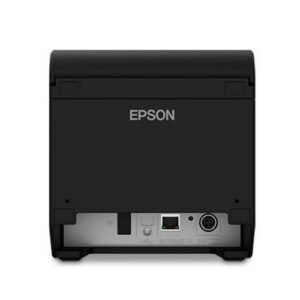
The affordable POS printer with reliable performance and added flexibility.
The affordable TM-T20III thermal receipt printer is the perfect solution for retailers looking for reliable performance and the flexibility to support existing POS and mPOS systems. Choose from the Serial, Parallel, wireless or Ethernet model. The Ethernet model makes it easy to print from smart devices with mPOS/tablet POS functionality. With speeds up to 250 mm/second and options to reduce paper usage, the TM-T20III is the smart choice for retailers looking for a fast, efficient POS solution. A reliable performer you can count on, it offers a 150 km printhead1 and an auto-cutter life of 1.5 million cuts1
Key Features:
- Print Method: Utilizes thermal line printing technology to deliver fast and clear results.
- Print Speed: Achieves a maximum print speed of up to 250 mm/sec, enhancing transaction efficiency.
- Font Capabilities: Supports multiple character sizes and styles, ensuring versatility in receipt design.
- Paper Specifications: Accommodates paper widths of 80 mm and 58 mm, with easy switching between different paper sizes depending on the business needs.
- Connectivity Options: Includes built-in USB and Serial interfaces, with additional options for Ethernet or wireless connectivity, supporting various POS setups.
- Durability and Reliability: Engineered to withstand the rigors of retail and hospitality environments with an auto-cutter life of 1.5 million cuts and a robust design.
Technical Specifications:
- Column Capacity: Offers flexibility with 48/64 columns for standard paper width and 42/60 columns for narrower paper.
- Media Handling: Supports a paper thickness of 48 – 80 µm, with roll diameters up to 83 mm.
- Dimensions and Weight: Compact design with dimensions of 140 x 199 x 146 mm and a weight of 3.75 lb, making it suitable for cramped spaces.
Ideal for:
- Retail Stores: Can handle high-volume transactions with quick receipt printing.
- Restaurants and Cafes: Efficiently manages order printing in kitchen environments or at the cashier station.
- Service Industries: Suitable for spas, salons, and small businesses needing a reliable printing solution for receipts and tickets.
Q1. What is the advantage of the TM‑T20III LAN model over USB‑only versions?
The TM‑T20III LAN version connects over Ethernet, allowing multiple POS terminals or tablets on the same network to share the printer, making it ideal for small restaurants and multi‑terminal stores.
Q2. How do I set up the TM‑T20III LAN with an IP address?
You can configure the printer’s IP via utility software or web interface; assign a static IP or DHCP reservation, then enter that IP in your POS printer settings.
Q3. Is the TM‑T20III LAN suitable for KNET and bank POS integration?
Yes, many KNET and bank‑integrated POS systems in Kuwait support standard ESC/POS Ethernet receipt printers, and Zahabi can confirm compatibility for your specific setup.
Q4. Can the TM‑T20III LAN print from cloud‑based POS systems?
Many cloud POS systems support printing to LAN printers on the local network; we can help configure your POS and network accordingly.
Q5. Does this printer still use 80mm thermal paper?
Yes, the TM‑T20III LAN uses standard 80mm thermal receipt rolls like the USB variant.
Q6. Can I use one TM‑T20III LAN printer for both dine‑in and delivery stations?
If your POS supports routing, you can share the printer across multiple order entry stations as long as they can reach its IP address.
Network printer planning & IP management
We help design your LAN printing layout and assign IP addresses that are easy to manage across terminals.
Integration with POS & KNET terminals
Our team coordinates with your POS or payment provider to ensure proper configuration and testing.
Troubleshooting LAN connectivity issues
If receipts stop printing, we help check cables, switches, IP conflicts and firewall settings.
Secure network configuration guidance
We advise on basic security practices when exposing receipt printers on your local network.
Scaling to multiple network printers
We support planning for additional LAN printers as your business grows.
Q1. What is the advantage of the TM‑T20III LAN model over USB‑only versions?
The TM‑T20III LAN version connects over Ethernet, allowing multiple POS terminals or tablets on the same network to share the printer, making it ideal for small restaurants and multi‑terminal stores.
Q2. How do I set up the TM‑T20III LAN with an IP address?
You can configure the printer’s IP via utility software or web interface; assign a static IP or DHCP reservation, then enter that IP in your POS printer settings.
Q3. Is the TM‑T20III LAN suitable for KNET and bank POS integration?
Yes, many KNET and bank‑integrated POS systems in Kuwait support standard ESC/POS Ethernet receipt printers, and Zahabi can confirm compatibility for your specific setup.
Q4. Can the TM‑T20III LAN print from cloud‑based POS systems?
Many cloud POS systems support printing to LAN printers on the local network; we can help configure your POS and network accordingly.
Q5. Does this printer still use 80mm thermal paper?
Yes, the TM‑T20III LAN uses standard 80mm thermal receipt rolls like the USB variant.
Q6. Can I use one TM‑T20III LAN printer for both dine‑in and delivery stations?
If your POS supports routing, you can share the printer across multiple order entry stations as long as they can reach its IP address.
Network printer planning & IP management
We help design your LAN printing layout and assign IP addresses that are easy to manage across terminals.
Integration with POS & KNET terminals
Our team coordinates with your POS or payment provider to ensure proper configuration and testing.
Troubleshooting LAN connectivity issues
If receipts stop printing, we help check cables, switches, IP conflicts and firewall settings.
Secure network configuration guidance
We advise on basic security practices when exposing receipt printers on your local network.
Scaling to multiple network printers
We support planning for additional LAN printers as your business grows.