
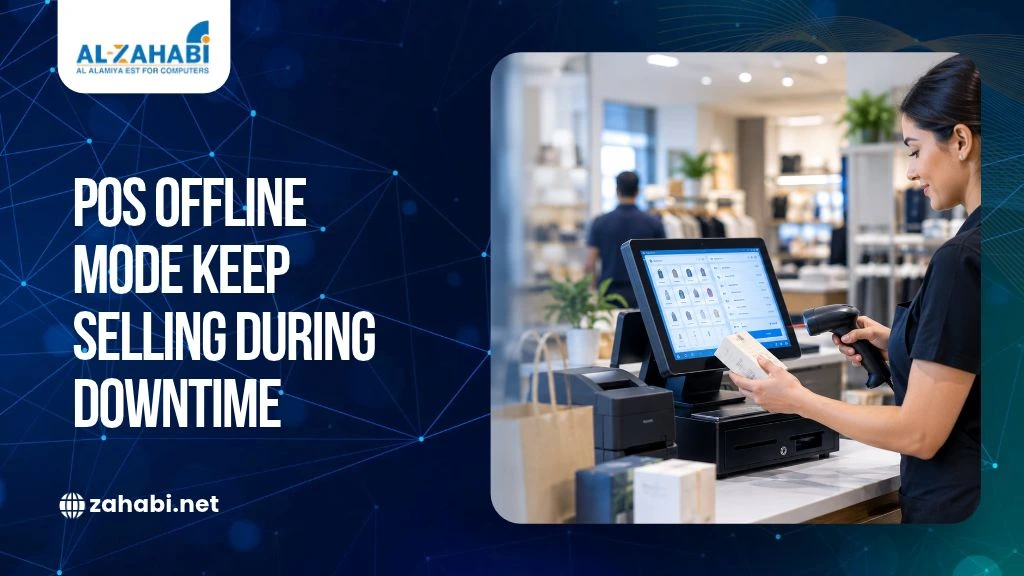
When your internet connection fails during a busy shopping period, checkout delays can quickly frustrate customers and disrupt sales. Your staff may struggle to retrieve product details, process payments or update stock records. If your POS depends on cloud connectivity for every transaction, even a short outage can affect daily operations.
An offline POS system can help you continue selected checkout activities without an active internet connection. Depending on its software and configuration, it may allow staff to access locally stored product information, record eligible sales and synchronise transactions after connectivity returns. However, offline mode does not guarantee that every function or payment method will remain available.
For retailers in Kuwait, the priority is to understand these limitations before an outage occurs. You need to know which sales can continue, how inventory records are protected and what happens when electronic payments cannot be authorised. A practical backup plan helps you make these decisions before they affect your customers.
Key Takeaways:
- An offline POS system can keep selected checkout functions available during internet outages.
- Offline features depend on your software, hardware and payment provider.
- Local transaction records need to synchronise correctly after reconnection.
- Card payments may require separate approval and configuration for offline use.
- Testing your backup process helps reduce disruption during system downtime.
An Offline POS System Can Keep Selected Sales Running During Internet Outages
When your POS loses internet connectivity, its behaviour depends on how the software stores data and handles transactions. Some systems can access previously loaded product information and save supported sales locally. Others depend more heavily on cloud services and may restrict checkout until the connection returns.
For example, a convenience store in Kuwait may be able to record a cash sale during an outage if its POS supports offline checkout. However, the cashier may not be able to retrieve a customer’s loyalty account or process a return that requires an online service.
The important distinction is between an internet outage and a complete POS failure. Offline mode may help when connectivity is lost, but it will not necessarily solve a damaged terminal, software crash, power failure or unavailable payment processor.
Before selecting a POS system Kuwait retailers can rely on, ask the supplier to demonstrate what happens when the internet is disconnected. Check which functions remain available and which require reconnection.
A POS System Can Work Offline Only If Its Software Supports It
An offline POS system needs a supported method of handling transactions when the central platform cannot be reached. Depending on the solution, this may involve locally stored product information, transaction records and predefined offline settings.
Some systems require offline mode to be enabled before staff can use it. Others may provide a prompt when connectivity is lost. Staff permissions, device compatibility and data storage rules can also affect whether the feature works as expected.
Shopify, for example, documents offline checkout for cash and manual payments, while card payments require additional configuration. Its documentation also identifies features that remain unavailable without internet access.
Check the Difference Between Local and Cloud Functions
A locally available function may continue working even when a cloud service is unavailable. A function that needs live access to remote data may stop working.
When assessing a system, ask whether staff can:
- Access previously loaded products and prices.
- Create and save supported sales.
- Print receipts for completed offline transactions.
- Continue using connected peripherals.
- Retrieve transaction records after restarting the device.
Do not assume every POS system offers these capabilities. Ask for a demonstration using the actual software and hardware you intend to purchase.
Next step: Explore our POS Machine category when assessing suitable checkout hardware, and confirm offline functionality with the relevant software provider before making a purchase.
Your POS Should Preserve Essential Checkout Functions During Downtime
Your priority during an outage is to maintain the checkout activities your business can safely support. Product lookup, cash sales and receipt printing may be available offline, but returns, customer accounts, discounts and reporting can have different restrictions.
POS function | What you should confirm |
Product lookup | Can staff access stored product details and prices? |
Cash sales | Can the POS record and save the transaction locally? |
Receipt printing | Can the printer produce receipts without internet access? |
Discounts | Are approved discounts available offline? |
Customer accounts | Can staff access customer records without a connection? |
Returns and refunds | Are these supported, or must staff wait? |
Inventory | Are stock movements saved for later synchronisation? |
Reports | Can staff view locally available transaction records? |
These are questions to verify, not guaranteed features. Shopify’s documentation, for example, lists customer management, gift cards, certain discounts, returns and inventory synchronisation among the functions that can be restricted offline.
Imagine a retailer selling a product for a price already stored on the POS. A supported offline checkout may allow the cashier to complete a cash sale. If the customer requests a loyalty reward that needs an online account, the cashier may need to explain that the feature is temporarily unavailable.
Your supplier should provide a clear list of supported and unsupported functions so employees can respond consistently.
Your Inventory May Become Temporarily Out of Date During POS Downtime
When sales continue offline, the central inventory database may not immediately reflect what has been sold. The POS may retain the transactions locally and update stock after the connection returns, depending on its design.
Suppose your store has eight units of a product recorded in its inventory. During an outage, staff sell three units. If the central system still shows eight, another employee could mistakenly promise stock that is no longer available.
This becomes more complicated when several branches or an online store share inventory data.
Record and Reconcile Offline Sales
To reduce discrepancies, establish a procedure that requires staff to:
- Use only approved offline transaction methods.
- Avoid unapproved manual stock adjustments.
- Record any sales that must be handled outside the POS.
- Check pending transactions after reconnection.
- Reconcile stock if the outage lasted long enough to affect inventory accuracy.
Shopify states that its POS cannot synchronise orders and inventory with Shopify admin while offline, and that the records should synchronise after connectivity returns.
If your store relies on barcode-based inventory processes, review how your Mobile Computer and barcode-scanning workflows handle connectivity loss. Device availability alone does not guarantee that the inventory application can continue working offline.
Next step: Ask your POS supplier to demonstrate a sale, stock update and subsequent reconciliation during a controlled offline test.
Offline Transactions Need a Clear Synchronisation Process
Synchronisation transfers locally stored transaction records to the central POS platform after connectivity returns. A reliable process should preserve sales details, update inventory and identify records that need attention.
The exact process varies by provider. Some systems synchronise automatically, while others may require a manual refresh if records remain pending.
A practical recovery process should follow four steps:
- Record the outage: Note when connectivity failed and which terminals were affected.
- Preserve transaction records: Follow the provider’s instructions for keeping offline sales available.
- Reconnect and synchronise: Allow the system to transfer pending orders and inventory changes.
- Verify the results: Check transaction totals, payment statuses, stock records and unresolved exceptions.
Shopify advises users not to turn off the device or sign out of its POS app during an offline period, as doing so may cause offline orders to be lost.
This example shows why recovery instructions matter as much as offline checkout itself.
Your staff should know how to identify pending transactions and what to do if automatic synchronisation fails. They should also avoid repeatedly submitting a sale when its status is unclear, as this can create duplicate records or payment attempts.
Offline Card Payments Require Separate Verification
An offline checkout feature does not automatically mean that credit or debit card payments will work without internet access. Payment processing depends on the terminal, software, acquiring bank, payment provider and merchant configuration.
Some systems can store eligible card transactions and submit them after connectivity returns. In such cases, the payment may not be confirmed immediately, and the transaction could later be declined.
Shopify documents these limitations for its optional offline card-payment feature, including the need for compatible hardware and prior activation. These product-specific rules should not be treated as proof that the same capability is available through a Kuwait merchant account.
Confirm Your Kuwait Payment Arrangements
Before relying on offline card payments, ask your payment provider:
- Does your merchant setup support offline card transactions?
- Which terminals and transaction types are eligible?
- Are there transaction limits or additional configuration requirements?
- When is a payment authorised and when is it captured?
- Who bears the risk if a stored payment is declined?
- What should staff do when a payment remains pending?
The Central Bank of Kuwait publishes regulatory instructions covering electronic payment services, including requirements concerning risk management, cybersecurity, business continuity and customer protection. Retailers should confirm their applicable obligations and payment arrangements with their provider.
Do not promise customers that all cards will work during an outage. Follow your approved payment policy, and never ask employees to store sensitive card details manually as a workaround.
Next step: Ask your acquiring bank or payment provider to confirm the offline payment options available for your specific merchant setup before activating any feature.
A Downtime Plan Should Cover Internet, Hardware and Power Failures
Offline mode addresses only part of the problem. Your continuity plan should also cover software errors, damaged terminals, network equipment failures and power interruptions.
Start by assigning responsibility for responding to an outage. Staff should know who can enable offline mode, which payment methods are permitted, how to communicate delays to customers and when to stop processing sales.
Then review your backup arrangements:
- Internet: Consider a supported alternative connection if your primary service fails.
- Power: Check whether a suitable UPS can keep essential equipment running during a short interruption.
- Hardware: Establish a procedure for moving to another compatible terminal if a device fails.
- Software: Document how to recover from crashes and resolve failed synchronisation.
- Support: Keep the supplier’s troubleshooting and escalation procedures accessible.
A backup internet connection will not solve a failure affecting the POS provider’s server or payment processor. Similarly, a UPS cannot guarantee that the application or payment service will remain available.
Run a controlled test before a busy trading period. Disconnect the internet, attempt permitted test transactions, check receipt printing, reconnect and verify the resulting records.
POS Hardware Should Support Your Business Continuity Plan
Your POS terminal, accessories, network and peripherals need to work together. Confirm the offline behaviour of each component rather than assuming that a working terminal means the entire checkout process is available.
POS Machines and Accessories
Review your POS Machine specifications, supported connections, local storage and restart behaviour. Check whether your POS Accessories, such as barcode scanners and cash drawers, communicate directly with the terminal or rely on network services.
Your receipt printer should also be tested. Confirm that staff can print receipts for supported offline sales and that you have spare paper available.
Kiosks and Barcode Printing
If you operate a self-service Kiosk, verify whether it can communicate its offline status clearly and whether transactions can be resumed safely after service returns.
For businesses using Barcode Printing, check whether label printing depends on cloud-based software or a local application. A printer may remain powered on even when the system supplying product data is unavailable.
These checks help you identify the actual weak points in your checkout workflow.
Kuwait Retailers Should Complete an Offline POS Readiness Checklist
Before purchasing or upgrading a POS system, confirm that you can answer the following questions:
- Which checkout functions work without internet access?
- Must offline mode be activated in advance?
- Which payment methods are supported by your provider?
- How are locally stored sales synchronised?
- How does the system identify pending or duplicate transactions?
- Can receipts and connected peripherals work during an outage?
- What backup connectivity and power arrangements are available?
- Have staff practised the outage and recovery procedures?
- Can the supplier demonstrate a complete offline test?
- Are the system’s support arrangements and applicable compliance requirements documented?
If several answers remain unclear, request a demonstration before committing to the system.
Conclusion
An offline POS system can help Kuwait retailers continue selected sales during internet outages, but it cannot guarantee that every checkout or payment function will remain available. Before choosing a solution, verify offline capabilities, payment-provider restrictions, inventory synchronisation, hardware dependencies and recovery procedures. Test the setup with your actual equipment so your team knows exactly what to do when connectivity fails.
Frequently Asked Questions
1. What is an offline POS system?
An offline POS system supports selected checkout activities without an active internet connection. Depending on the software, it may access stored product data, record eligible sales and synchronise transactions later. Cloud reports, customer accounts and payment processing may remain unavailable, so check the system’s specific limitations.
2. Can a POS system accept card payments without internet access?
Some systems support offline card transactions, but availability depends on compatible hardware, software configuration and your payment provider’s terms. A stored transaction may be declined after reconnection. Kuwait retailers should confirm eligibility, limits and financial risks with their acquiring bank before enabling offline card payments.
3. What happens to inventory when a POS system goes offline?
The central inventory record may not immediately reflect offline sales. A supported POS system can synchronise locally stored transactions after connectivity returns, but you should verify that stock quantities update correctly. Check pending orders, investigate missing records and reconcile physical stock if the outage was prolonged.
4. How can Kuwait retailers prepare for POS downtime?
Document which functions remain available, confirm approved payment methods, arrange suitable backup connectivity and train employees on outage procedures. Test the system under controlled conditions, including receipt printing and transaction recovery. Keep supplier support instructions accessible and define when staff should stop processing transactions.
5. What should retailers check before buying a POS system in Kuwait?
Check offline checkout features, payment-provider compatibility, local transaction storage, inventory synchronisation, hardware support and recovery procedures. Ask the supplier to demonstrate an internet outage and subsequent reconciliation. Confirm applicable payment requirements with your provider rather than assuming that generic offline features satisfy every local obligation.


Add comment