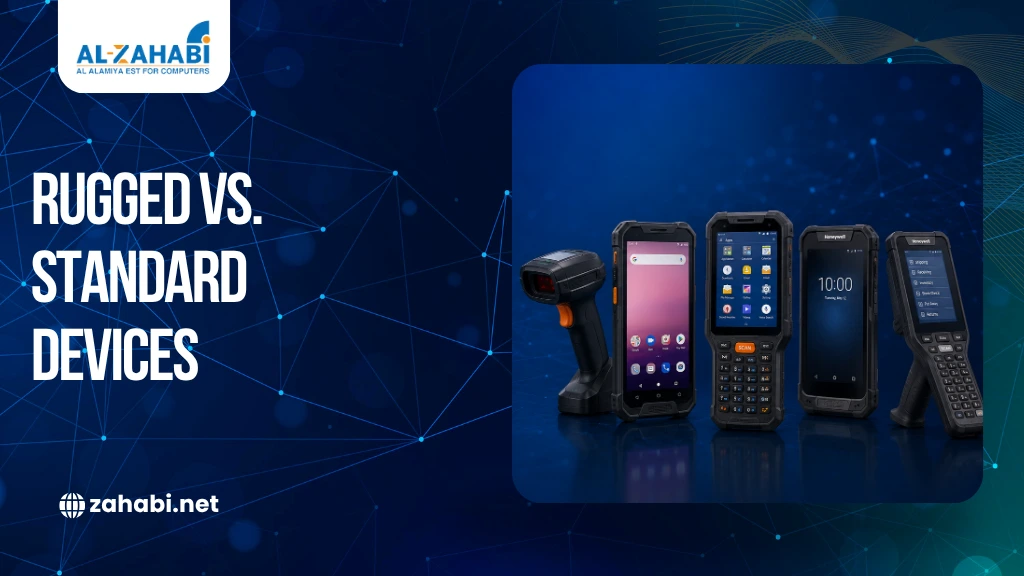
A standard smartphone or tablet may handle inventory apps perfectly well in an office. Put the same device on a warehouse floor, loading dock, delivery route, or manufacturing line, and the risks change quickly. Drops, dust, moisture, long shifts, and constant scanning can turn a low-cost device into an operational problem.
That is where a rugged handheld computer in Kuwait can justify its higher purchase price. Rugged hardware is built around the conditions your employees actually work in, with protection, scanning capability, battery options, and enterprise software support designed for demanding environments.
Point Mobile and Honeywell offer examples of this approach. Point Mobile’s current range includes rugged Android mobile computers and handheld terminals, while Honeywell’s CT47 is designed for logistics, warehouse, manufacturing, and field operations.
The question is not whether rugged hardware costs more. It does. The real question is whether your working environment makes that premium worthwhile.
Key Takeaways:
- Rugged hardware is designed for drops, dust, moisture, and demanding shifts.
- Standard devices can still make sense in controlled environments.
- Point Mobile and Honeywell offer purpose-built enterprise mobile computers.
- Scanner performance, battery life, connectivity, and lifecycle support all matter.
- The right choice depends on your workflow, not just the purchase price.
What Makes a Rugged Device Different From a Standard One?
The biggest difference is not simply a stronger outer casing. Rugged enterprise devices are designed around the realities of frontline work.
Understanding what makes a device rugged for harsh work environments can help businesses assess whether they actually need enterprise-grade hardware.
A standard Android phone or tablet is generally built for everyday consumer use. It may be suitable for a shop counter, office inventory room, or occasional stock check. A rugged mobile computer is designed for repeated handling, industrial scanning, mobile connectivity, and harsher working conditions.
For example, Point Mobile’s PM452 is specified with a 2.0 m drop rating, IP65 protection, and a 1,000-cycle tumble test. Its specifications also include an advanced scanning engine and Wi-Fi 6E connectivity.
Honeywell’s CT47 takes the same industrial approach. The manufacturer specifies IP65 and IP68 protection, multiple 2.45 m drops to concrete under MIL-STD-810H, and more than 3,500 tumbles under the stated test conditions.
These specifications matter when a device is part of your daily operation rather than an occasional tool.
Rugged vs. Standard Barcode Scanner Performance
If your employees scan products throughout the day, the scanner itself becomes an important part of the workflow.
A standard smartphone can scan a barcode through its camera, but that may not provide the speed or ergonomics required for high-volume warehouse work. A dedicated rugged handheld can combine a physical scan trigger, purpose-built scan engine, enterprise software, and a body designed for repeated use.
Understanding handheld mobile computers vs barcode scanners can help businesses determine whether they need a dedicated mobile computer or a standalone scanning device.
This distinction is particularly important in receiving, picking, stock counting, and dispatch operations.
Consider a warehouse employee who scans hundreds of cartons during a shift. They need to locate the barcode quickly, scan it accurately, confirm the transaction, and move on. A dedicated scanner integrated into a rugged handheld can reduce unnecessary steps.
The right rugged vs. standard barcode scanner decision therefore depends on scan volume and environment. If scanning is occasional and the device stays on a clean counter, a consumer device may be sufficient. If scanning is continuous and the device moves across a warehouse, rugged hardware becomes easier to justify.
Drop Protection Can Change the Cost Calculation
Drops are not unusual in warehouses. Devices can fall from shelving, carts, forklifts, or employees’ hands.
A standard device may survive an occasional accident, but it is not necessarily designed around repeated drops onto hard surfaces.
Rugged hardware is tested for these conditions. For instance, Point Mobile lists multiple drop and tumble specifications across its product range. Its PM75 is rated for multiple 1.5 m drops onto concrete and 300-cycle tumble testing at 1 m.
Honeywell’s CT47 is specified for multiple 2.45 m drops to concrete and IP65/IP68 protection.
That does not mean a rugged device is indestructible. It means the manufacturer has designed and tested it for a more demanding operating environment.
When a Rugged Handheld Computer in Kuwait Makes Sense
A rugged handheld computer in Kuwait becomes easier to justify when device failure can interrupt an important workflow.
1. Warehouses and Distribution Centres
Warehouses are one of the clearest use cases.
Employees may scan products while walking between racks, loading areas, and dispatch stations. Devices can be exposed to dust, accidental impacts, changing temperatures, and long working shifts.
Point Mobile lists logistics and warehouse management among the applications for several of its mobile computers. Honeywell similarly positions the CT47 for logistics, warehouses, manufacturing, and fieldwork.
If a failed device stops an employee from receiving or picking inventory, the cost is not limited to the replacement hardware. It can also affect productivity.
2. Manufacturing Environments
Manufacturing introduces another set of challenges.
Devices may be used around machinery, production areas, storage zones, and material handling operations. Vibration, dust, repeated movement, and accidental drops can all influence equipment reliability.
A rugged device is designed with these conditions in mind.
For example, Honeywell’s CT47 supports standard, mid-range, and long-range scanning configurations, with the manufacturer listing logistics, warehouse, manufacturing, and field operations among its applications.
3. Field Service and Delivery Operations
Field workers do not have the controlled environment of an office.
A technician may use a handheld computer outdoors, inside a customer’s facility, or around equipment. A delivery worker may need scanning, navigation, connectivity, and order information on the same device.
In these situations, durability and connectivity become operational requirements rather than optional features.
Point Mobile Rugged Devices: Where They Fit
Point Mobile rugged devices cover several enterprise mobility requirements, including handheld terminals, mobile computers, tablets, and RFID solutions.
Its current mobile computer range includes models such as the PM84P, PM95, PM86, PM75, PM67, PM85, and others. The specifications vary considerably, so businesses should select a model according to the workflow rather than treating every rugged device as interchangeable.
For example, the PM84P runs Android 15, supports 1D/2D barcode symbologies, and is rated IP65 with a 1.5 m drop rating without its rugged boot and 1.8 m with the boot. It also includes a hot-swap backup battery feature designed to keep sessions active during battery changes.
The PM95 offers a larger 6-inch display, Android 13, 5G and Wi-Fi 6E connectivity, IP68/IP65 protection, and MIL-STD-810H drop testing.
This range illustrates an important buying point: rugged does not automatically mean one-size-fits-all. Screen size, scanner range, battery configuration, connectivity, and physical design should match the task.
Honeywell Rugged Scanners and Mobile Computers
A Honeywell rugged scanner or mobile computer can be useful when your workflow requires both data capture and enterprise mobility.
Honeywell’s CT47 is a strong example. It combines Android, 5G and Wi-Fi 6E connectivity, multiple scanning ranges, a 5.5-inch touchscreen, and rugged environmental protection. The manufacturer also specifies a 4,775 mAh battery and support through Android 15 for the CT47 platform.
The CT47 is designed for frontline workers in logistics, warehouses, manufacturing, and field service.
Honeywell’s current mobility portfolio also includes models such as the CT37, CT70, CT32, CK67, and CK62, with different durability, form-factor, and application specifications.
The practical takeaway is to match the device to your operation rather than choosing a brand based only on reputation. Businesses comparing scanning hardware can also review Honeywell vs Zebra barcode scanners for warehouse use before selecting equipment for demanding environments.
Android Handheld Computers vs Consumer Android Devices
Many businesses prefer Android because employees are already familiar with touchscreen workflows.
However, an enterprise device running Android is not necessarily equivalent to a consumer phone running Android.
Handheld computers for Android systems can be built around integrated barcode scanning, physical triggers, enterprise device management, removable batteries, specialised connectivity, and rugged protection.
Point Mobile’s devices, for example, include Android-based mobile computers with enterprise-focused features and different scanner configurations.
A consumer phone may be perfectly adequate for checking stock occasionally. A warehouse worker scanning throughout an eight-hour shift may need something different.
The same distinction applies to an android touch computer. A touchscreen alone does not make a device suitable for industrial work. You need to consider durability, scanning, battery management, connectivity, and lifecycle support together.
Battery Life and Continuous Operations
Battery performance can directly affect productivity.
If a worker has to stop repeatedly to recharge a device, scanning and inventory workflows can slow down. Rugged enterprise computers often provide battery configurations designed for longer shifts or replacement during operation.
Point Mobile’s PM84P, for example, supports a standard and extended battery along with an enterprise hot-swap backup battery.
Honeywell’s CT47 has a 4,775 mAh battery and offers standard and wireless battery options.
The right battery setup depends on your shift length, charging infrastructure, application workload, and whether batteries can be swapped during operations.
Connectivity Matters Beyond Barcode Scanning
Modern handheld computers do more than scan products.
A warehouse employee may need to access a warehouse management system, update stock, receive task instructions, communicate with a supervisor, and confirm an order on the same device.
Point Mobile’s current range includes devices supporting technologies such as Wi-Fi 6E, 5G, Bluetooth, and GNSS depending on the model.
Honeywell’s CT47 supports 5G, Wi-Fi 6E, Bluetooth 5.2, and GPS capabilities depending on configuration.
Before buying, check the exact connectivity requirements of your warehouse, store, delivery route, or field operation. Comparing wired vs wireless barcode scanner options can also help you decide how scanning devices should connect within your operational environment.
When Standard Devices Are Still the Better Choice
Rugged hardware is not automatically the right choice.
If you run a small retail store where a device remains behind the counter, the environment may not justify the premium. A standard tablet or smartphone can handle basic stock checks, POS applications, or occasional barcode scanning.
The same applies to office inventory rooms where dust, moisture, drops, and continuous scanning are not major concerns.
If a damaged device means replacing a single inexpensive unit and work can continue easily, standard hardware may be reasonable. If device failure can stop receiving, picking, dispatch, or field service activity, rugged equipment deserves closer consideration.
Calculating the Real Cost of Rugged Hardware
The purchase price should not be your only comparison point.
Consider the total operating cost:
Factor | Standard Device | Rugged Enterprise Device |
Upfront Cost | Usually lower | Usually higher |
Drop Protection | Limited | Designed for demanding use |
Integrated Scanning | Often camera-based | Purpose-built scan engines available |
Battery Options | Consumer-focused | Enterprise options available |
Environmental Protection | Limited | IP-rated models available |
Enterprise Management | Varies | Designed for enterprise deployment |
The premium becomes easier to justify when the device is exposed to conditions that would increase the failure risk of standard hardware.
For example, replacing one consumer device may appear cheaper than buying one rugged unit. But if multiple replacements, downtime, data loss, or workflow interruptions occur, the initial price difference can become less meaningful.
How to Choose the Right Rugged Device for Your Operation
Start with the workflow rather than the brand. Ask how often employees scan, where they work, how long their shifts last, and what conditions the device will face.
Then evaluate:
- Required scan range and barcode types
- Drop and IP protection
- Battery and hot-swap options
- Wi-Fi, Bluetooth, 4G/5G, or GNSS needs
- Screen and keypad preferences
- Android version and support lifecycle
- Device management and application compatibility
Reviewing barcode scanner types for warehouse and industrial use can help you choose the appropriate scanning technology based on barcode formats and operating conditions.
If your employees mainly scan nearby cartons, you may not need a long-range scanner. If they work on high racks or across large storage areas, longer scanning distances can become more valuable.
Likewise, a worker who enters data frequently may prefer a larger touchscreen, while a fast-paced picking operation may benefit from physical keys or a dedicated scan trigger.
Final Verdict: Is the Premium Worth It?
The answer depends on what happens when your device fails. For a controlled retail or office environment, a standard device can be a sensible choice. For warehouses, manufacturing, logistics, and field service, the cost of downtime can make rugged hardware much more attractive.
A rugged handheld computer in Kuwait is worth the premium when durability, scanning performance, battery continuity, connectivity, and enterprise support directly affect your daily workflow.
Point Mobile and Honeywell both offer multiple rugged configurations, so the best choice should be based on your application, not simply the brand name.
If you are evaluating devices for a warehouse or field operation, start by documenting your scanning volume, environmental conditions, shift length, and software requirements. That gives you a practical basis for selecting the right hardware instead of paying for specifications you will never use.
Conclusion
Rugged hardware costs more because it is designed for a different working environment. If your team operates in warehouses, manufacturing facilities, logistics, or field service, the added durability and enterprise features can make the premium worthwhile. If your devices stay in controlled environments, standard hardware may remain the more practical option.
Frequently Asked Questions
1. What is a rugged handheld computer used for?
A rugged handheld computer combines mobile computing and data capture for demanding environments. It is commonly used for warehouse inventory, logistics, manufacturing, delivery, and field service operations.
2. Are Point Mobile rugged devices suitable for warehouse operations?
Yes. Point Mobile lists logistics and warehouse management among the applications for several of its mobile computers. Specific models offer features such as barcode scanning, drop protection, IP-rated protection, and enterprise connectivity.
3. What makes a Honeywell rugged scanner different from a standard scanner?
A Honeywell rugged scanner or mobile computer can combine dedicated barcode scanning with features designed for demanding environments. For example, the CT47 is IP65/IP68 rated and tested for multiple drops and tumbles.
4. Can rugged handheld computers run Android applications?
Yes. Point Mobile and Honeywell offer Android-based enterprise handheld computers. Exact Android versions and upgrade support depend on the model, so check the manufacturer’s specifications before deployment.
5. When should a business choose a rugged handheld computer in Kuwait?
Choose one when repeated drops, dust, moisture, continuous scanning, long shifts, or device downtime create a meaningful operational risk. For controlled environments, a standard device may be sufficient.